

Sign in with GitHub#
Continue with GitHub. Sign in to your burrow with your GitHub account, or create a RatelKey account with it in one step. If your account has two-factor turned on, you're still asked for your second factor.
Connect it to an existing account. Already have a RatelKey account? Connect GitHub from your RatelKey account settings, and sign in either way from then on. Your burrow's account page shows whether GitHub is connected, and you can disconnect it there.
Two-factor#
Confirm it's you before turning it on. Setting up an authenticator app now asks you to confirm it's you first. Accounts with a password type it right in your burrow. Accounts with a passkey or GitHub confirm in a RatelKey window, then carry on where they left off.
An email when it changes. You'll get an email whenever two-factor is turned on or off for your account, wherever the change was made.
Profile pictures#
Crop when you upload. Choosing an image opens a crop window. Drag and resize the square to frame your picture, with a circle showing how it will look.
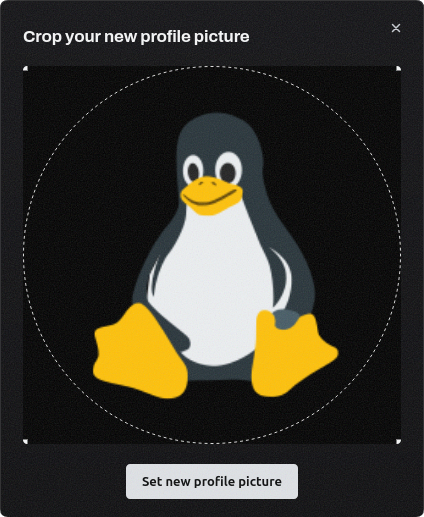
Your recent uploads stay. Your last five uploaded pictures appear next to the built-in ones, so you can switch back to any of them without uploading again.
Setting up a burrow#
Same tab, start to finish. Claiming a new burrow takes you to RatelKey to sign in and approve, then straight back to your burrow in the same tab. No popup to allow or lose track of.
A confirmed email address. The account that owns a burrow needs a confirmed email address, so account notices always reach you. If yours isn't confirmed yet, setup walks you through it and picks up where you left off.
Up and running in seconds. On a clean machine, a new burrow is downloaded, unpacked and running in about 8 seconds.
Members and roles#
Access stays within your own. Members who manage others can invite, assign roles and edit roles only up to the access they hold themselves, and can't change a member or role that has more access than they do.
Security improvements#
Security improvements across sign-in, sessions, two-factor, account recovery, member and role management, and profile picture uploads.
Learn more in the docs.