

Audit log#
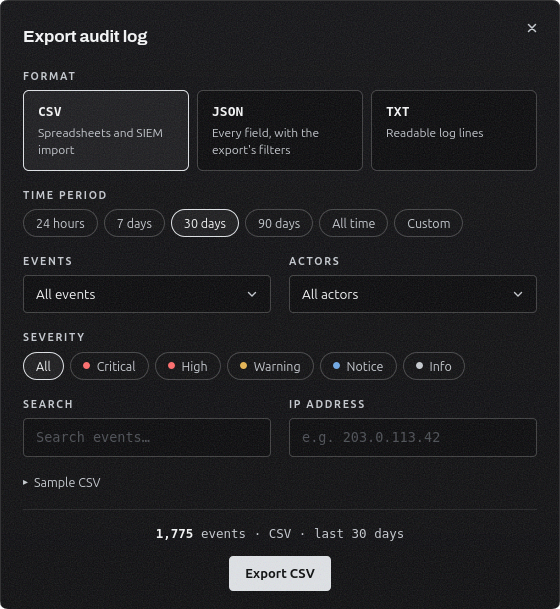
Export your audit log. Download your audit log as CSV, JSON or plain text. Pick a time period and filter by event, actor, severity or IP address, and you'll see how many events the file will hold before you download it.
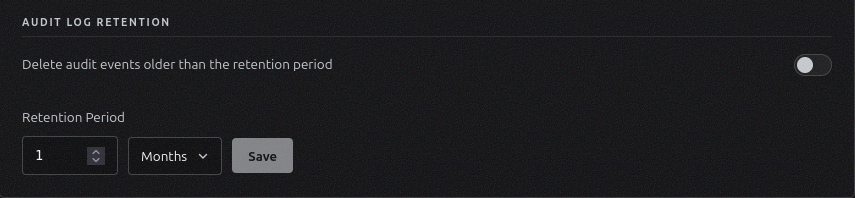
Choose how long events are kept. Under Settings → Security, turn on audit log retention and pick a period in days, weeks, months or years. Older events are deleted automatically, and before anything is deleted you'll see how many events will go. Retention is off by default, so every event is kept until you choose otherwise.
See what read your secrets. Every secret read by a machine now shows the tool and version that made it, like Python SDK 1.0.1 or CLI 0.4.2.
Fixes#
Lists inside windows, like a machine's activity or a secret's version history, now show their scrollbar.
Learn more in the docs.