A shared database password lives in every app that uses it, and changing it means changing it everywhere at once. A dynamic secret replaces it with a login of its own for each machine: your Burrow creates it in PostgreSQL the moment a machine reads the secret, with only the rights you choose, and removes it when its time is up.
What you need#
A PostgreSQL database your Burrow can reach, and a role in your Burrow that can write secrets.
An admin login in that database that can create roles, ideally one made for your Burrow.
Machines with access to the environment the secret goes in. This guide uses
api'sprod.
Open a new dynamic secret#
Open the environment in Projects, select the + at the top right of the secrets table and choose Dynamic. The dialog has three steps: Connection, Lease & credential, and Review.
Connect to your database#
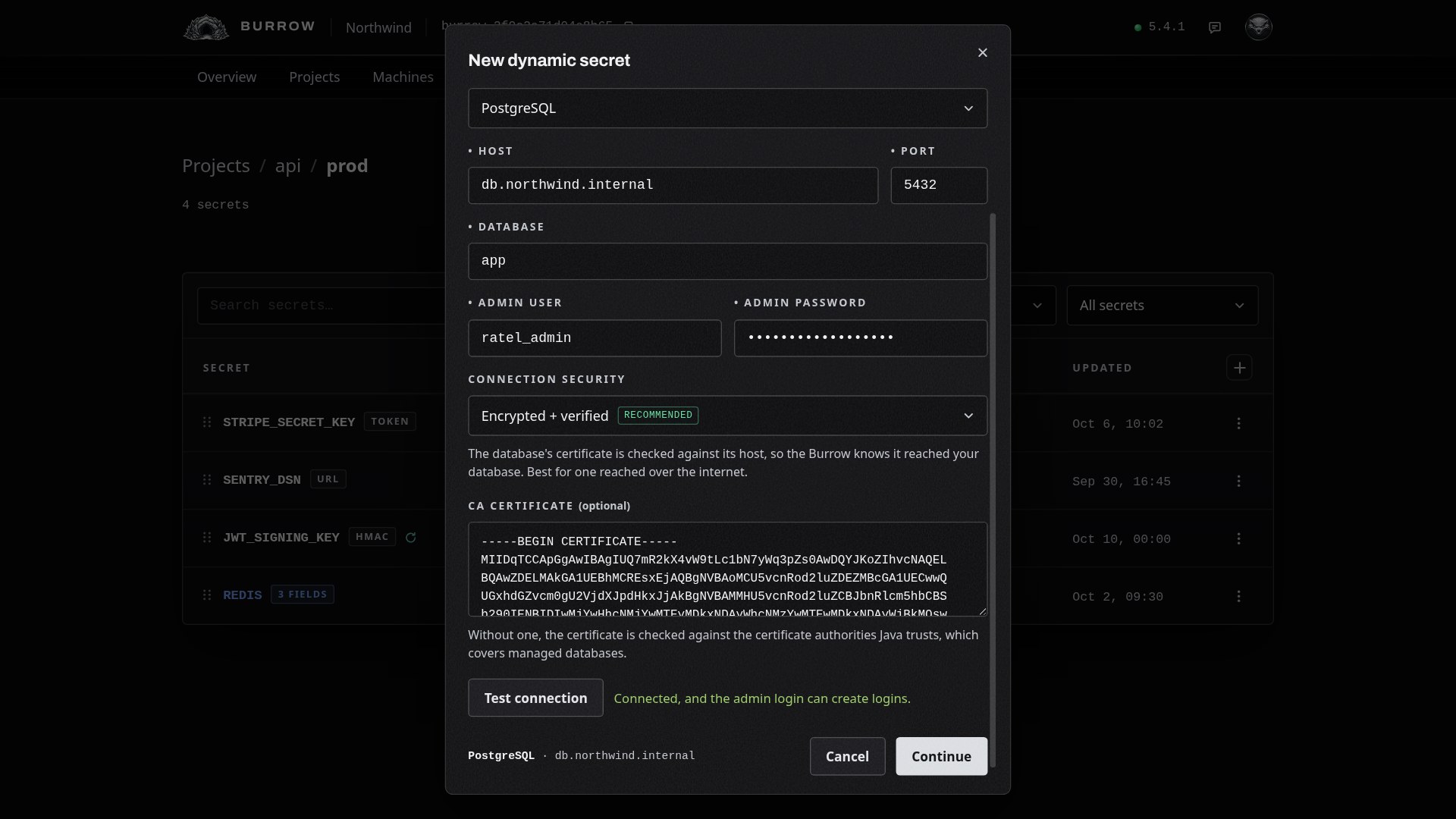
Name the secret, such as DATABASE. Machines read it as api/prod/DATABASE, like any other secret. Set Provider to PostgreSQL. MySQL, MariaDB, Redis, MSSQL and MongoDB work the same way, each with its own kind of login.
Then fill in where the database is and how your Burrow signs in to it:
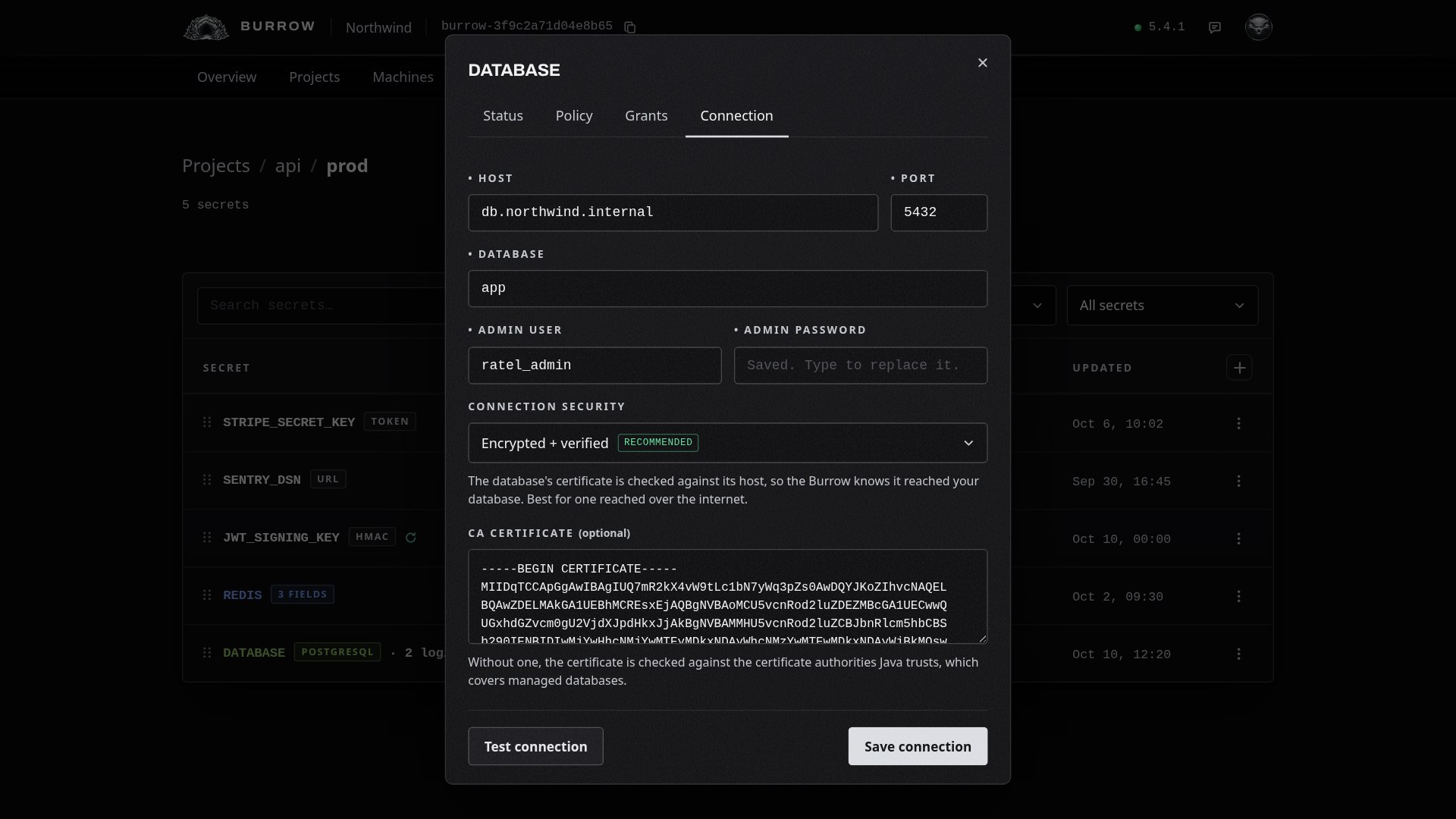
Host and Port: where your Burrow reaches the database, 5432 by default.
Database: the database the logins are made in.
Admin user and Admin password: the login your Burrow uses to create and remove each machine's login. It never leaves your Burrow, and machines never see it.
Choose how the connection is protected:
Connection security | What it checks |
|---|---|
Encrypted + verified | Encrypted, and the database's certificate must come from a trusted authority and name the host you entered. Best for a database reached over the internet. |
Encrypted + trusted certificate | Encrypted, and the certificate must come from a trusted authority, but its host name isn't checked. For a database reached by an address its certificate doesn't name. |
Encrypted | Encrypted, without checking the database's identity. The default; works everywhere. |
None | Plaintext. Only for a database on a network you trust. |
With either checking option, a CA certificate field appears. If your database's certificate comes from your own CA, paste that CA's certificate there. A managed database's certificate is trusted already, so leave it empty.
Select Test connection. Your Burrow connects with the admin login and checks it can create logins. Nothing is created in your database until a machine reads the secret. Select Continue.
Shape each password#
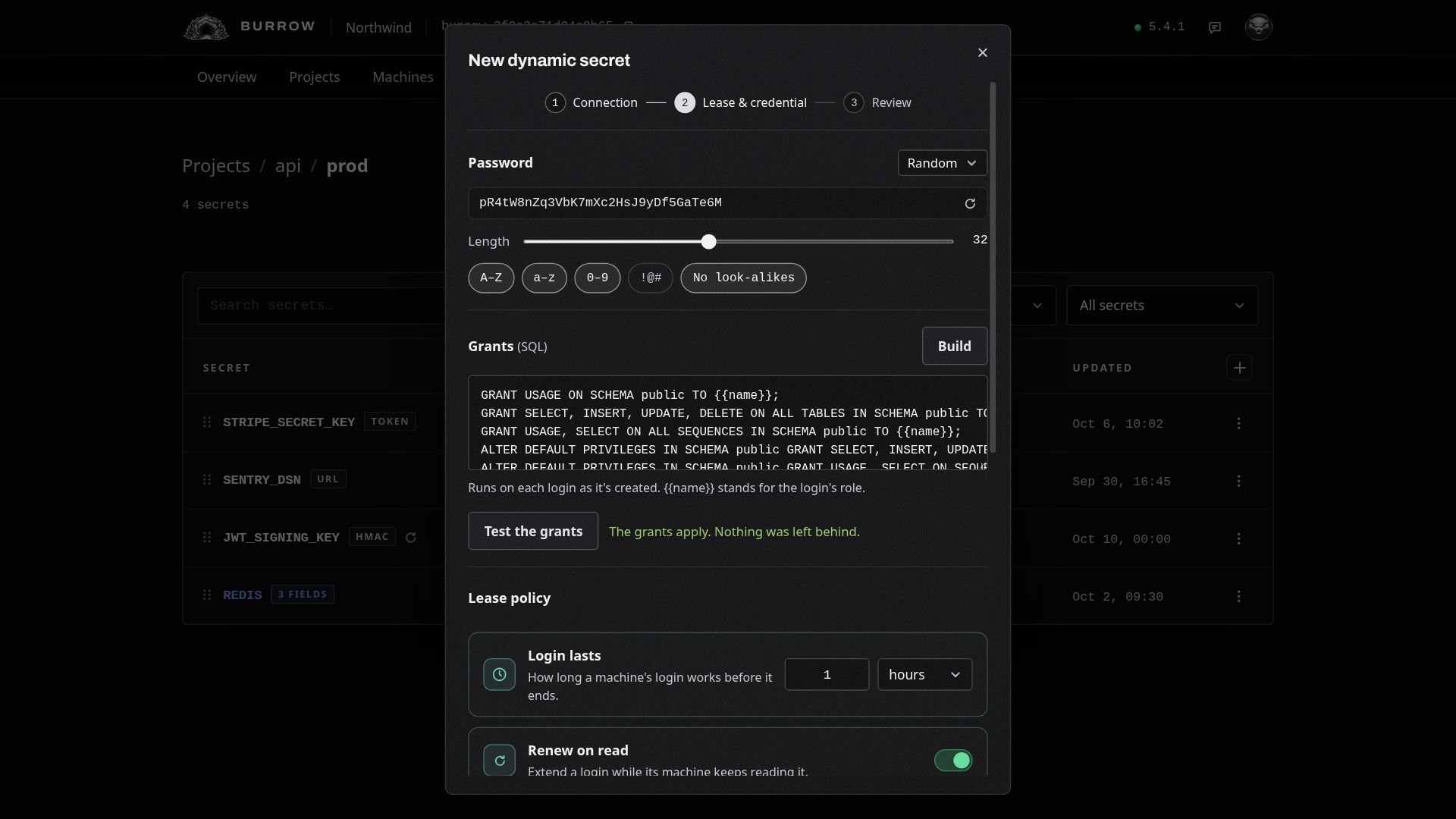
Every login gets its own random password. Under Password, set its length, from 8 to 64, which of A to Z, a to z, 0 to 9 and symbols it uses, and whether to leave out characters that look alike, such as 0 and O. Or choose UUID. The example shows the shape; each login's real password is made when it's issued.
Decide what each login may do#
The grants are SQL, run on each login as it's created, with {{name}} standing for the login. Without any, a login can sign in but can't touch your data. Select Build to write them from a list:
Access: Read-only reads rows, Read / write also inserts, updates and deletes them, and Full can change the schema too.
Privileges: tick PostgreSQL privileges one by one instead. Any mix that isn't a preset is marked Custom.
Scope: the schema the grants apply to. Future tables gives tables created later the same rights, and Sequences lets logins insert into serial and identity columns.
The statements show as you choose. Use these grants puts them in the grants box. Read / write on public writes these five:
GRANT USAGE ON SCHEMA public TO {{name}};
GRANT SELECT, INSERT, UPDATE, DELETE ON ALL TABLES IN SCHEMA public TO {{name}};
GRANT USAGE, SELECT ON ALL SEQUENCES IN SCHEMA public TO {{name}};
ALTER DEFAULT PRIVILEGES IN SCHEMA public GRANT SELECT, INSERT, UPDATE, DELETE ON TABLES TO {{name}};
ALTER DEFAULT PRIVILEGES IN SCHEMA public GRANT USAGE, SELECT ON SEQUENCES TO {{name}};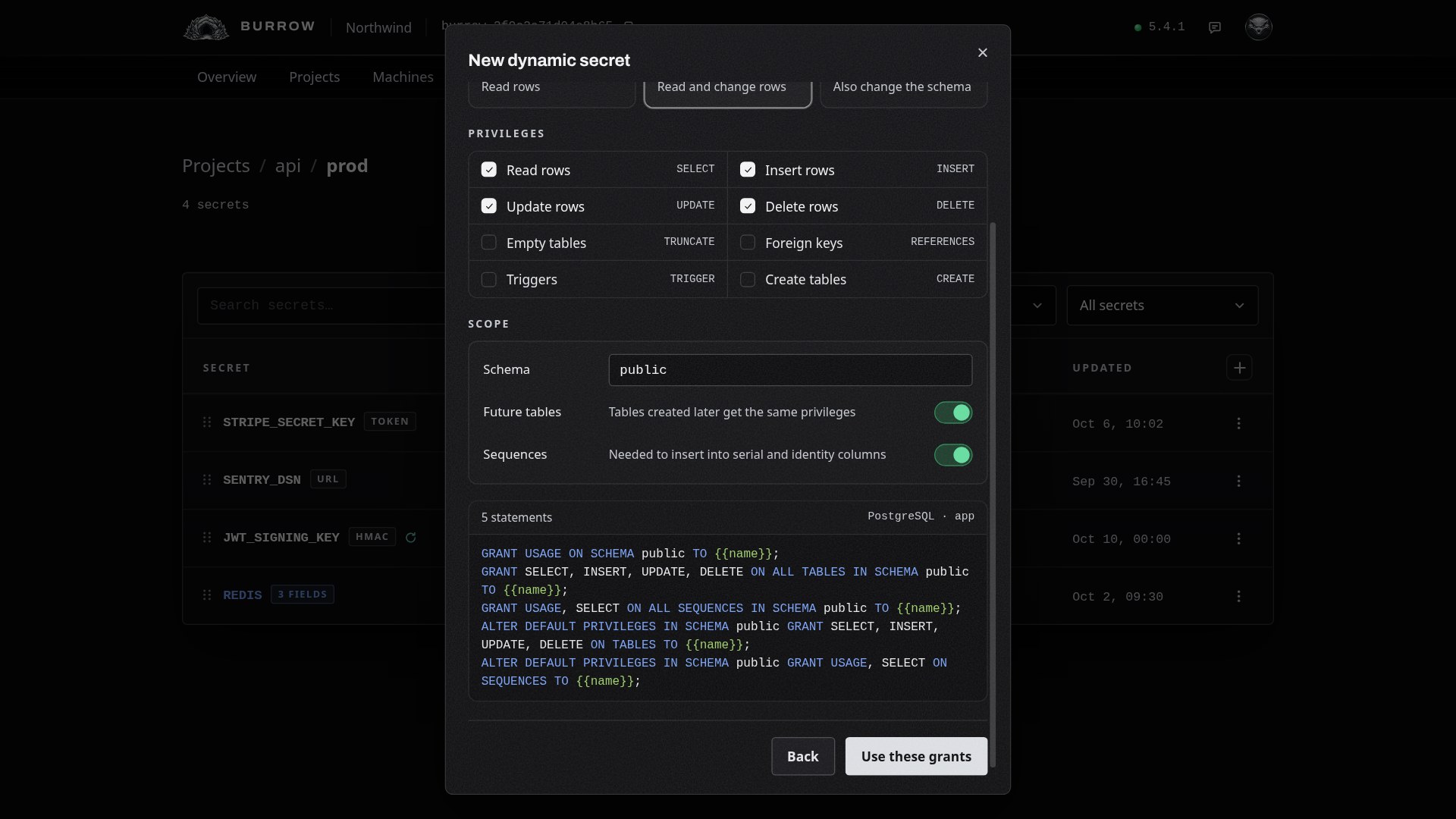
Then select Test the grants. Your Burrow creates a throwaway login, applies the grants to it and removes it again, so a typo or a missing table shows up now rather than when a machine reads.
Set the lease policy#
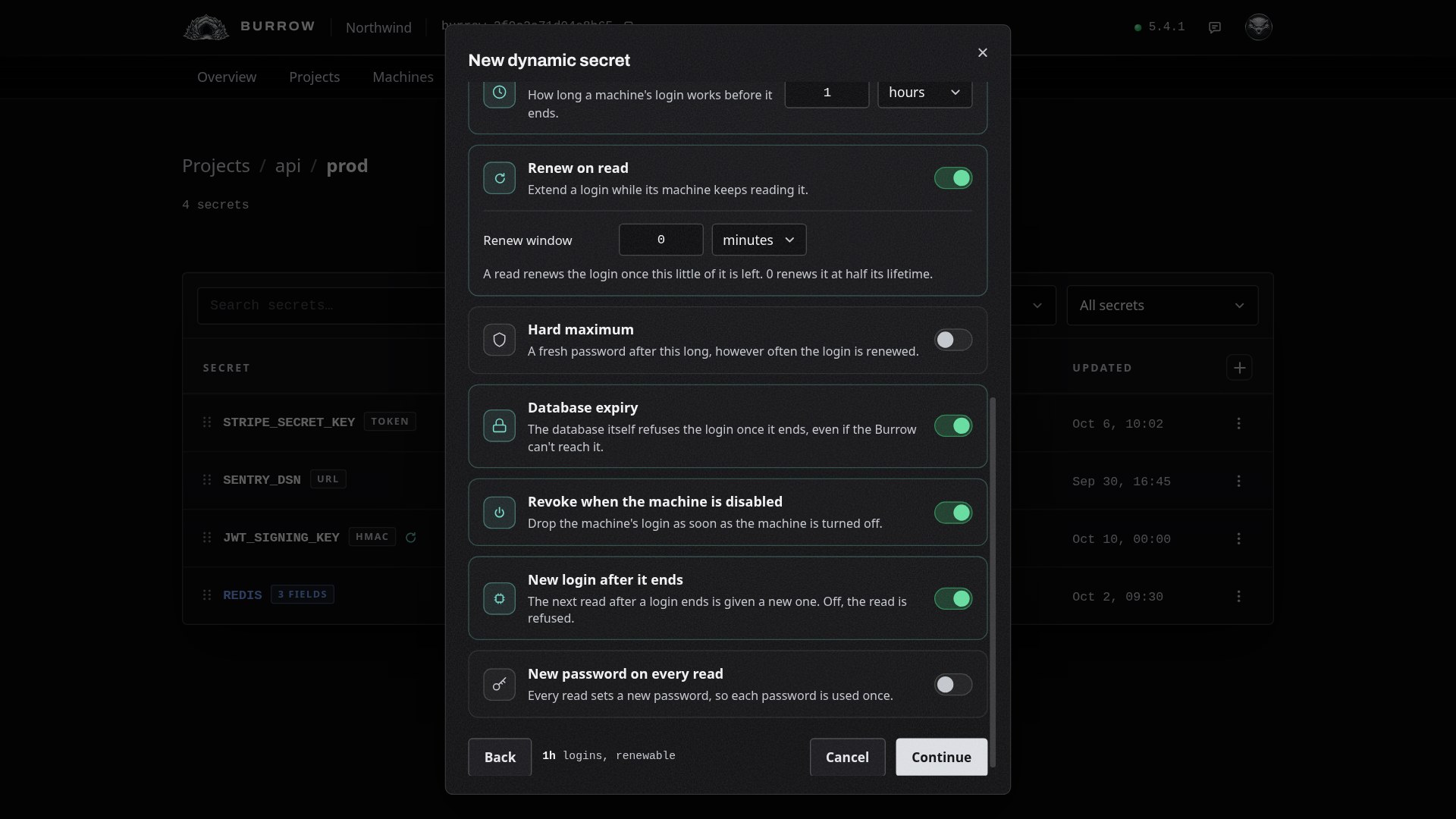
The lease policy decides how each login lives. A new secret starts with sensible defaults, so you may not need to change any of them:
Setting | What it does |
|---|---|
Login lasts | How long each login works, from 1 minute to 10 years. 1 hour by default. |
Renew on read | A machine that keeps reading keeps its login: a read late in its life extends it by another full lifetime, with the same username and password. The renew window sets how late; at 0, any read after half its life renews it. On by default. |
Hard maximum | However often a login is renewed, it gets a fresh password after this long. Off by default. |
Database expiry | PostgreSQL itself refuses the login at its end time, even if your Burrow can't reach the database then. On by default. |
Revoke when the machine is disabled | Disabling a machine removes its login at once. On by default. |
New login after it ends | The first read after a login ends gets a new password under the same username. Switched off, that read is refused. On by default. |
New password on every read | Every read sets a new password, so each password is used once. Off by default. |
Review and create#
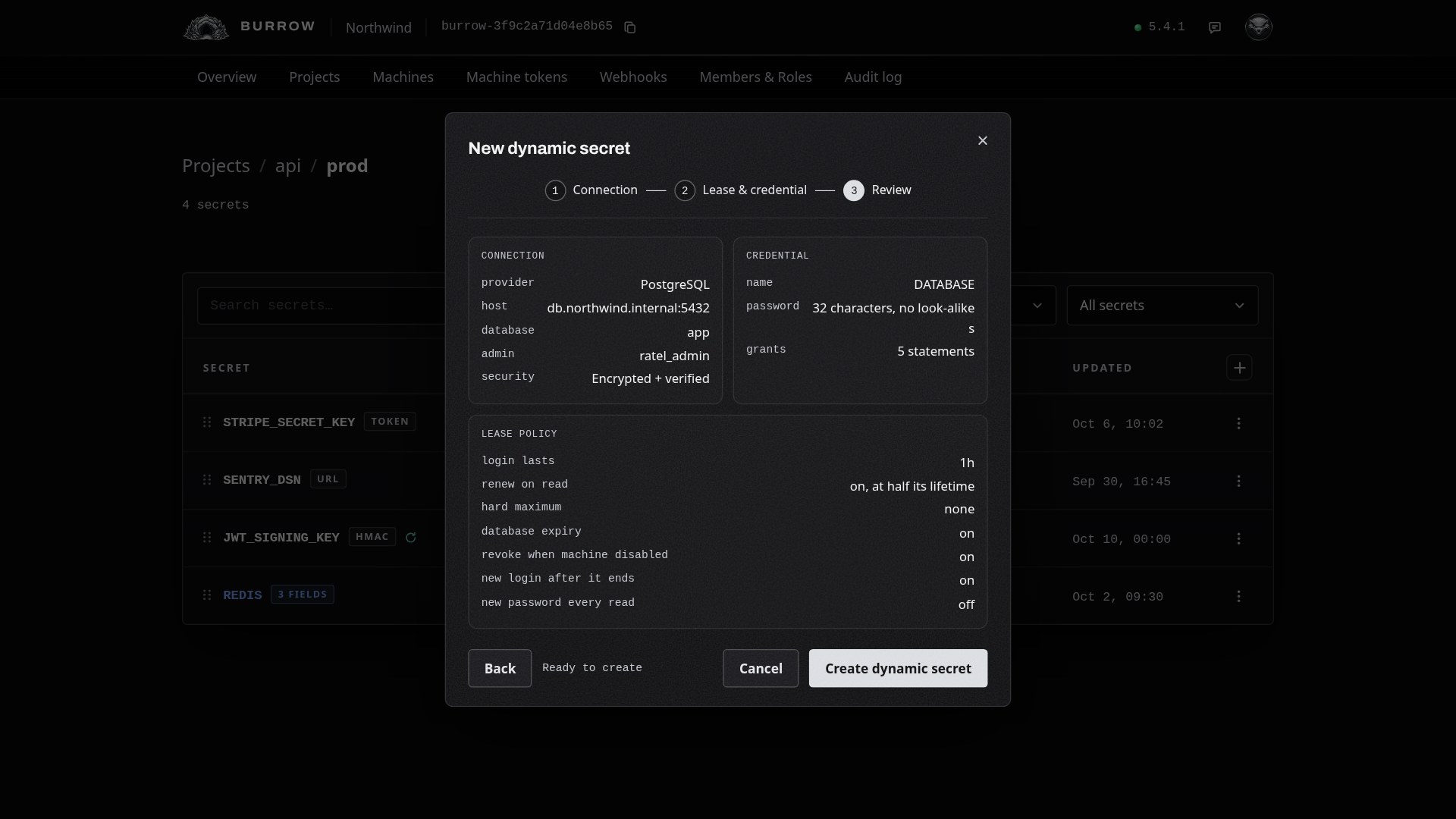
Select Continue to see everything on one page, then Create dynamic secret. The admin password and CA certificate are saved with the secret, encrypted like any other value.
Read it from a machine#
A machine reads a dynamic secret the way it reads a structured one, and gets its own login as fields: host, port, database, sslmode, sslrootcert when you gave a CA, username and password. The username starts with rk_ and names the machine and the secret, so you can pick it out in PostgreSQL's own list of roles.
ratel run sets one variable per field, so DATABASE gives DATABASE_HOST, DATABASE_USERNAME, DATABASE_PASSWORD and so on:
ratel run --env api/prod -- ./serverA machine keeps its login across reads until it ends, and the secret's row counts the logins out. With ratel run --watch, the command restarts when its login gets a new password; a renewal keeps the password, so it restarts nothing.
Change it later#
Choose Configure from the secret's row menu. Each tab saves on its own:
Tab | What you change |
|---|---|
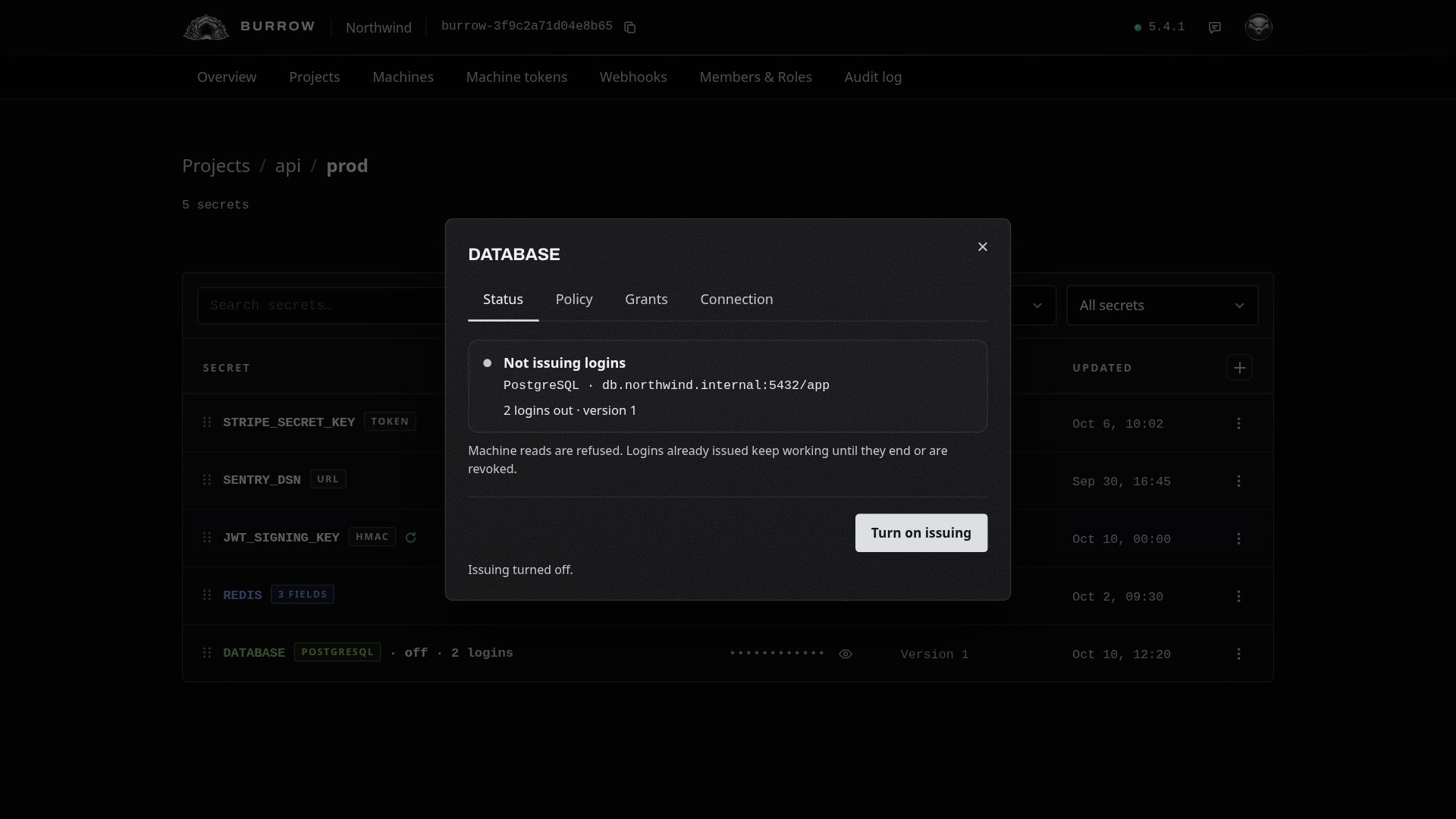
Status | Turn issuing off and on. While it's off, machine reads are refused and the row is marked off; logins already out keep working until they end or are revoked. |
Policy | The password and every lease setting. A change applies to logins issued from then on. |
Grants | The grants, with Build and Test the grants. Saving removes the logins issued with the old grants, and each machine gets a new one on its next read. |
Connection | The connection and admin login, with Test connection. The admin password is never shown again; leave it empty to keep the saved one. Saving replaces the logins the same way. |
The connection and grants are kept as the secret's value, so Version History lists every change, and reverting to an earlier one replaces the logins like any other change.
See and revoke logins#
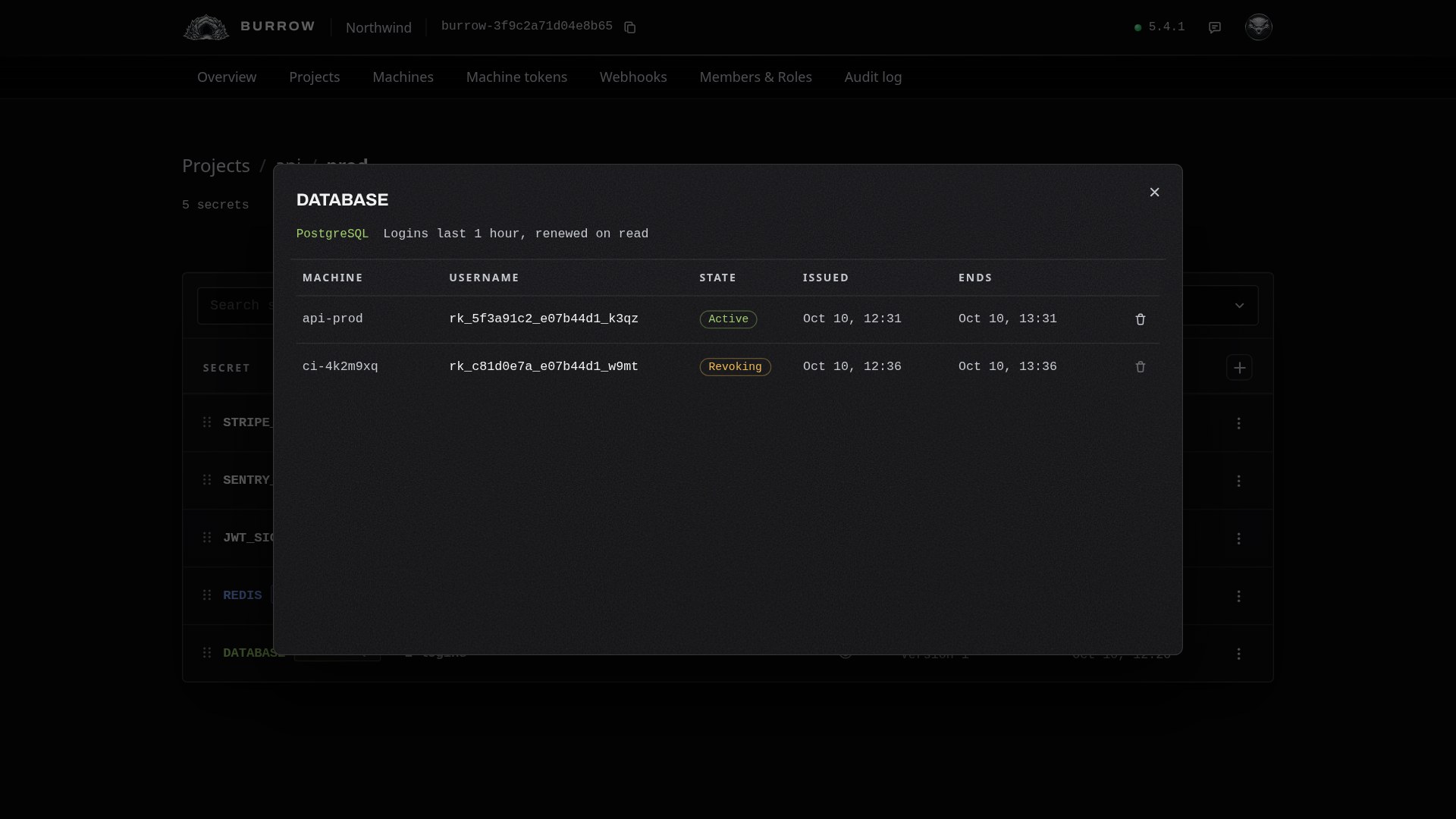
Choose Logins from the row menu to see every login out: the machine holding it, its username, its state, and when it was issued and ends.
State | Meaning |
|---|---|
Issuing | Being created in the database right now. |
Active | In use by its machine. |
Revoking | Ended, and being removed from the database. |
Couldn't remove | Removing it failed. Point at the state to see why; your Burrow keeps trying. |
The bin at the end of a row revokes that login now. Your Burrow stops it signing in, ends its open sessions where the admin login may, hands anything it created to the admin login so your data stays, and drops it. Its machine gets a new login on its next read.
If a login isn't issued#
The machine's read fails with a database error
Your Burrow couldn't create the login: the database is down, or refuses the admin login. The read fails with the reason, and ratel run doesn't start the command. Open Configure, then Connection, and select Test connection.
Test the grants fails
A statement doesn't apply as written: a typo, a schema or table that doesn't exist, or a right the admin login can't grant. The message names the problem. Fix the grants, or give the admin login the right it's missing.
The read is refused
Issuing is turned off on the secret's Status tab, or the machine's login ended while New login after it ends is off.
A login shows Couldn't remove
Your Burrow couldn't reach the database to remove it. It keeps trying, waiting longer between tries, up to every 30 minutes. With Database expiry on, PostgreSQL ends the login at its end time in any case.
Every option in one place: Dynamic secrets in the documentation.