A webhook sends your Burrow's events to a server you run the moment they happen: a deleted secret, a rotated key, a machine your Burrow turned away. A Signed webhook signs every delivery with a secret only your Burrow and your server hold, so your server can check each one came from your Burrow. This guide sets one up, writes a small Express server that checks every delivery with the Node.js SDK, and sends it a test.
What you need#
To be the Burrow's owner, or have a role that can change webhooks, such as Administrator.
An address your Burrow can reach for your server. This guide uses
https://ops.northwind.dev/hooks/burrow.Node.js 18.17 or later on that server.
Choose an integration#
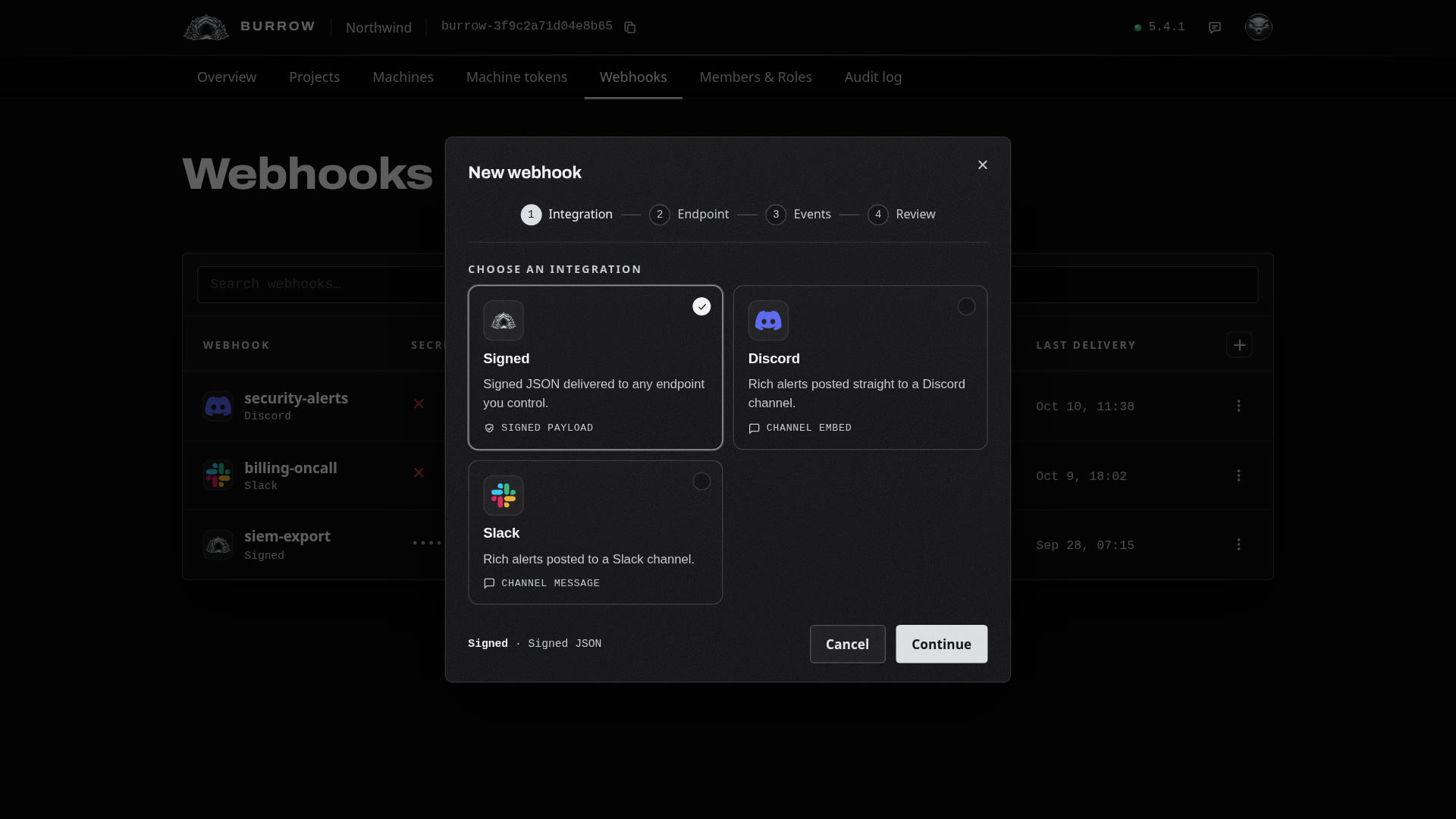
Open Webhooks and select the + at the top right of the table. The dialog has four steps: Integration, Endpoint, Events and Review. First, choose where the events go:
Integration | What it sends |
|---|---|
Signed | Each event as JSON to a server you run, signed with HMAC-SHA256 so your code can check it came from your Burrow. The default, and the one this guide sets up. |
Discord | Each event as a message in a Discord channel, coloured by its severity. |
Slack | Each event as a message in a Slack channel, coloured by its severity. |
Name it and point it at your server#
Select Continue. Give the webhook a name, such as ops-audit, in lowercase letters, digits and dashes. It's how the webhook reads in the list and in your audit log.
Then enter the Endpoint URL your Burrow POSTs each event to as it happens. Use HTTPS, so events are encrypted on their way to your server.
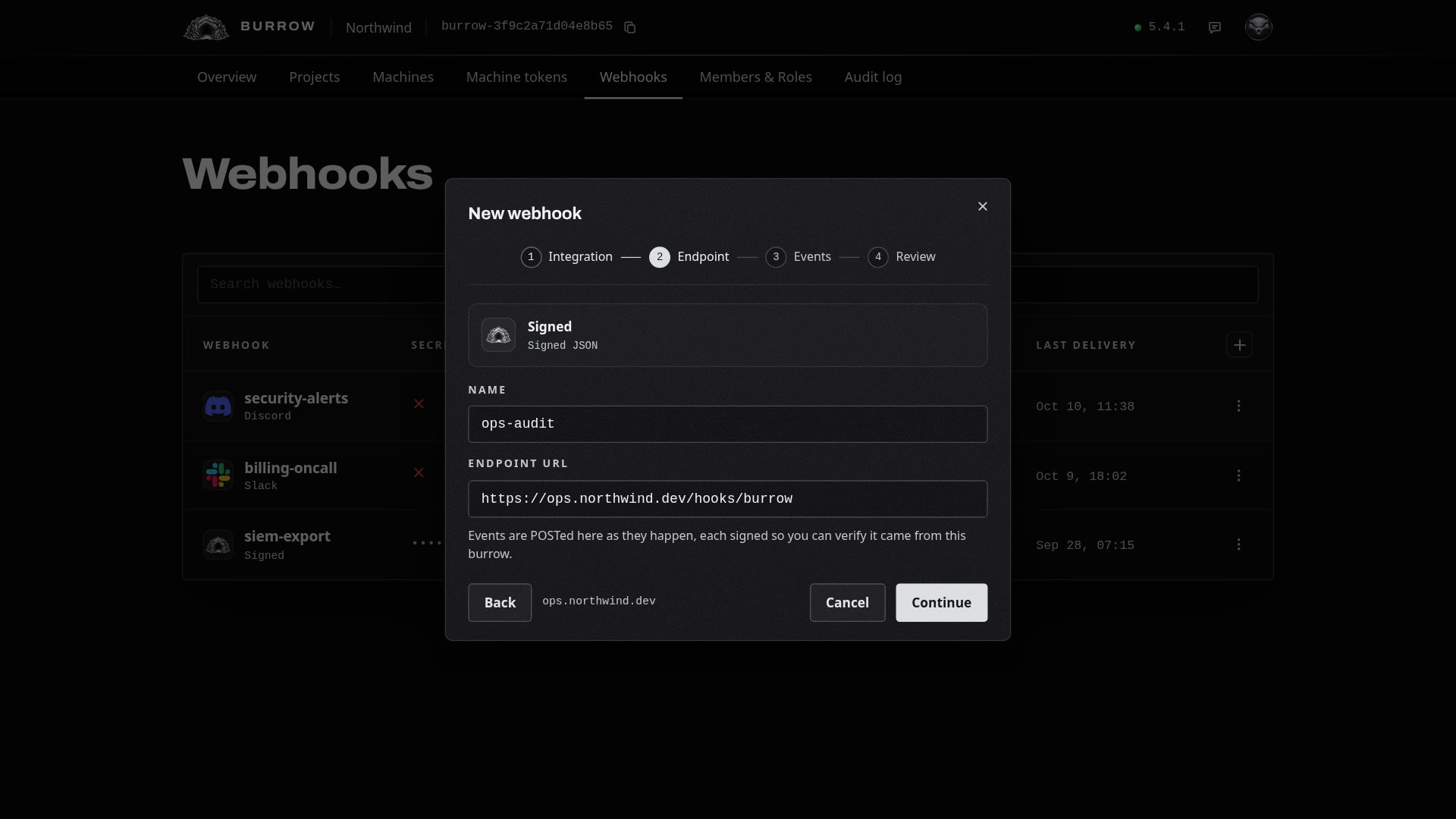
Choose the events#
Select Continue. Every event your Burrow records is listed, grouped by what it's about, including events that haven't happened yet. Choose as broadly or as narrowly as you like:
Choose | What it sends |
|---|---|
All events | Everything, including events added in later Burrow versions. While it's on, every category under it is ticked and greyed out. |
A category, such as | Every event in it: for Secrets, reads, writes, rotations, deletes and the rest, and secret events added later. Its events show ticked and greyed, since the category covers them. |
A single event, such as | That event only. |
Search narrows the list as you type. The line under it counts what you've chosen, such as 1 category, 1 event selected.
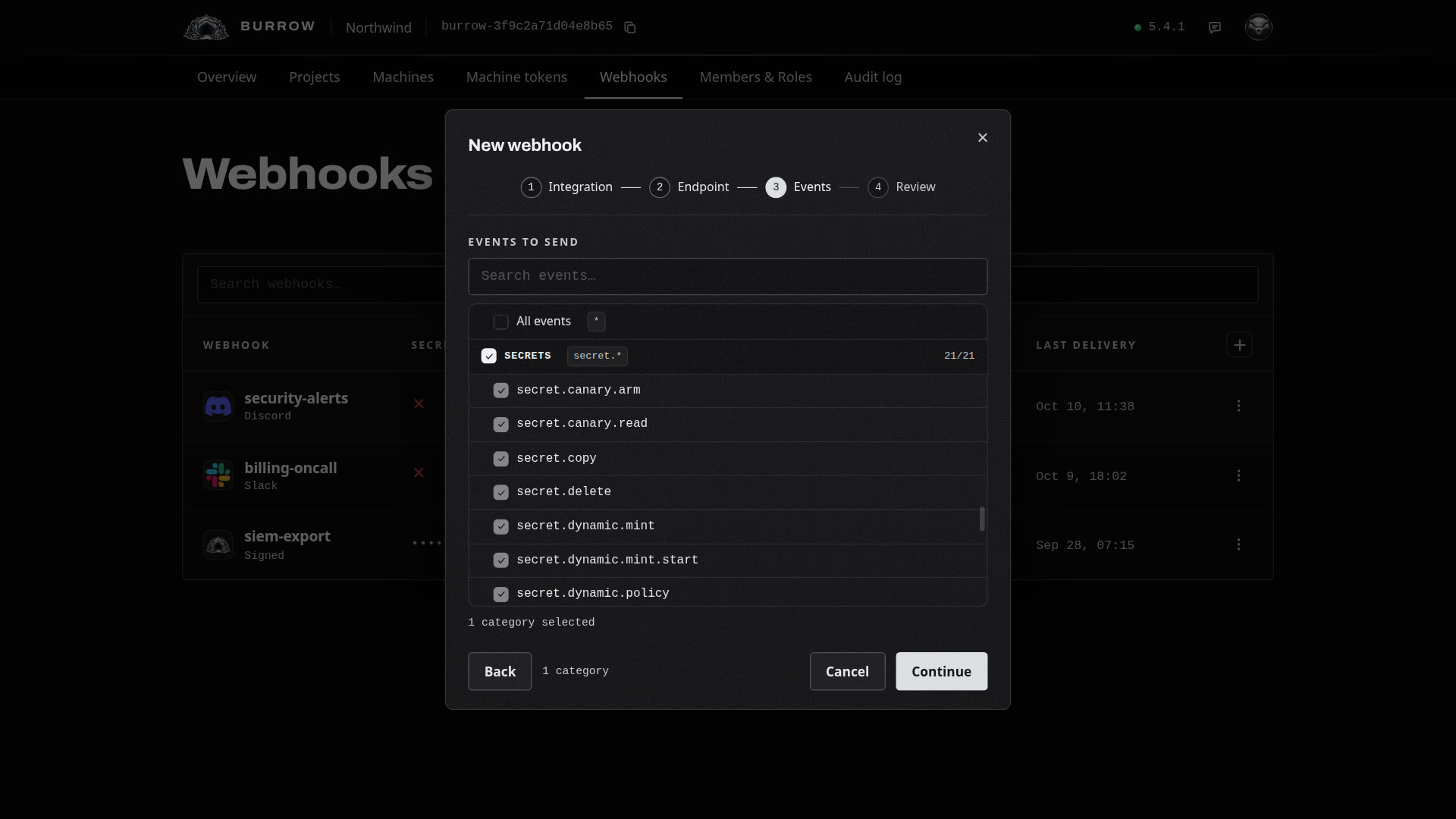
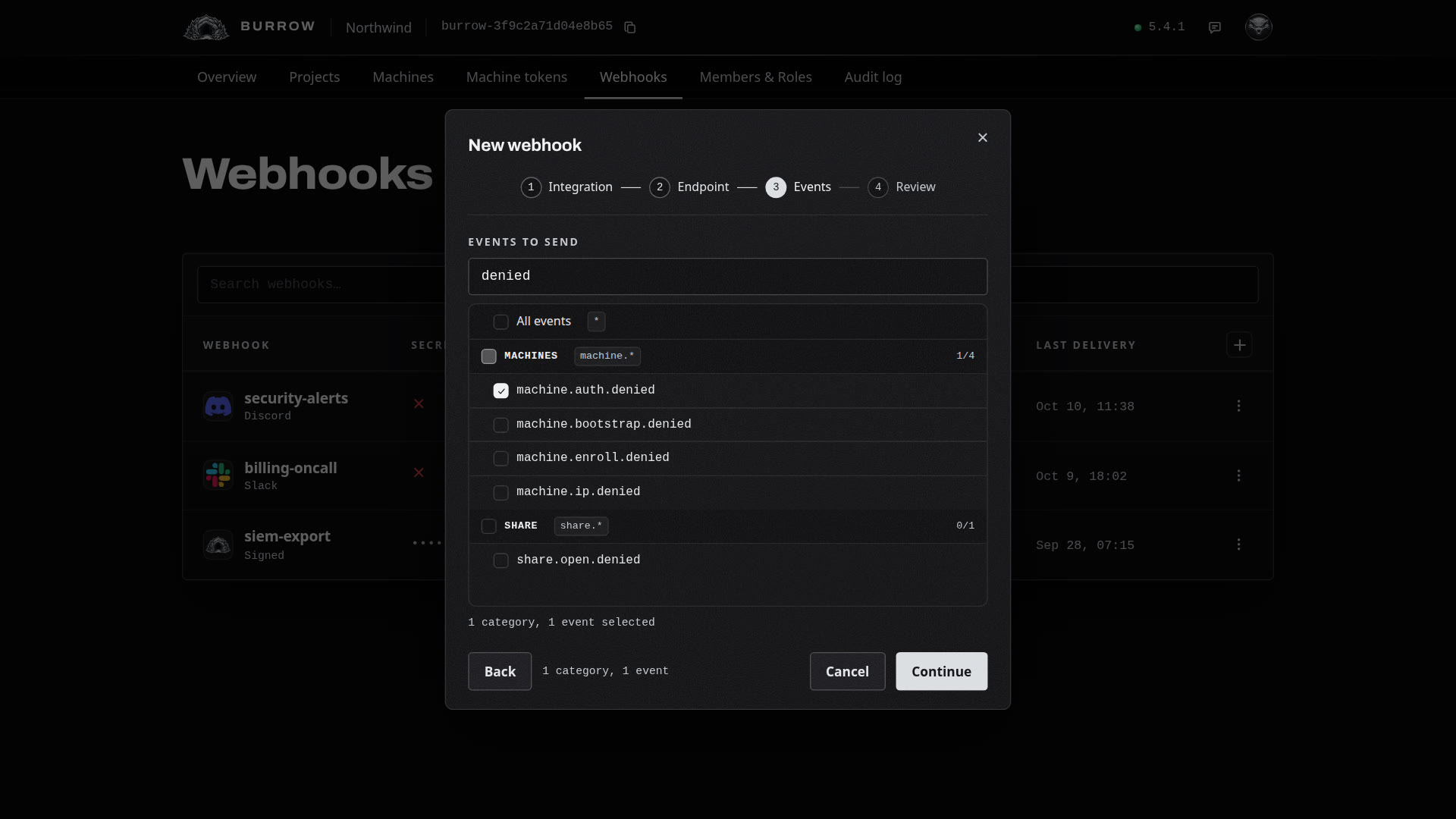
Review and create#
Select Continue to see the integration, name, URL and events on one page. A Signed webhook is signed with HMAC-SHA256 and starts enabled. Select Create webhook.
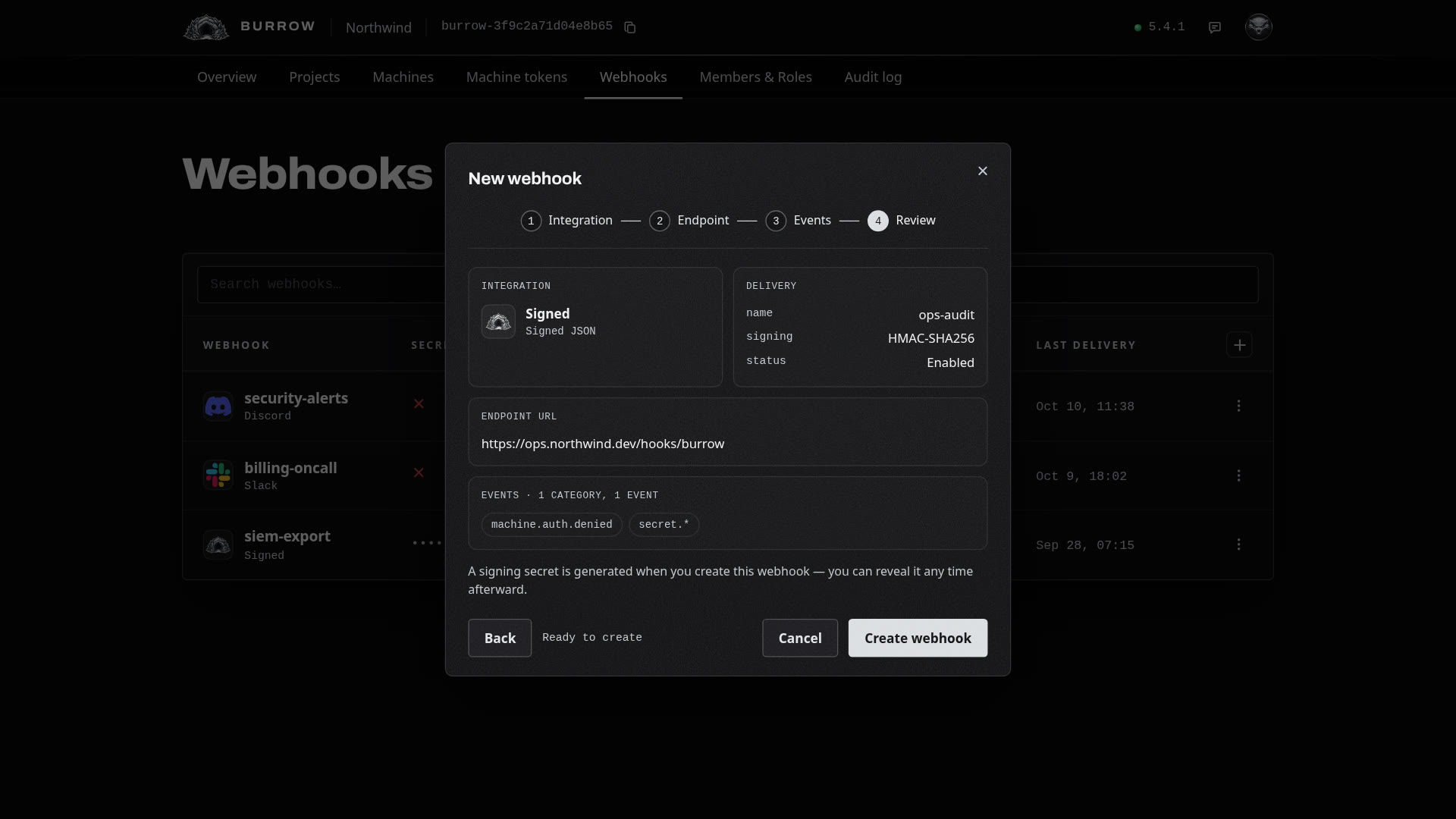
Keep the signing secret#
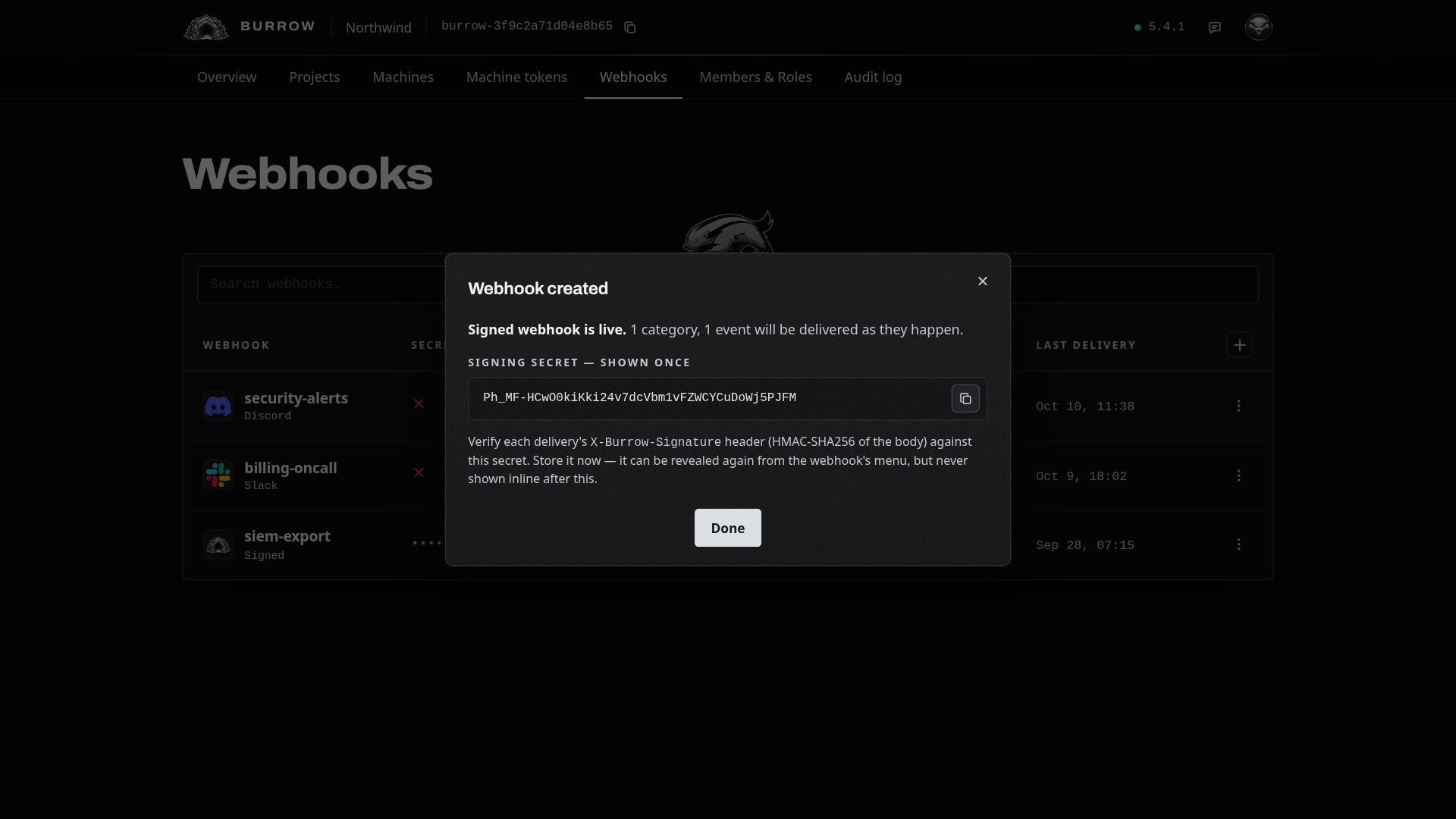
The webhook is live, and its signing secret is shown in full once, here. Copy it and store it as a secret in your Burrow where your server reads its secrets. This guide stores it in api/prod as BURROW_WEBHOOK_SECRET. You can reveal it again later from the webhooks table.
Verify each delivery#
Install Express and the Burrow SDK for Node.js, which checks each delivery's signature for you:
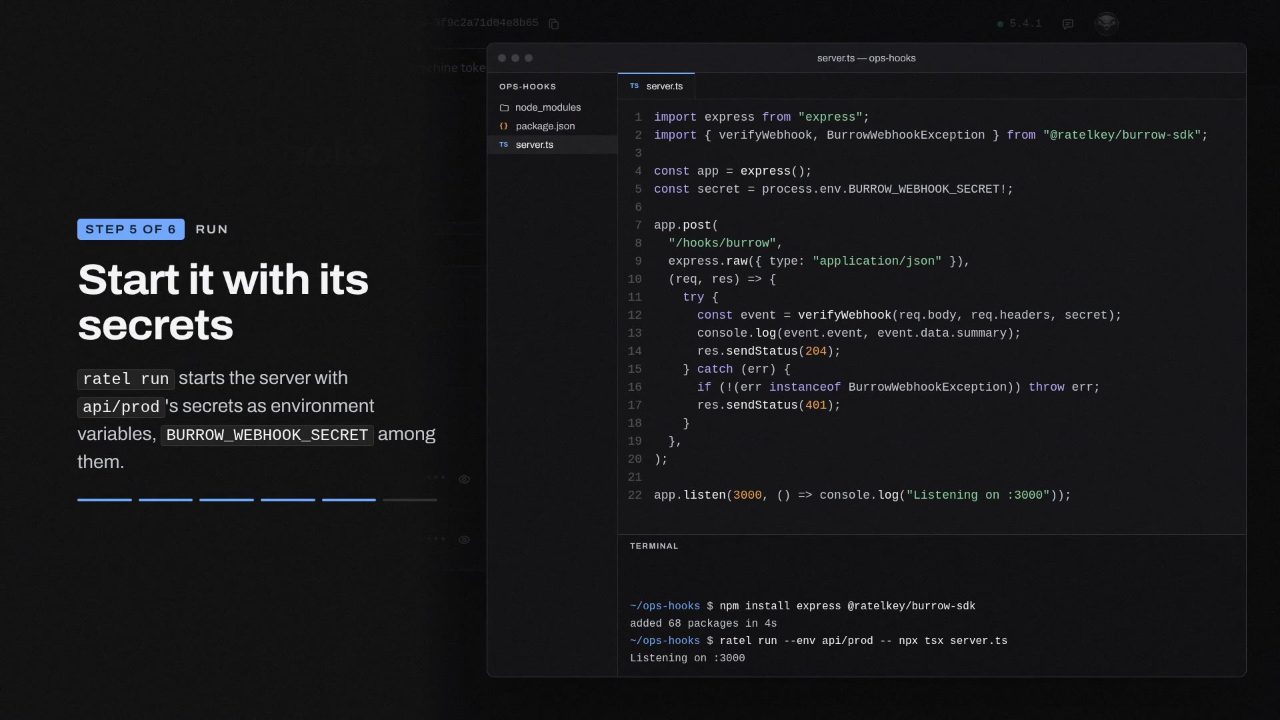
npm install express @ratelkey/burrow-sdkThen write the server that receives deliveries, in server.ts:
import express from "express";
import { verifyWebhook, BurrowWebhookException } from "@ratelkey/burrow-sdk";

const app = express();
const secret = process.env.BURROW_WEBHOOK_SECRET!;

app.post(
  "/hooks/burrow",
  express.raw({ type: "application/json" }),
  (req, res) => {
    try {
      const event = verifyWebhook(req.body, req.headers, secret);
      console.log(event.event, event.data.summary);
      res.sendStatus(204);
    } catch (err) {
      if (!(err instanceof BurrowWebhookException)) throw err;
      res.sendStatus(401);
    }
  },
);

app.listen(3000, () => console.log("Listening on :3000"));
The body as it arrived. The signature covers the exact bytes your Burrow sent, so the route reads the body raw with
express.raw. JSON that's parsed and written out again won't match.The event.
verifyWebhookchecks theX-Burrow-Signatureheader against your secret and returns the event: its code, severity and time, who did it and to what. A retried delivery keeps itsevent.id, so you can skip one you've already handled.Everything else. A request without a valid signature didn't come from your Burrow, and gets a 401. Any other error is your own code's, so it's thrown.
Start the server with ratel run, which hands it api/prod's secrets as environment variables, BURROW_WEBHOOK_SECRET among them:
ratel run --env api/prod -- npx tsx server.tsSend a test#
Choose Send test from the webhook's row menu. Your Burrow delivers a webhook.test event right away, even to a disabled webhook, and tells you how it went, such as Test delivered (204). Your server verifies it and logs it:
webhook.test Test delivery from the webhook 'ops-audit'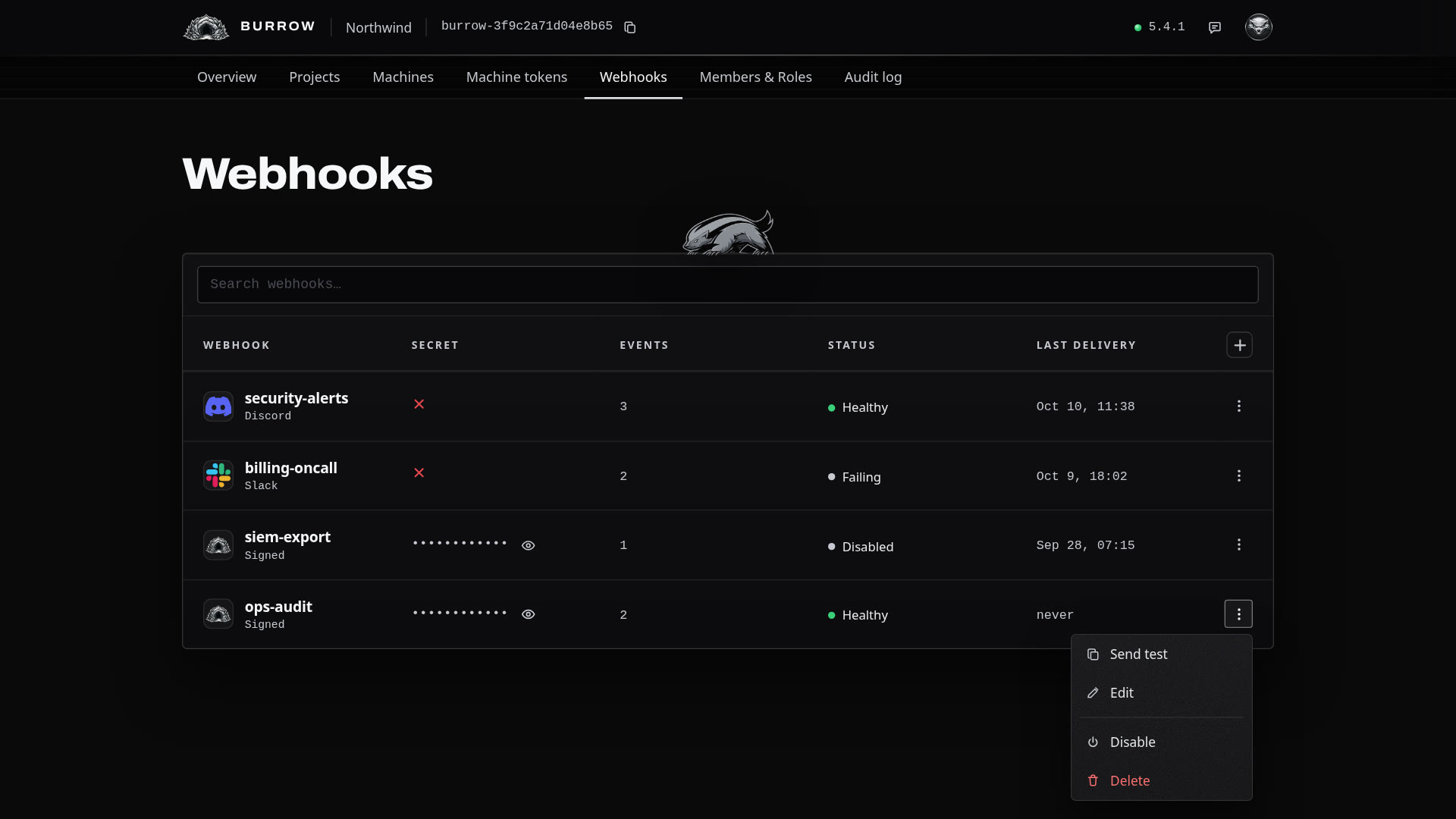
Manage it#
Action | What it does |
|---|---|
The eye in Secret | Shows the signing secret again, to anyone allowed to change webhooks. Each reveal is recorded in your audit log. |
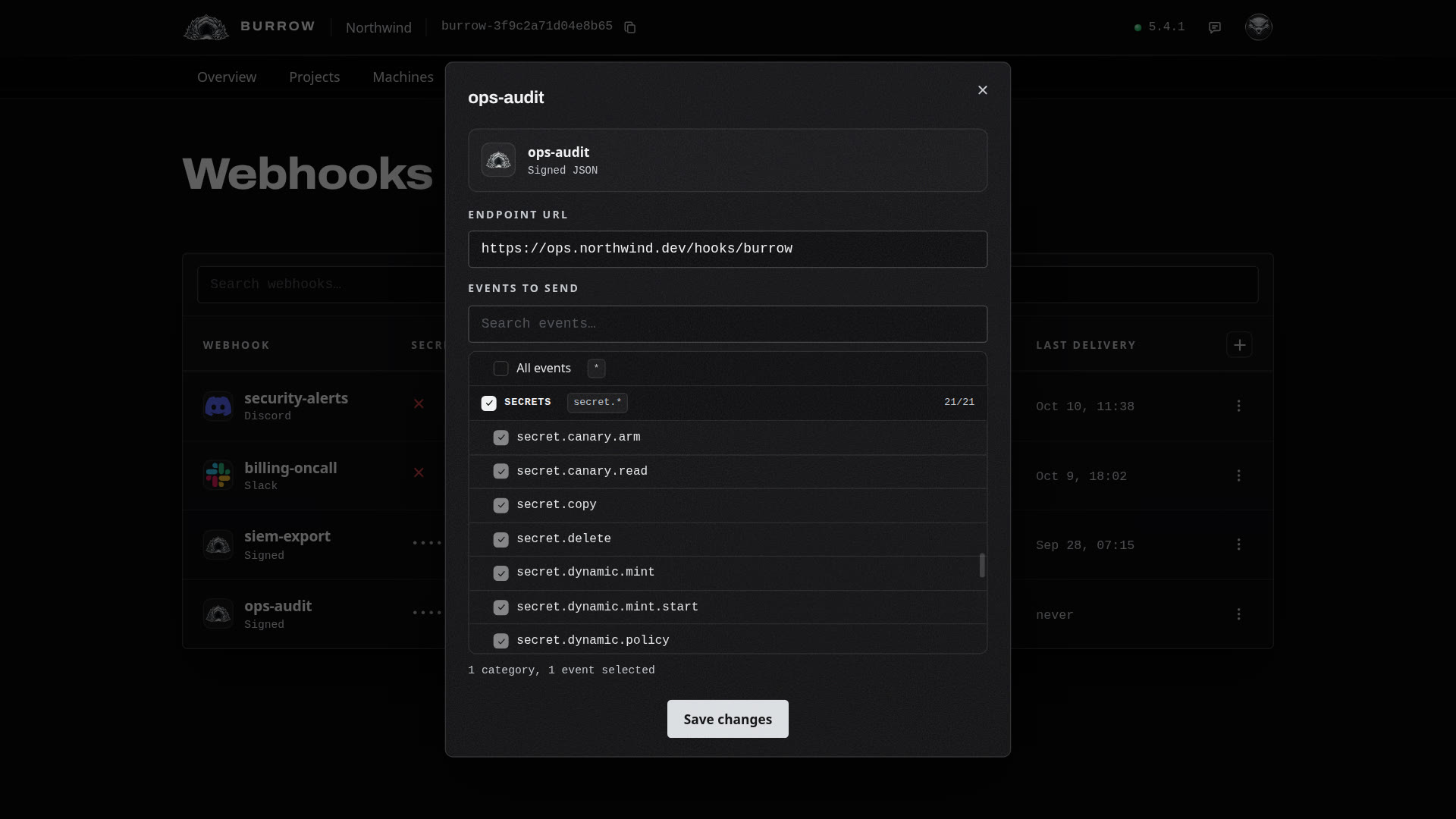
Edit | Changes the URL and the events. The name, the integration and the signing secret stay as they are. |
Disable | Stops deliveries and keeps the webhook and its secret. |
Enable | Starts deliveries again and clears its failures. |
Delete | Stops deliveries at once and destroys the signing secret. There's no undo. |
When deliveries fail#
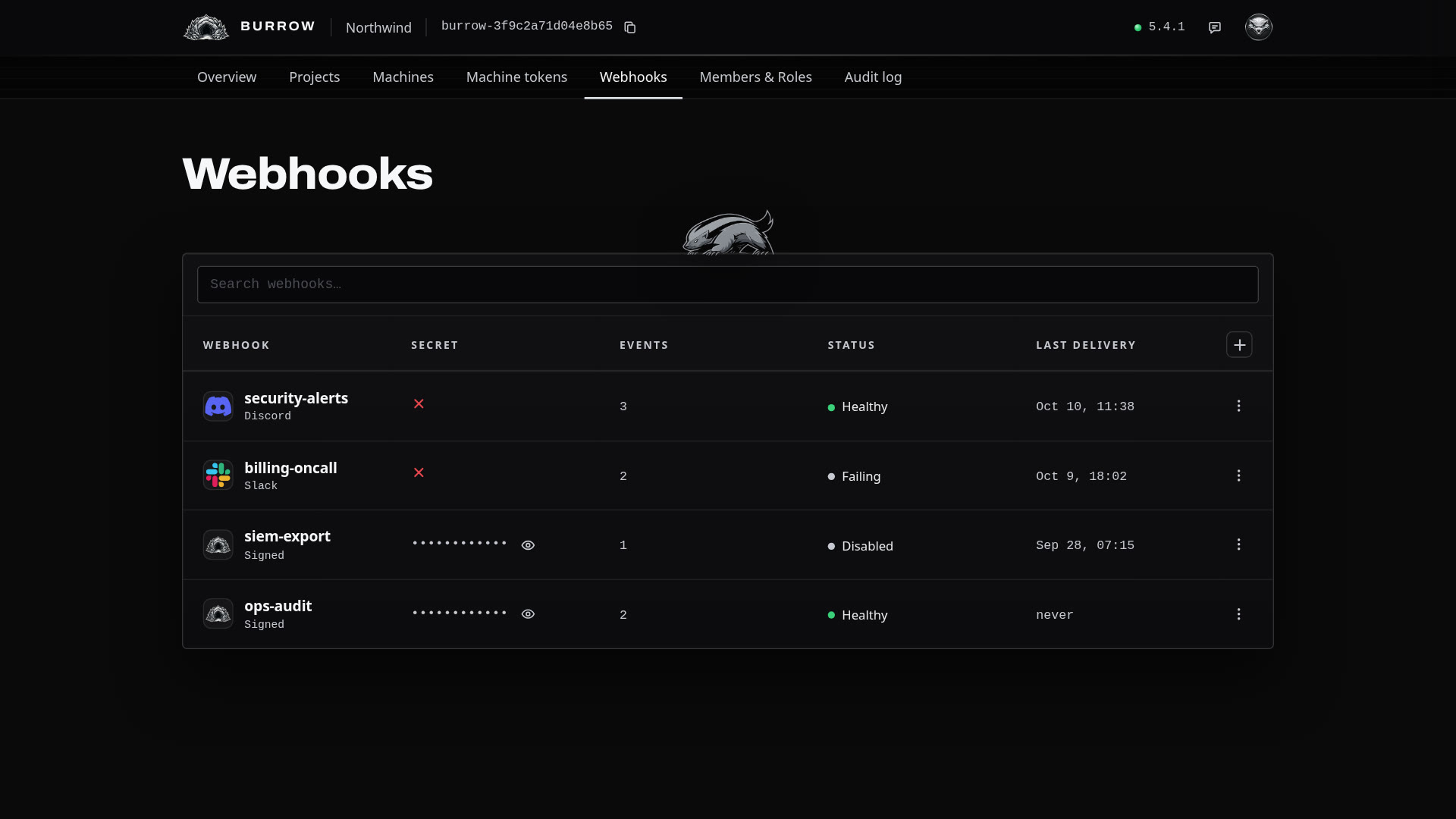
Each row shows the integration's logo and name, its secret, how many categories and events it sends, its status and when a delivery last landed. Discord and Slack rows show a red cross for their secret, since they have none.
Status | Meaning |
|---|---|
Healthy | Deliveries are landing. |
Failing | A delivery didn't land. Point at the status to see why. It shows until a delivery lands again. |
Disabled | Nothing is delivered. You disabled it, or your Burrow did after 15 failed deliveries in a row. Fix the endpoint, then Enable it. |
If your server is down or answers 5xx, your Burrow retries a delivery after 1 minute, 5 minutes, 15 minutes, an hour and 4 hours. When the last retry fails, or your server answers 4xx, that delivery counts as failed.
Every option in one place: Webhooks in the documentation.