A Windows account secret gives each machine that reads it a local account of its own on a Windows host. The Ratel Node on that host makes the account with the access you choose, and Windows itself refuses it once its login ends. When the login ends or you revoke it, the node signs the account out of its sessions and deletes it with its profile.
What you need#
A Ratel Node on the Windows host, approved in your Burrow. See Set up a Ratel Node.
A host that isn't a domain controller. The node makes local accounts, and a domain controller's accounts are the domain's.
A role with write on secrets.
A machine with access to the environment.
Open a new dynamic secret#
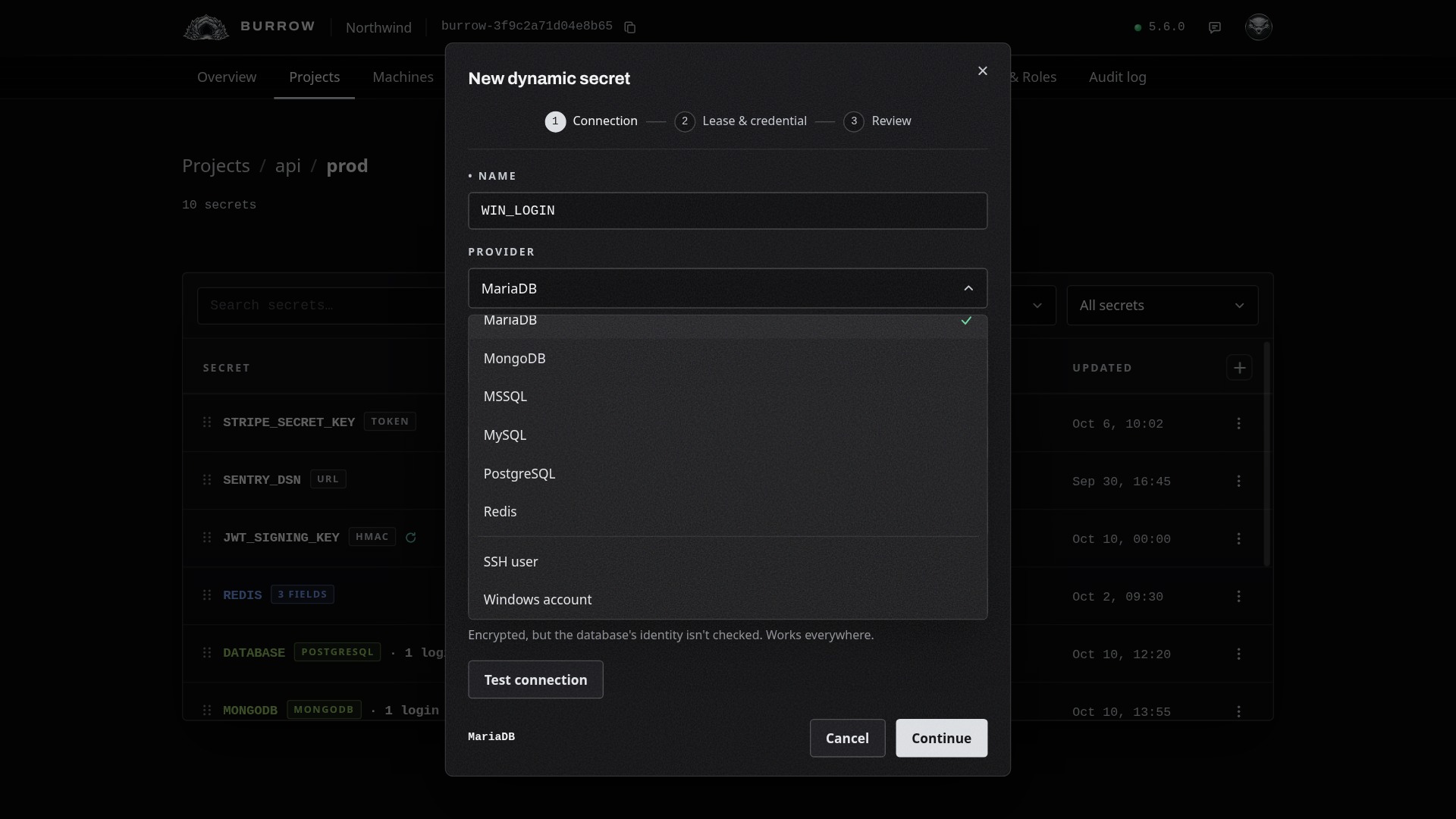
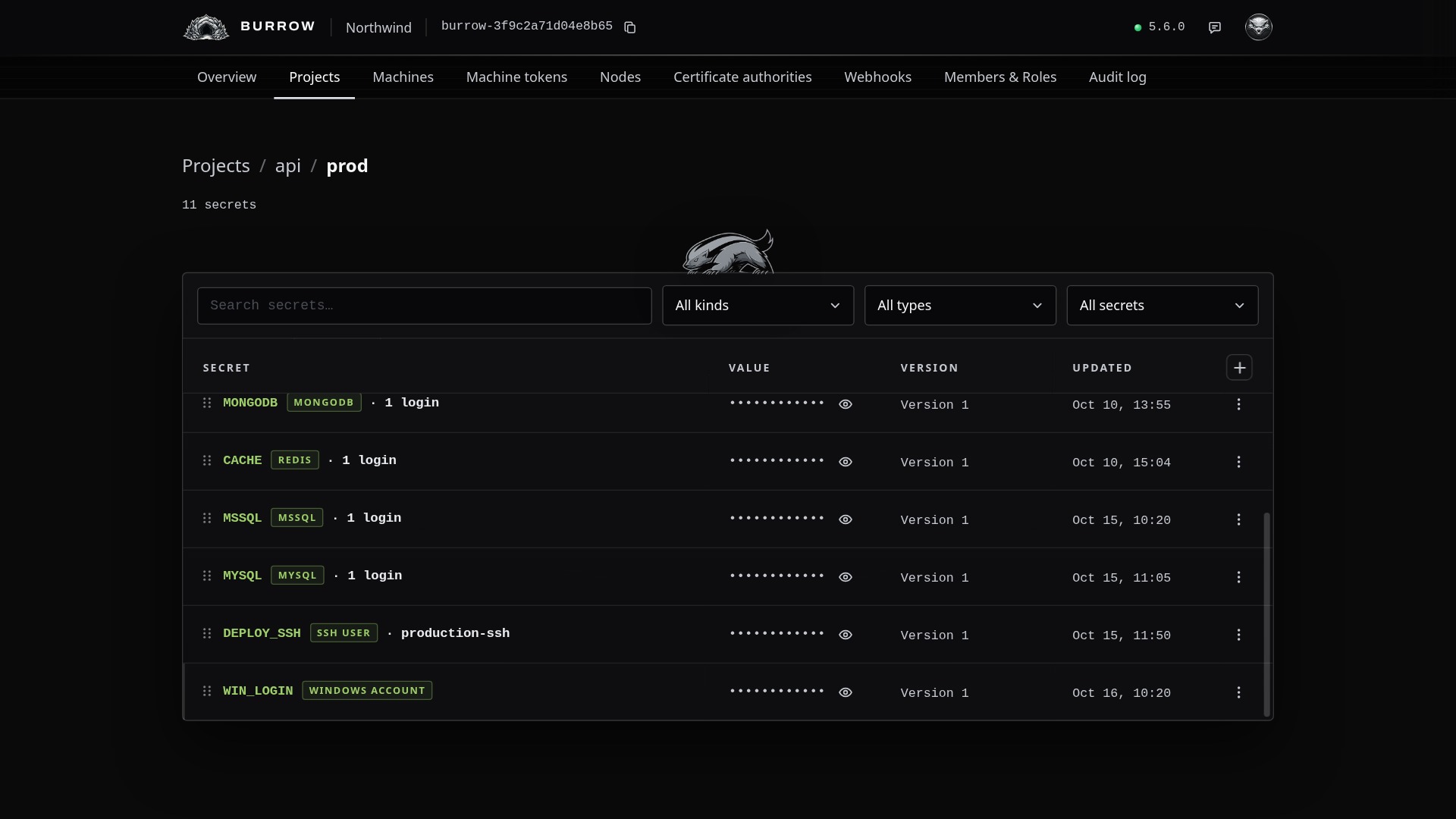
Open the environment in Projects, select the + at the top right of the secrets table and choose Dynamic. Name the secret, such as WIN_LOGIN: machines read it as api/prod/WIN_LOGIN. Set Provider to Windows account, last in the list, and the dialog's steps become Node, Access & credential, and Review.
Choose the node#
Node lists your Burrow's Windows nodes with each one's state, and the first is picked. The node on the host makes, renews and removes every account. A node on a domain controller is listed, but makes no accounts there.
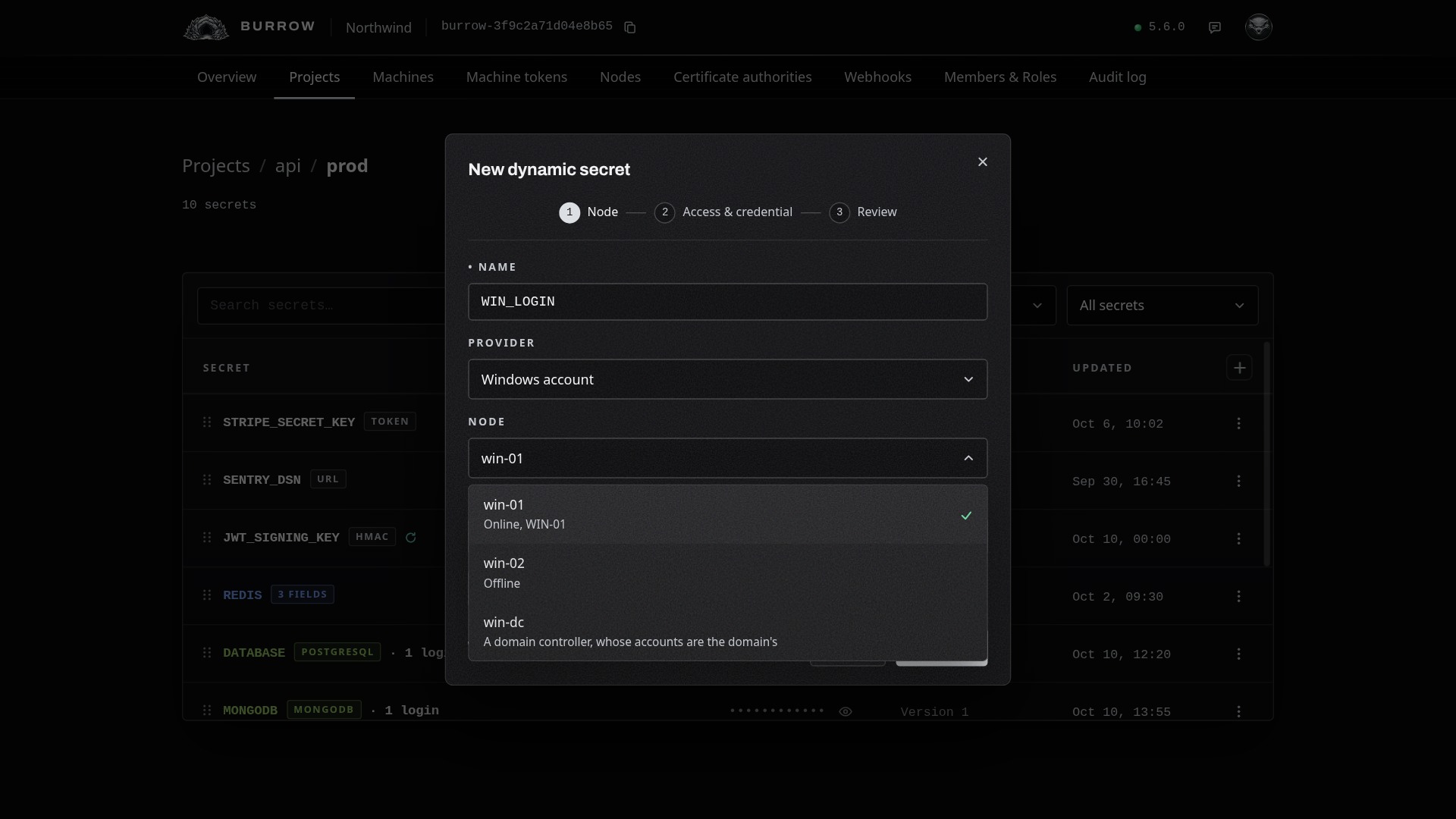
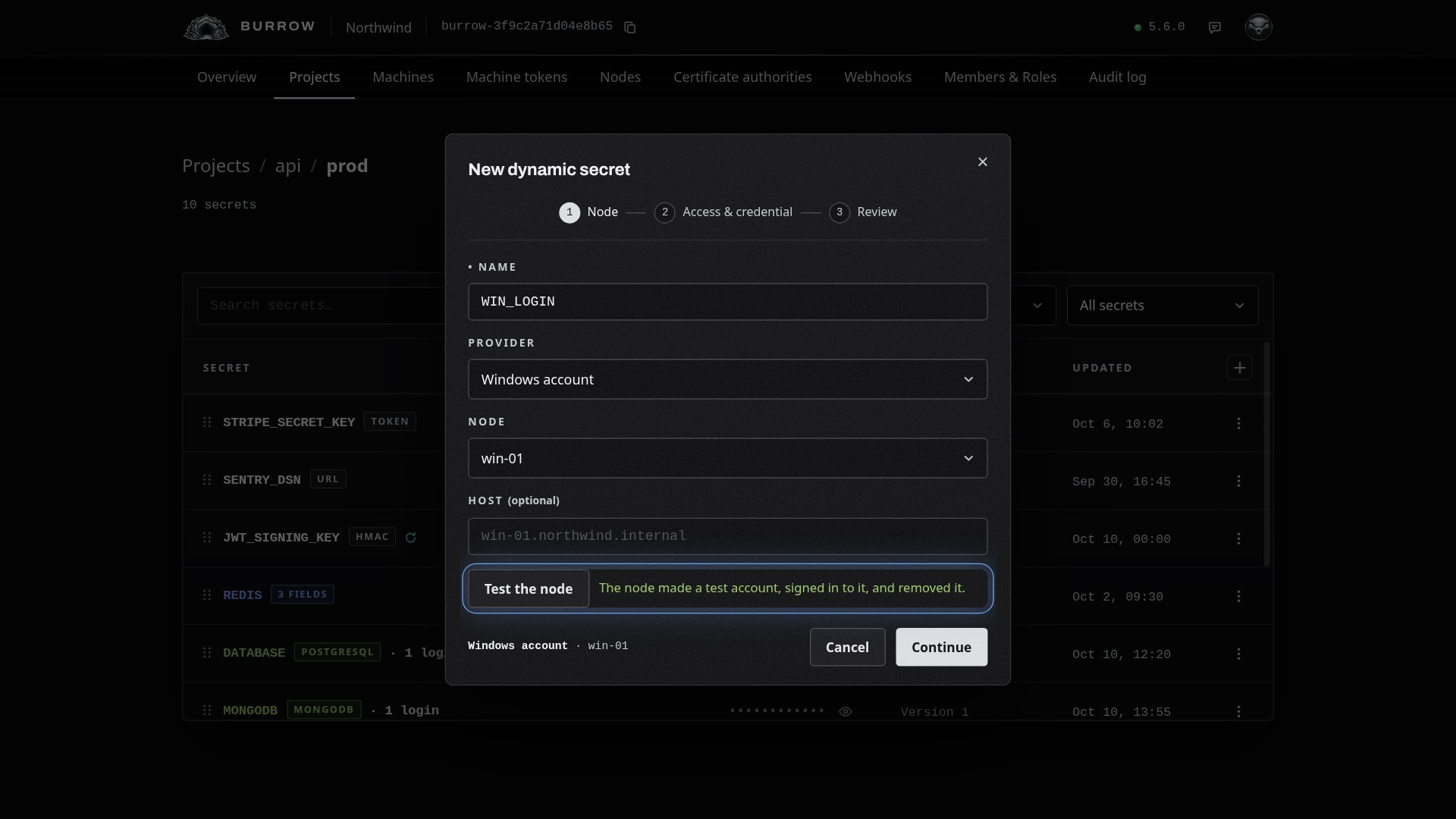
Host is optional: it's where machines are told to connect. Left empty, they're told the host's own name, as its node reported it. Test the node has the node make a throwaway account, sign in to it, and remove it.
Choose what each account can do#
Access lists the local groups each account joins. Three give it a way in, and each one you tick says what it needs of the host:
Access | Joins | What the host needs |
|---|---|---|
Remote Desktop | Remote Desktop Users | Remote Desktop switched on, on Windows Pro, Enterprise or Server. |
PowerShell remoting | Remote Management Users | Remoting switched on. It's on by default on Windows Server. |
Administrator | Administrators | Full control of the host. Over remoting and file shares, Windows limits a local administrator unless LocalAccountTokenFilterPolicy is set. |
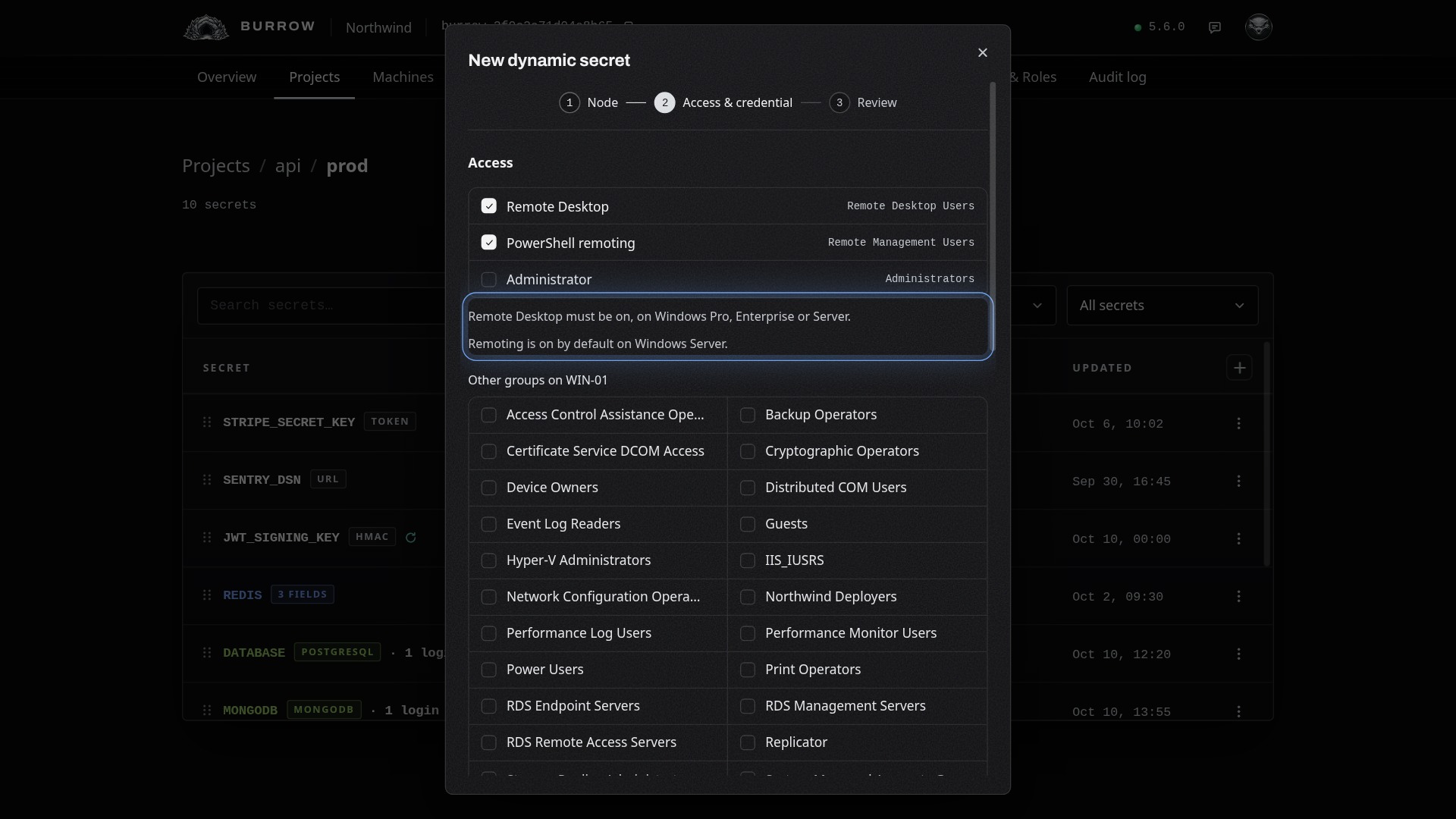
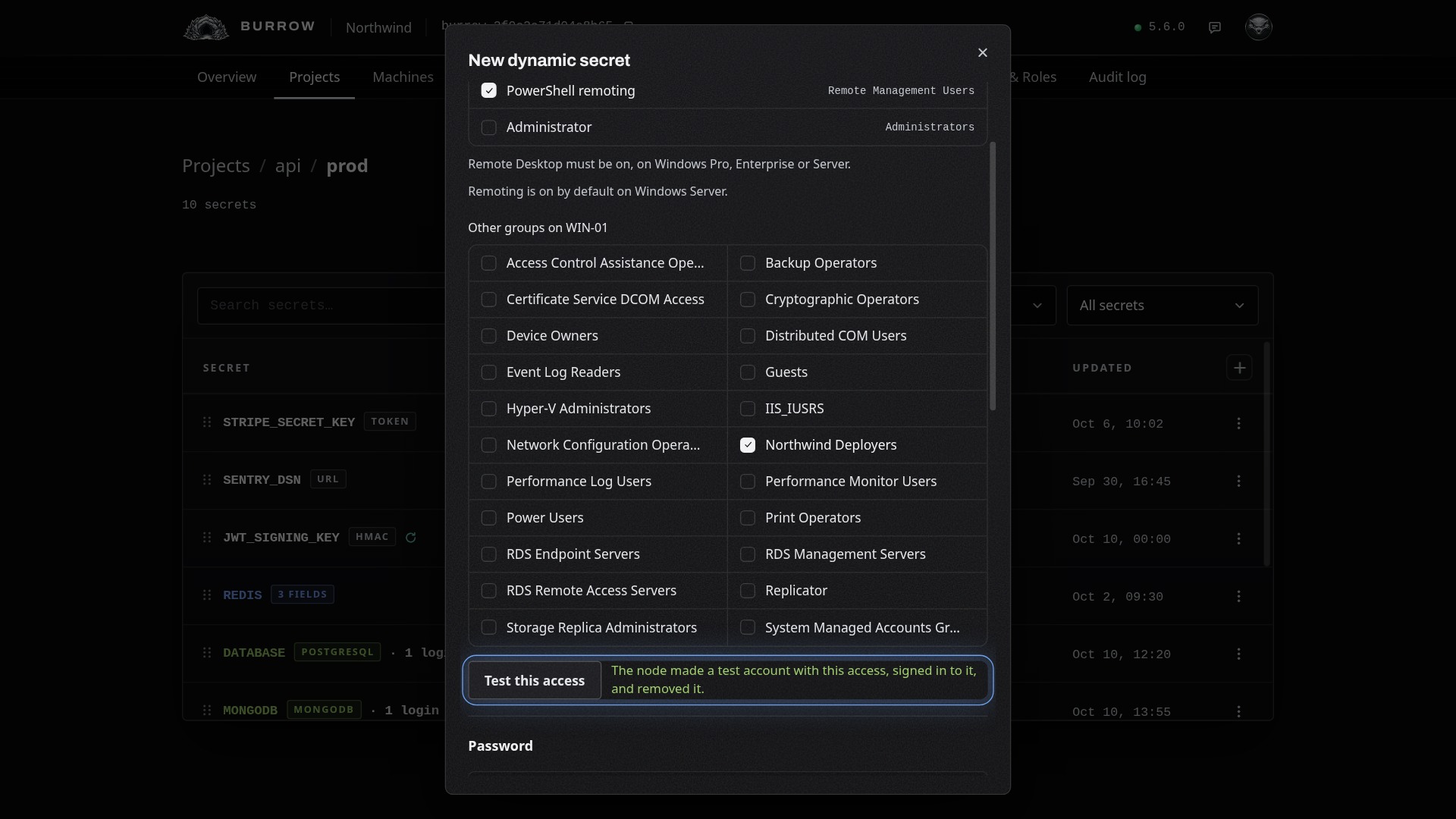
Below them are the host's other local groups, as its node reported them, including ones you made. An account joins at most 64 groups. With nothing ticked, each account is an ordinary local user, without Remote Desktop or PowerShell remoting. Test this access has the node make a throwaway account in those groups, sign in to it, and remove it.
Set the password and lease#
Each account gets its own random password. Windows asks for three kinds of characters, so keep at least three of upper, lower, digits and symbols; a UUID isn't offered.
Setting | What it does |
|---|---|
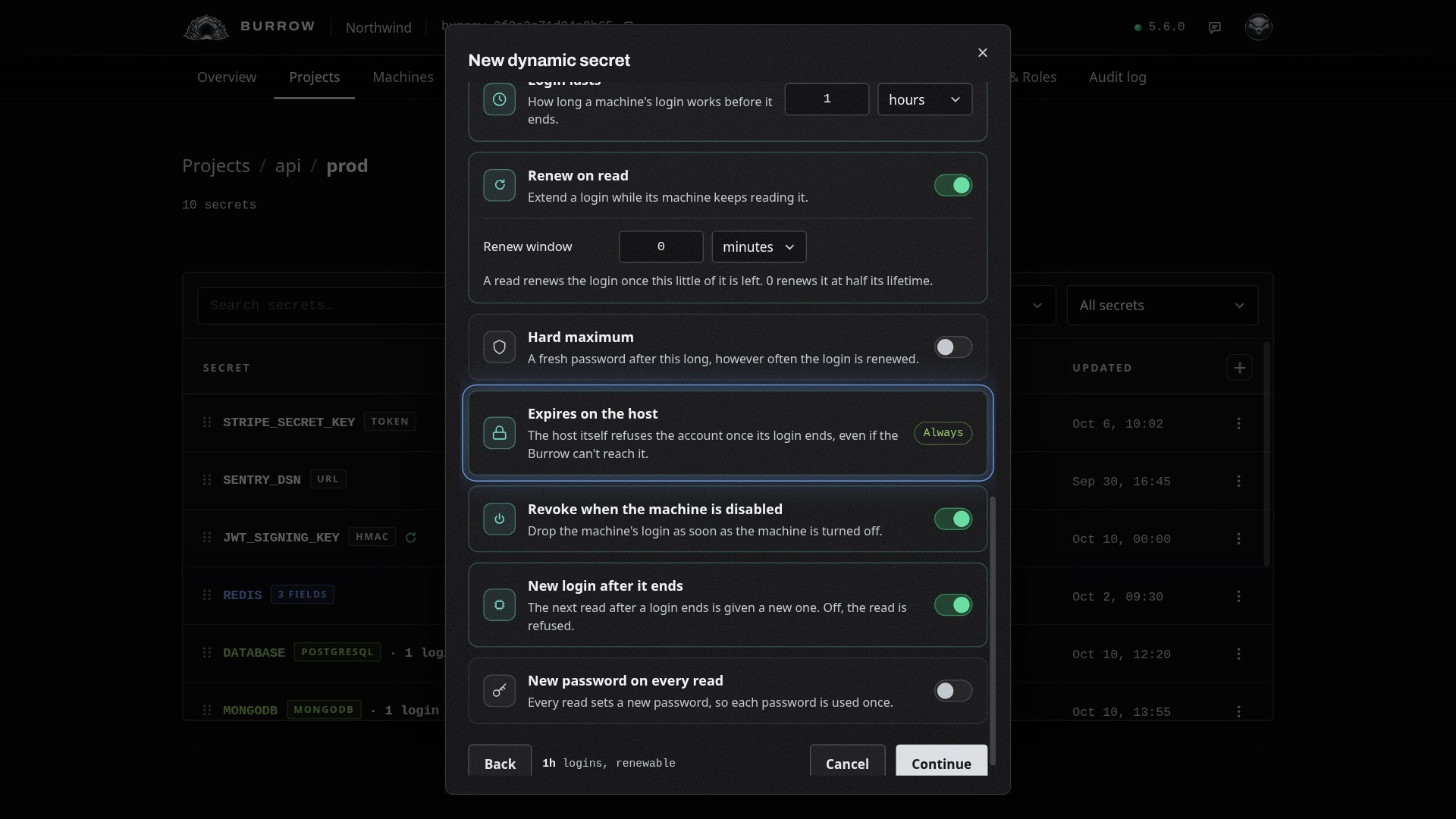
Login lasts | How long a machine's account works from when it's made: 1 hour unless you choose, from 1 minute to 10 years. |
Renew on read | On unless you turn it off: a read late in a login's life extends it, and the node moves the account's expiry on the host to match. A window of 0 renews it at half its lifetime. |
Hard maximum | Off unless you set it: a fresh password after this long, however often the login is renewed. |
Expires on the host | Always on: Windows refuses the account once its login ends, even if your Burrow can't reach the node. |
Revoke when the machine is disabled | On unless you turn it off: removes a machine's account as soon as the machine is turned off. |
New login after it ends | On unless you turn it off: the next read after a login ends is given a new one. Off, that read is refused. |
New password on every read | Off unless you turn it on: every read sets a new password, so each one is used once. |
Review and create#
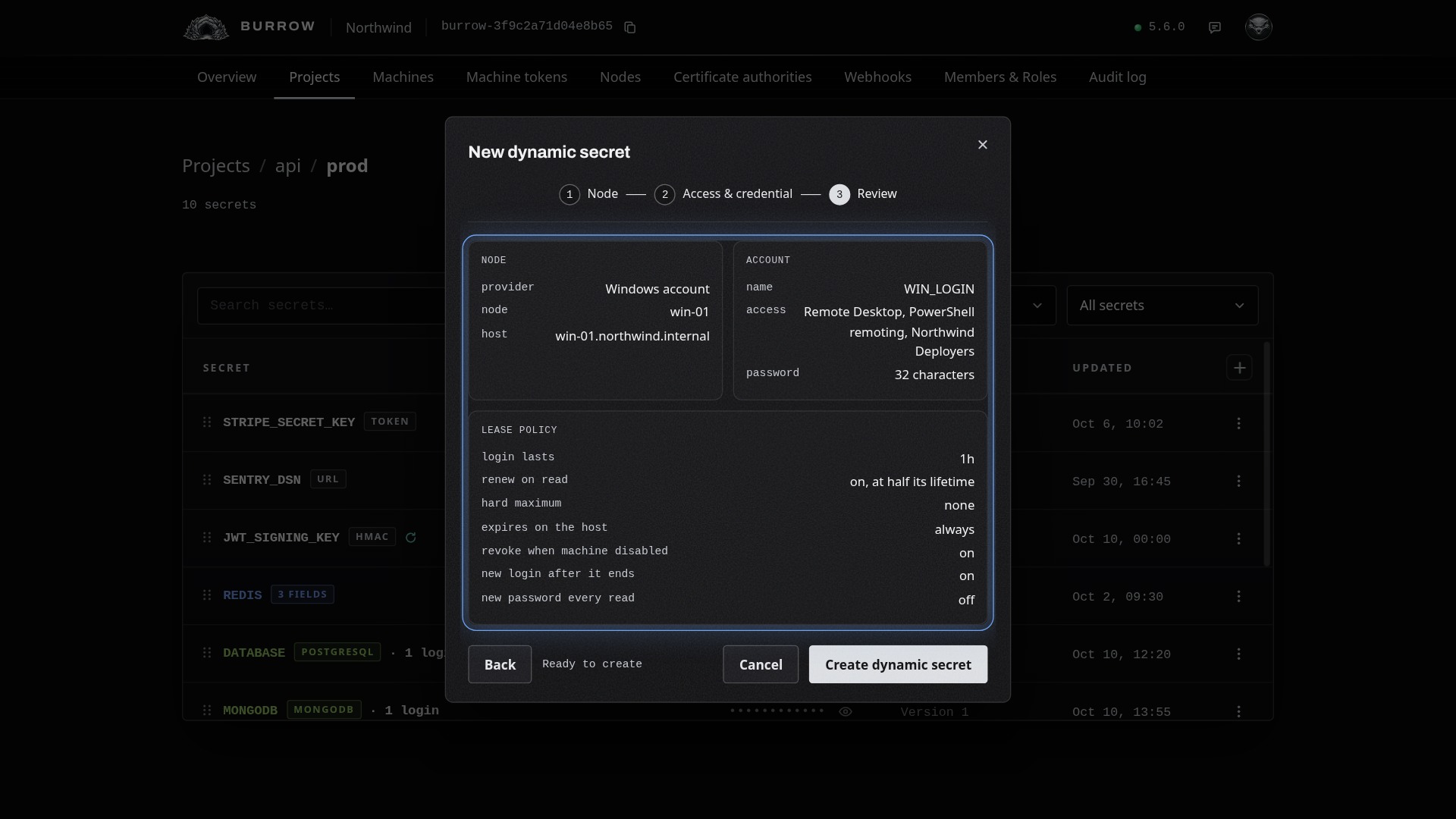
Select Continue to see everything on one page, then Create dynamic secret.
Read the account#
On a machine with access to the environment, read it like any secret. The first read has the node make the machine an account of its own, so the node has to be connected:
ratel secret get api/prod/WIN_LOGIN{"account":"WIN-01\\rk_5f3a91_b2d4_x7kq","host":"win-01.northwind.internal","password":"Hq4vT9wLm2XcR7nB8sKd3YpF6jZa1NtE","username":"rk_5f3a91_b2d4_x7kq"}host is where to connect, username the account's name, account the account as Windows writes it, COMPUTER\username, and password its password. Name a field to read it alone:
ratel secret get api/prod/WIN_LOGIN accountWIN-01\rk_5f3a91_b2d4_x7kqEach field comes from the same account, so a username and password read one after the other match. ratel run sets WIN_LOGIN_HOST, WIN_LOGIN_USERNAME, WIN_LOGIN_ACCOUNT and WIN_LOGIN_PASSWORD. Sign in over Remote Desktop or PowerShell remoting with the account and its password.
See and revoke logins#
Choose Logins from the secret's row menu to see each account out: the machine holding it, its username, its state, and when it was issued and ends.
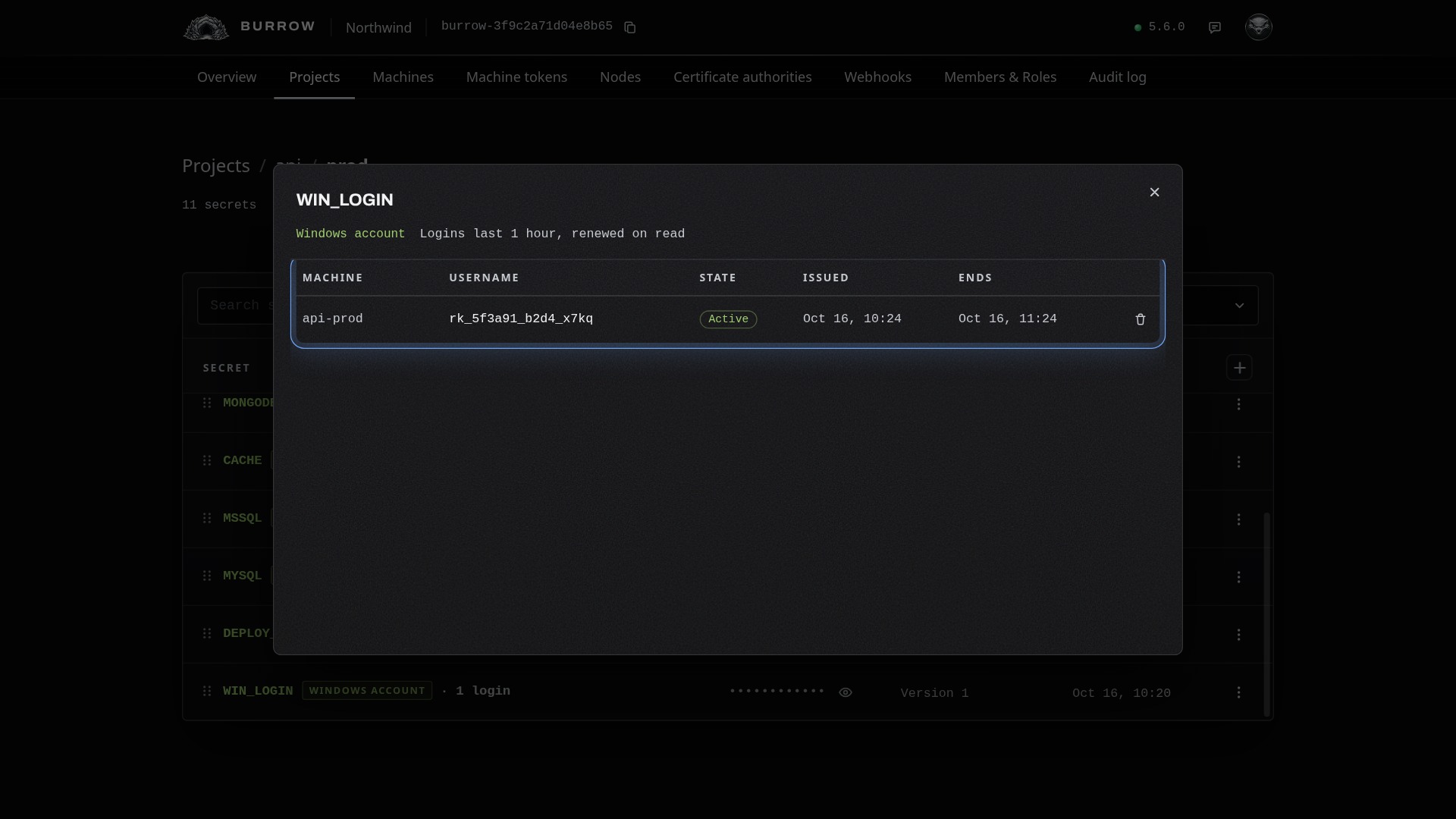
The bin at the end of a row revokes that login. The node switches the account off, signs it out of its sessions, ends its processes and file-share sessions, and deletes it with its profile. The machine's next read gets a new account, for as long as it has access:
alex@api-prod:~$ ratel secret get api/prod/WIN_LOGIN account
WIN-01\rk_5f3a91_b2d4_m3wp
Your Burrow also removes a machine's account when its login ends, when the machine is removed, reaches the end of its lifetime, loses access to the environment, or is disabled while Revoke when the machine is disabled is on; and when the secret is deleted or its access or node changes. If the node is offline then, the account goes within seconds of it connecting again. Until then, Windows refuses it once its login's end has passed.
Change it later#
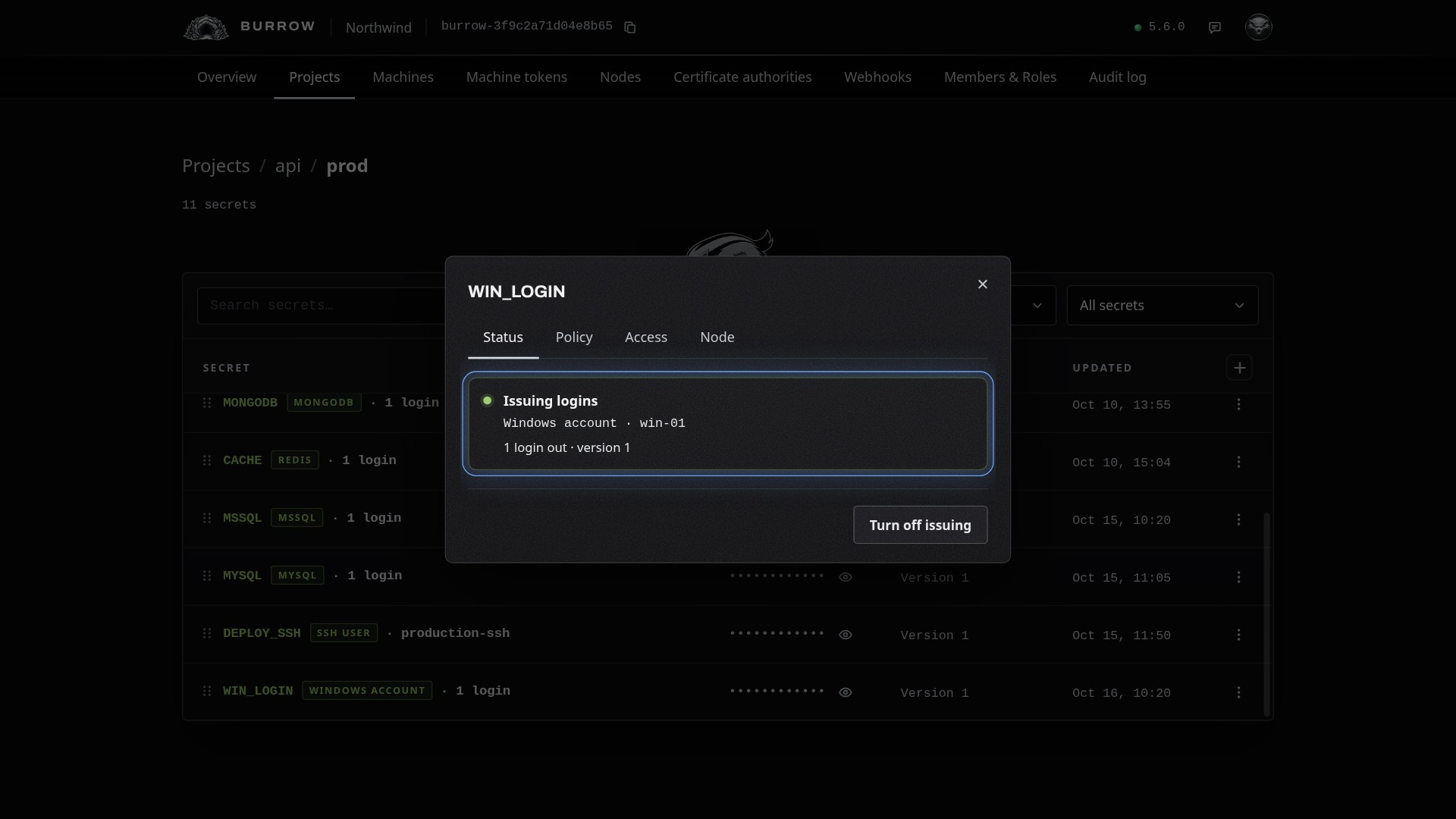
Choose Configure from the row menu. Each tab saves on its own:
Tab | What you change |
|---|---|
Status | Turn issuing off and on. While it's off, reads are refused; accounts already out keep working until they end or are revoked. |
Policy | The password and every lease setting. A change applies to logins issued from then on. |
Access | The groups each account joins, with Test this access. Saving removes the accounts out, and each machine gets a new one with the new access on its next read. |
Node | The node and the host, with Test the node. Saving another node removes the accounts out, and each machine gets a new one on that node's host on its next read; changing only the host keeps them. |
If a read fails or an account can't sign in#
A read fails
Making an account needs the secret's node connected, approved and enabled. The read says what stopped it, such as Node 'win-01' isn't connected. No account could be made. Test the node on the secret's Node tab checks it without a machine.
The account can't sign in
Check the secret's Access: Remote Desktop needs Remote Desktop, and PowerShell remoting needs PowerShell remoting, and the host needs each switched on, as its note says. Test this access has the node make an account with that access and sign in to it.
Every option in one place: Dynamic secrets in the documentation, and Ratel Node for the node itself.