A certificate authority (CA) in your Burrow signs SSH certificates for your machines. Attach it to nodes, and each node sets up its host's sshd to trust what the CA signs and refuse what it revokes. This guide creates one for two hosts, looks at what it put on them, and rotates its key.
What you need#
A connected, approved node on each host that's to trust the CA. See Set up a Ratel Node.
Hosts running Linux with OpenSSH.
A role with read and write on Certificate authorities and on Nodes. The built-in Administrator role has both.
Create it#
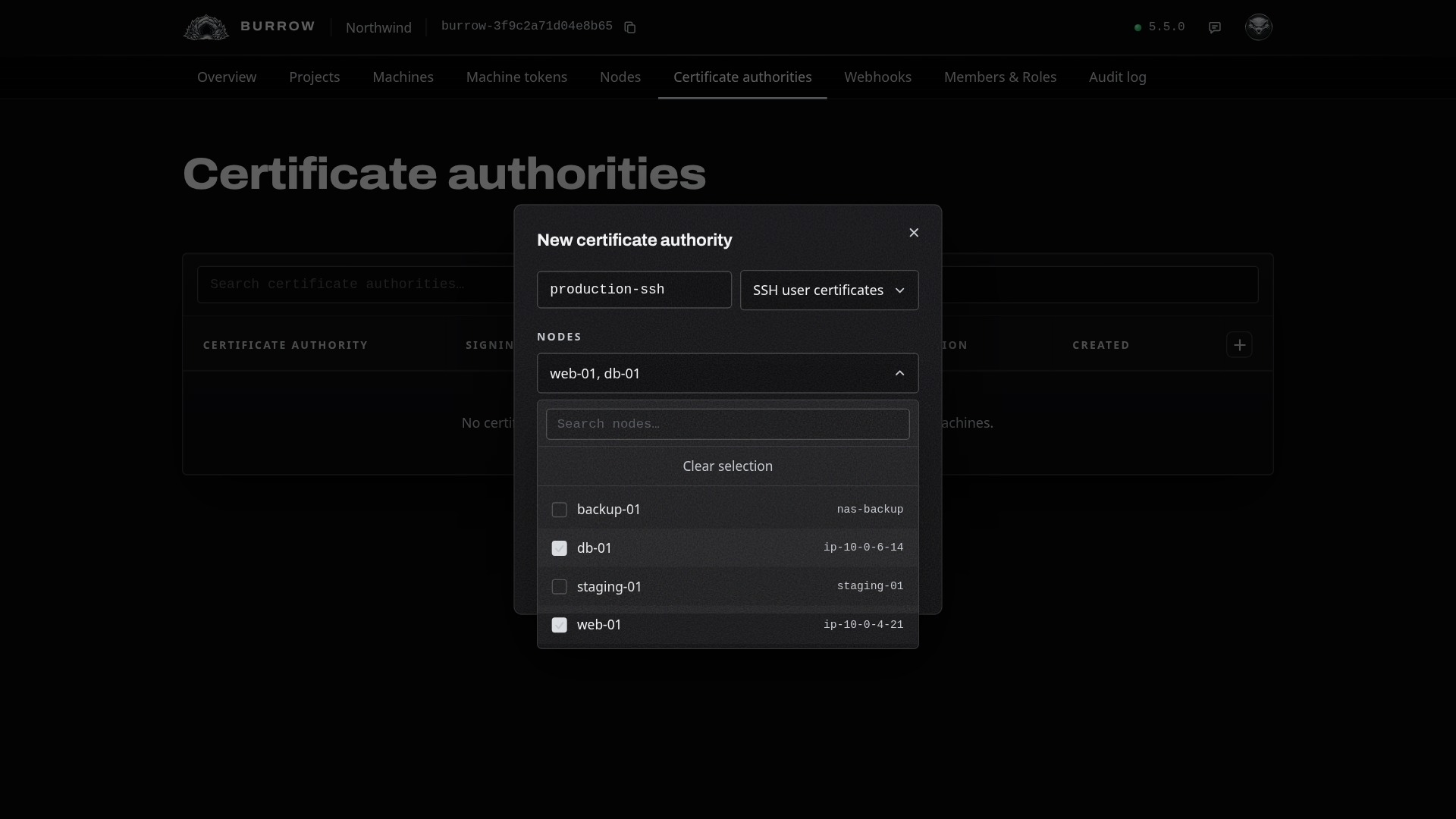
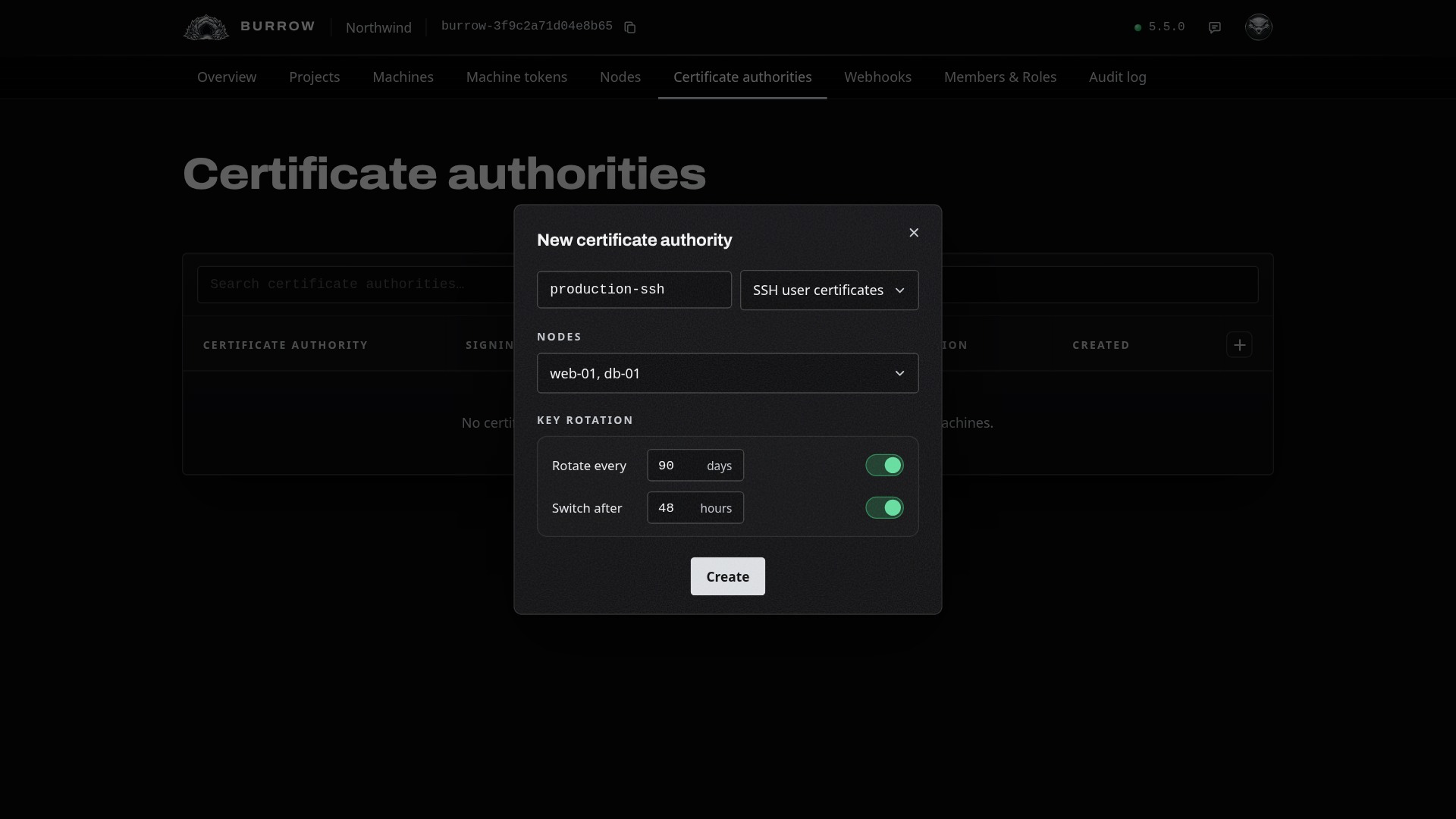
Open Certificate authorities and select the + at the top right of the table.
Name: lowercase letters, digits and hyphens, starting with a letter; spaces turn into hyphens as you type. Beside it is what it signs: SSH user certificates.
Nodes: the nodes whose hosts are to trust it, at least one.
Then its key rotation. A new key is trusted on your hosts before it signs anything, and the key it replaces stays trusted until everything it signed has expired, so a rotation leaves every certificate working.
Setting | What it does |
|---|---|
Rotate every | Off, a new key is prepared when you rotate by hand. On, one is prepared every 1 to 3650 days, counted from when the signing key started signing. |
Switch after | On, a new key starts signing 1 to 720 hours after it's prepared. Off, it waits until you switch to it. |
A new CA rotates by hand and switches 48 hours after a new key is prepared. This one also rotates every 90 days. Select Create.
Check its details#
The dialog turns into the CA's details, which follow it as it changes:
Its status, what it signs, its key algorithm, and where your Burrow's master key is kept. Its keys are Ed25519, made in your Burrow and sealed under that master key, like your secrets.
Its rotation: how often, what comes next, and when a new key switches.
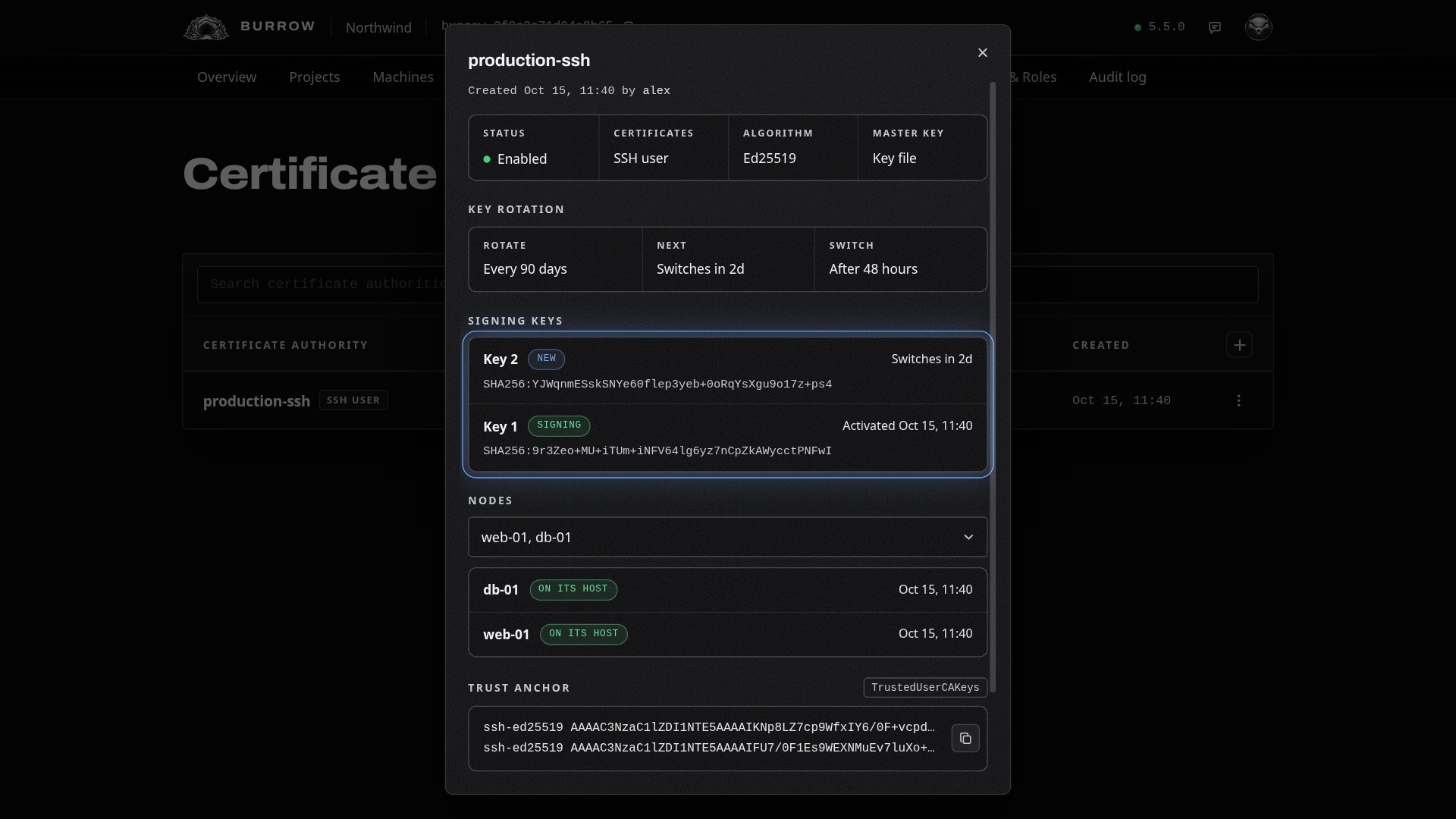
Every signing key, newest first, with its fingerprint and state.
Its nodes, and where each host stands: Waiting while the node is offline or the change is on its way, On its host once it's set up, or Failed, with the node's reason.
Its trust anchor: the lines a host's
TrustedUserCAKeysfile holds to trust it, with a copy button.The secrets that issue from it.
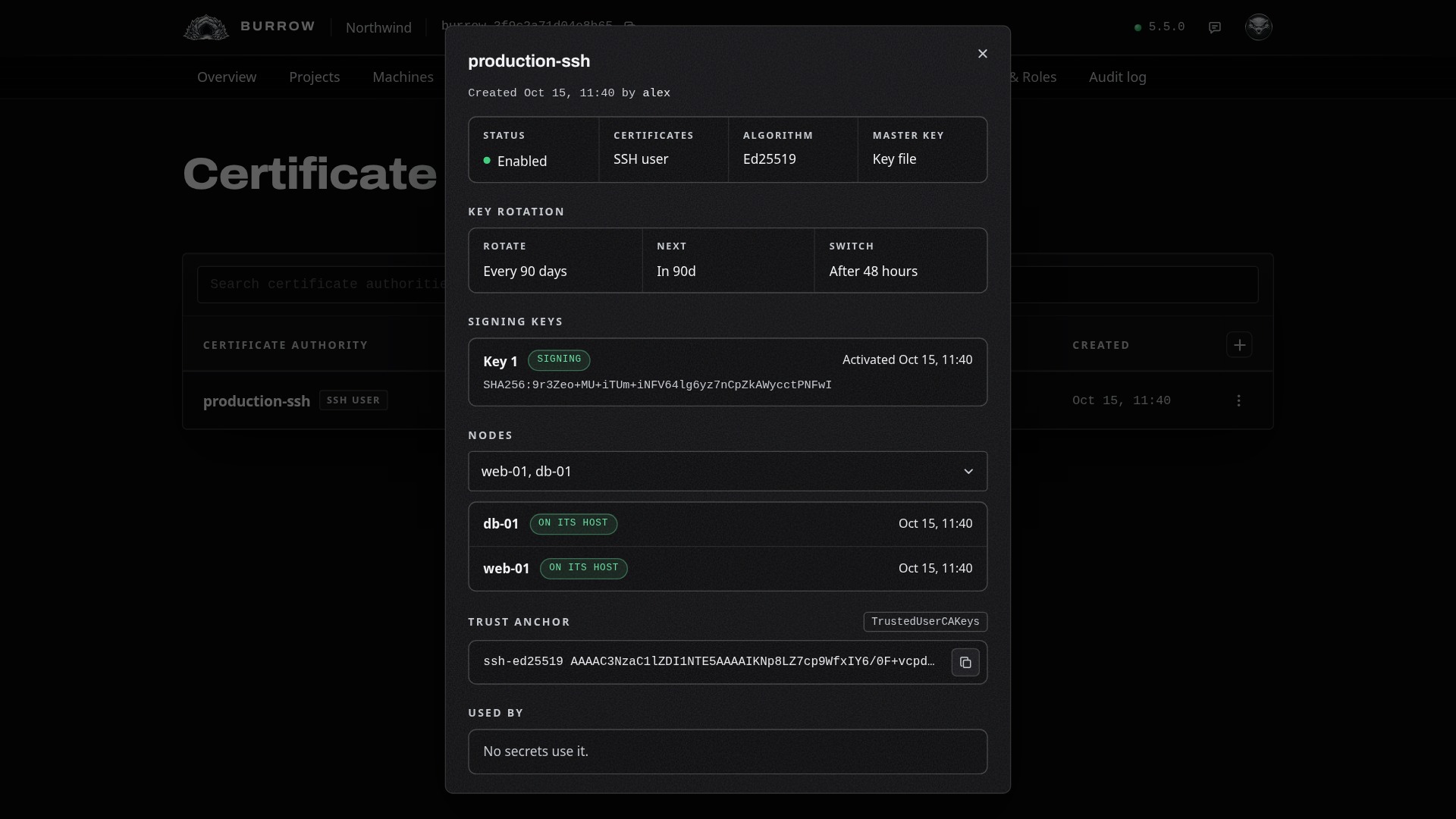
Change its nodes here later: pick or clear nodes, then select Save. Attaching a node puts the CA on its host, and detaching takes it off.
What changes on the host#
When sshd trusts no CA yet, the node keeps its own files in /etc/ssh/ratel-node and points sshd at them from a marked block at the top of sshd_config:
# BEGIN ratel-node: managed by ratel-node for its Burrow, which rewrites this block; edit outside it
TrustedUserCAKeys /etc/ssh/ratel-node/trusted-user-ca-keys
RevokedKeys /etc/ssh/ratel-node/revoked-keys
# END ratel-node
The change is checked with sshd -t first and sshd is reloaded after; if sshd won't reload, sshd_config is put back as it was. The rest of the file stays as you left it.
When sshd already trusts a CA file, the node keeps its keys in a marked section of that file, beside the keys already there. Revocations go into the host's own revocation list when it has one. Every ten minutes each node checks its host and puts back anything that went missing.
Rotate its key#
The row shows where the rotation stands, such as Rotates in 90d. Choose Rotate now from its row menu to prepare a new key now: your hosts trust it at once, and it starts signing after the switch delay.
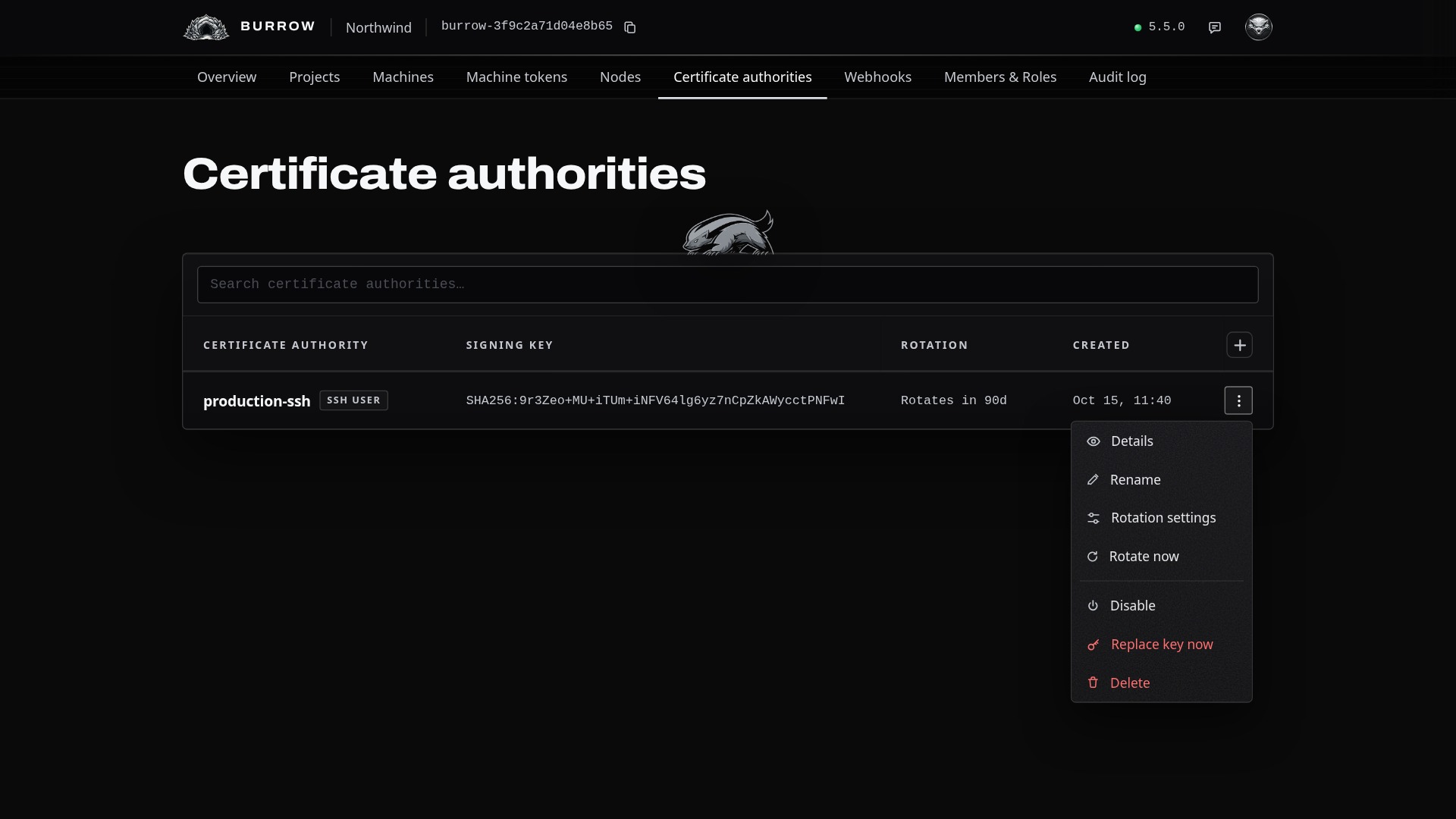
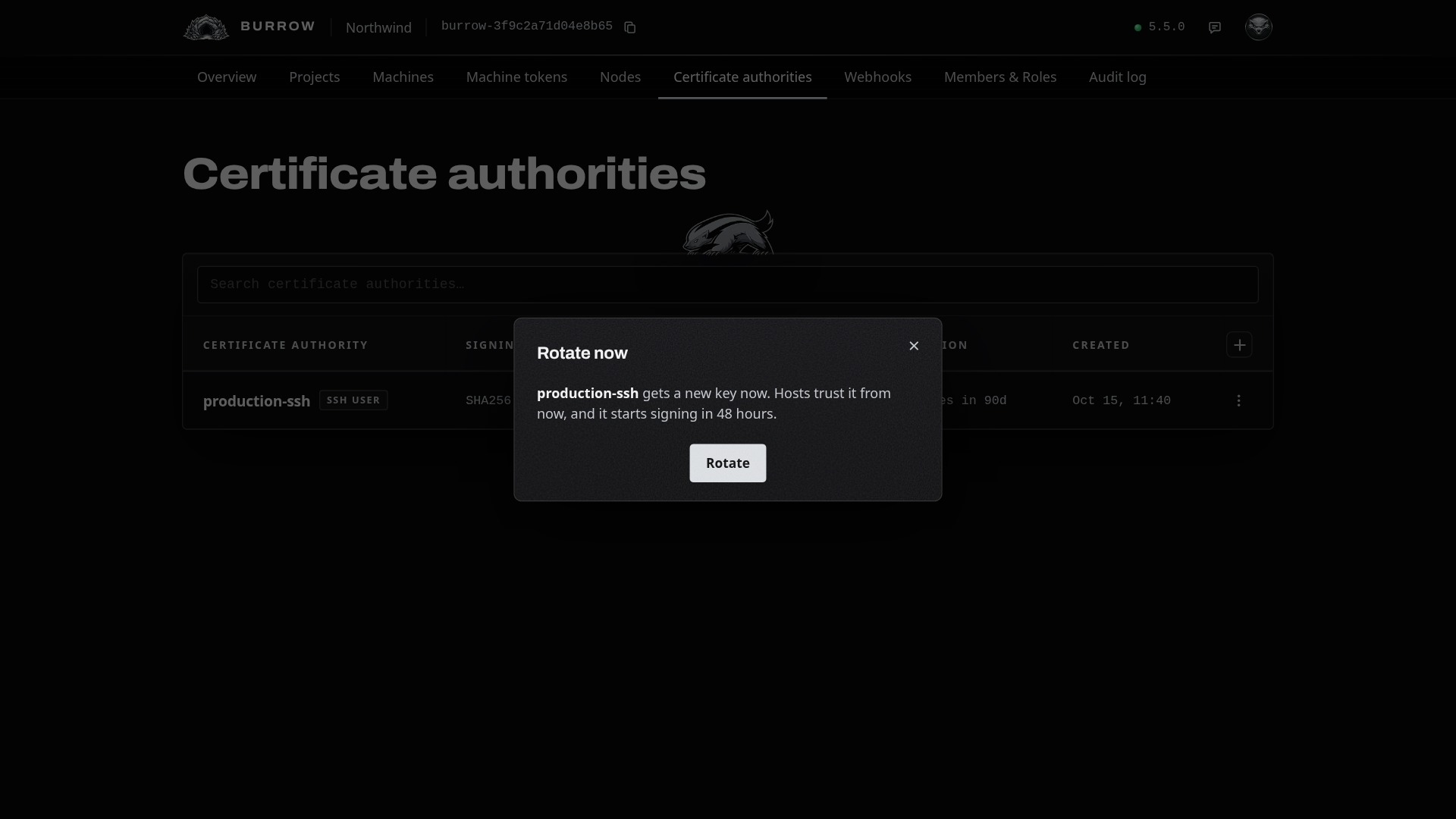
While a new key waits, the row menu has Switch to new key, which makes it sign now, and Remove new key, which drops it while the current key keeps signing. The details show both keys:
Disable or delete it#
Action | What happens |
|---|---|
Disable | The CA stops issuing until it's enabled again. Its hosts keep trusting it, so the certificates it already signed keep working until they expire. |
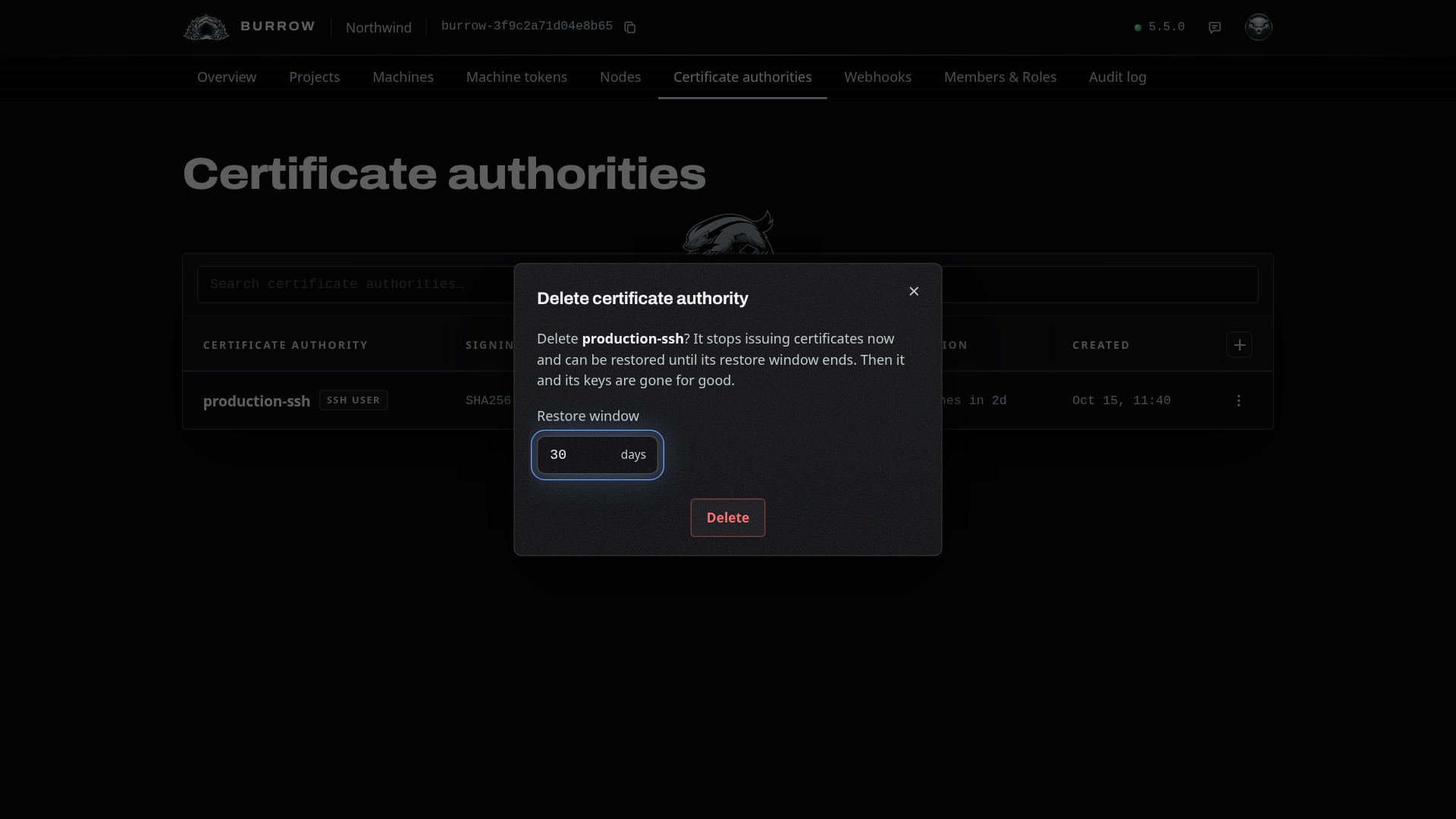
Delete | The CA stops issuing and is taken off its hosts. It stays restorable for 7 to 30 days, 30 unless you choose, in a Deleted section below the table, and is then removed for good with its keys. |
Restore | From its row in the Deleted section. It comes back disabled and is put back on its hosts; enable it to issue again. |
Next, give machines SSH logins it signs: Create a dynamic SSH user secret. Every option in one place: Certificate authorities in the documentation.