A workflow that deploys needs secrets, and storing them in GitHub means keeping a second copy you have to rotate. Instead, add the workflow as a machine on your Burrow. On every run, GitHub signs a token that names the repository and workflow, and your Burrow lets in only the workflow you named.
What you need#
A Burrow your workflow can reach over the internet, and a role that can add machines.
A GitHub repository with a workflow file, such as
.github/workflows/deploy.yml.A project with the secrets the workflow needs. This guide uses
api.
Add a GitHub Actions machine#
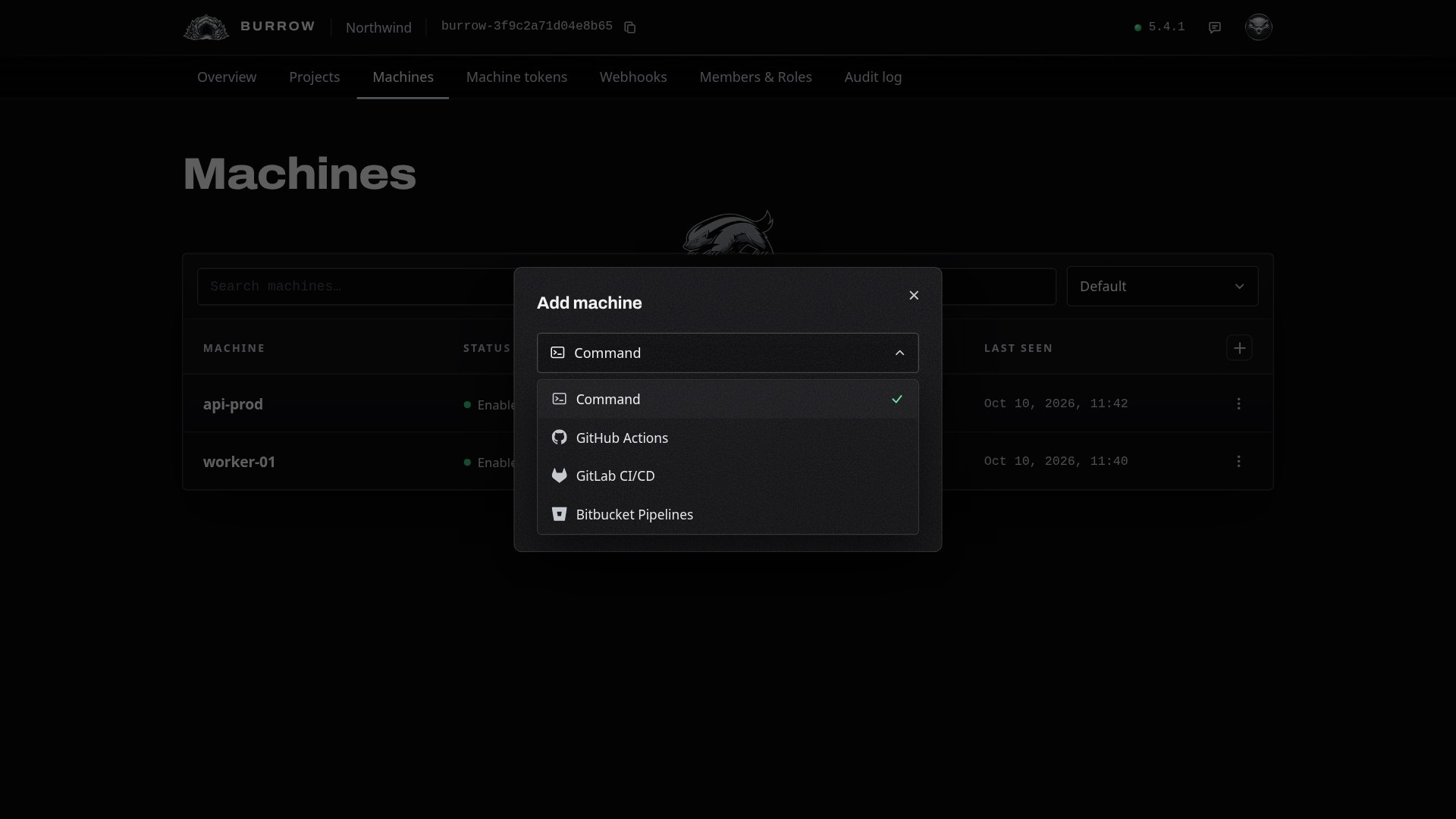
Open Machines in your Burrow and select the + at the top right of the table. Set the method to GitHub Actions and select Continue.
Name the repository and workflow#
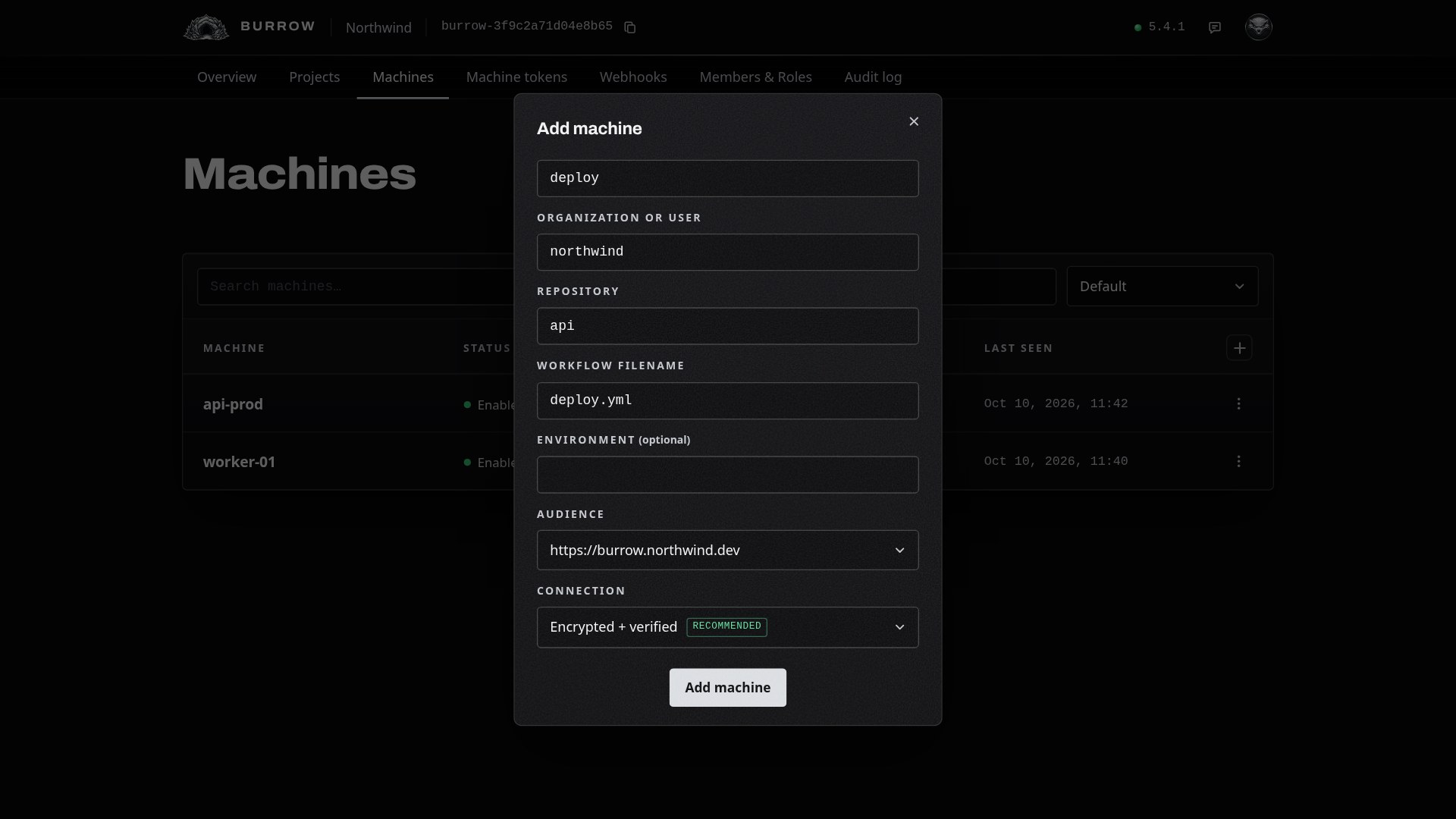
Give the machine a name you'll recognise, like deploy. Then enter where the workflow lives:
Organization or user: the owner of the repository,
northwindhere.Repository: the repository's name,
api.Workflow filename: the file in
.github/workflows,deploy.yml.
Leave Audience on your Burrow's address and Connection on Encrypted + verified, then select Add machine.
Copy the sign-in command#
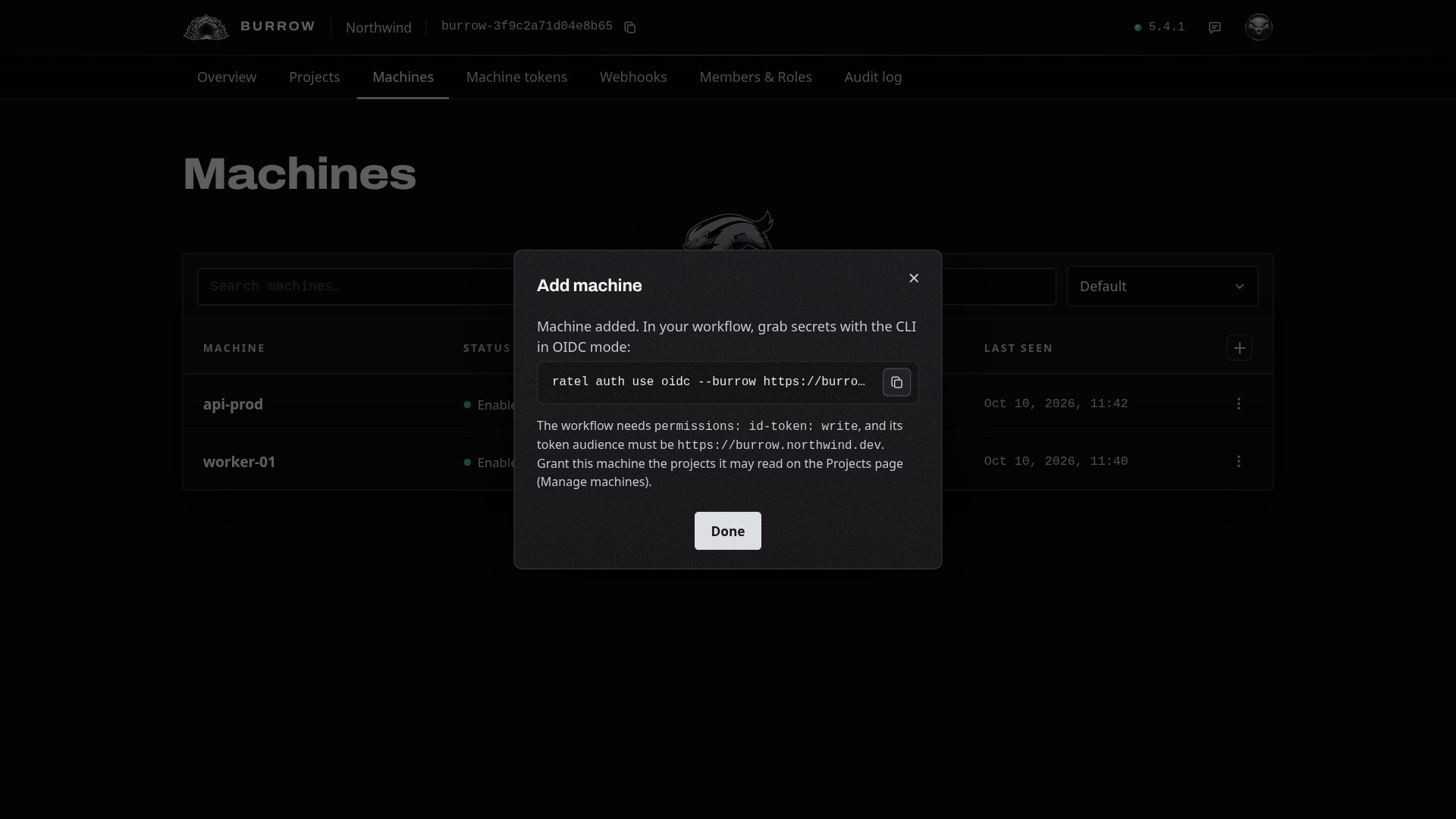
The machine is added, and the dialog shows the command your workflow runs to sign in. Copy it; you'll paste it into the workflow in step 5.
The command already carries how the workflow checks your Burrow's identity. A Burrow with a public certificate uses --tls system, as here.
Give it a project#
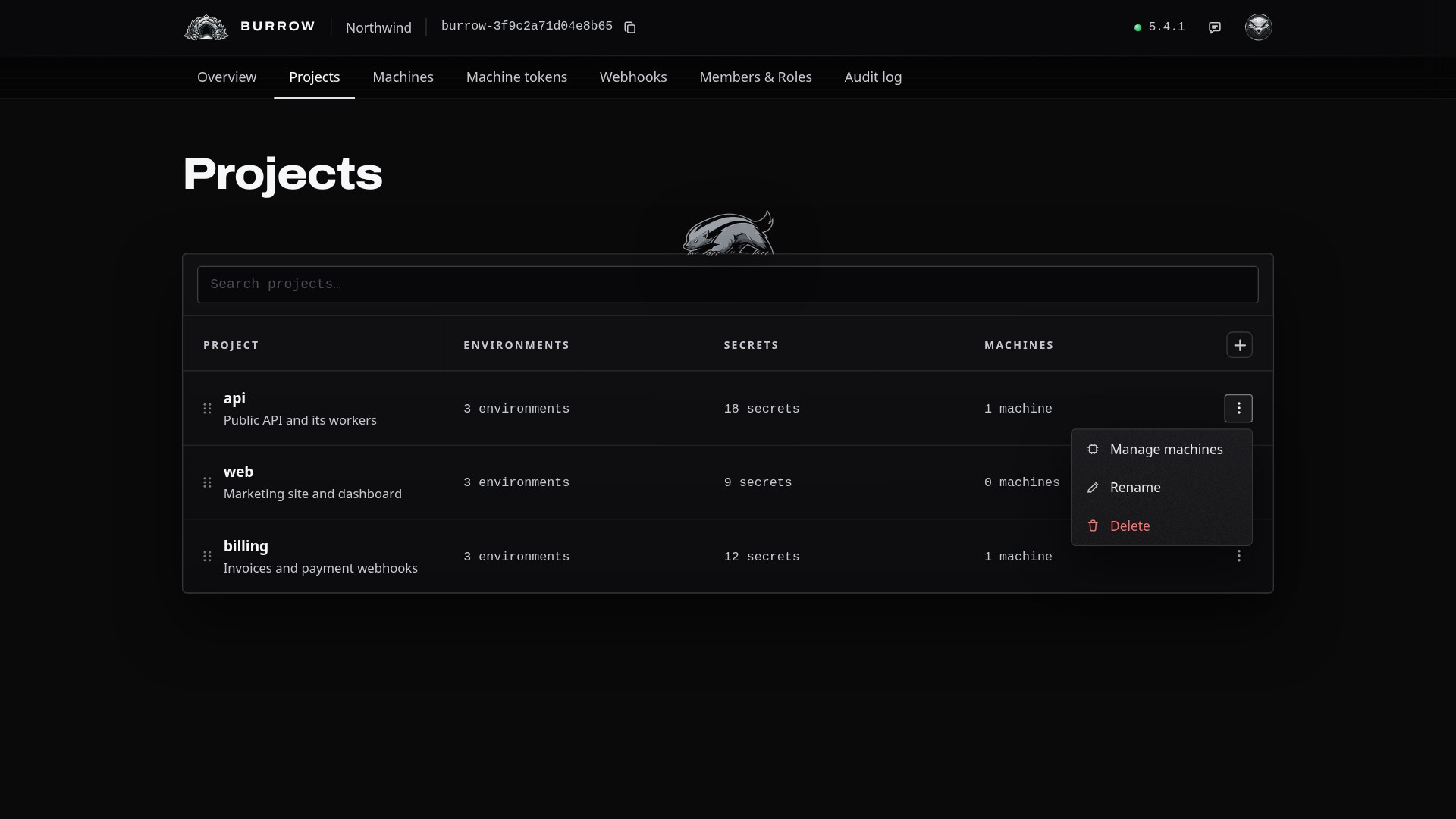
A new machine can't read anything yet. Open Projects, open the menu on the project's row, and select Manage machines.
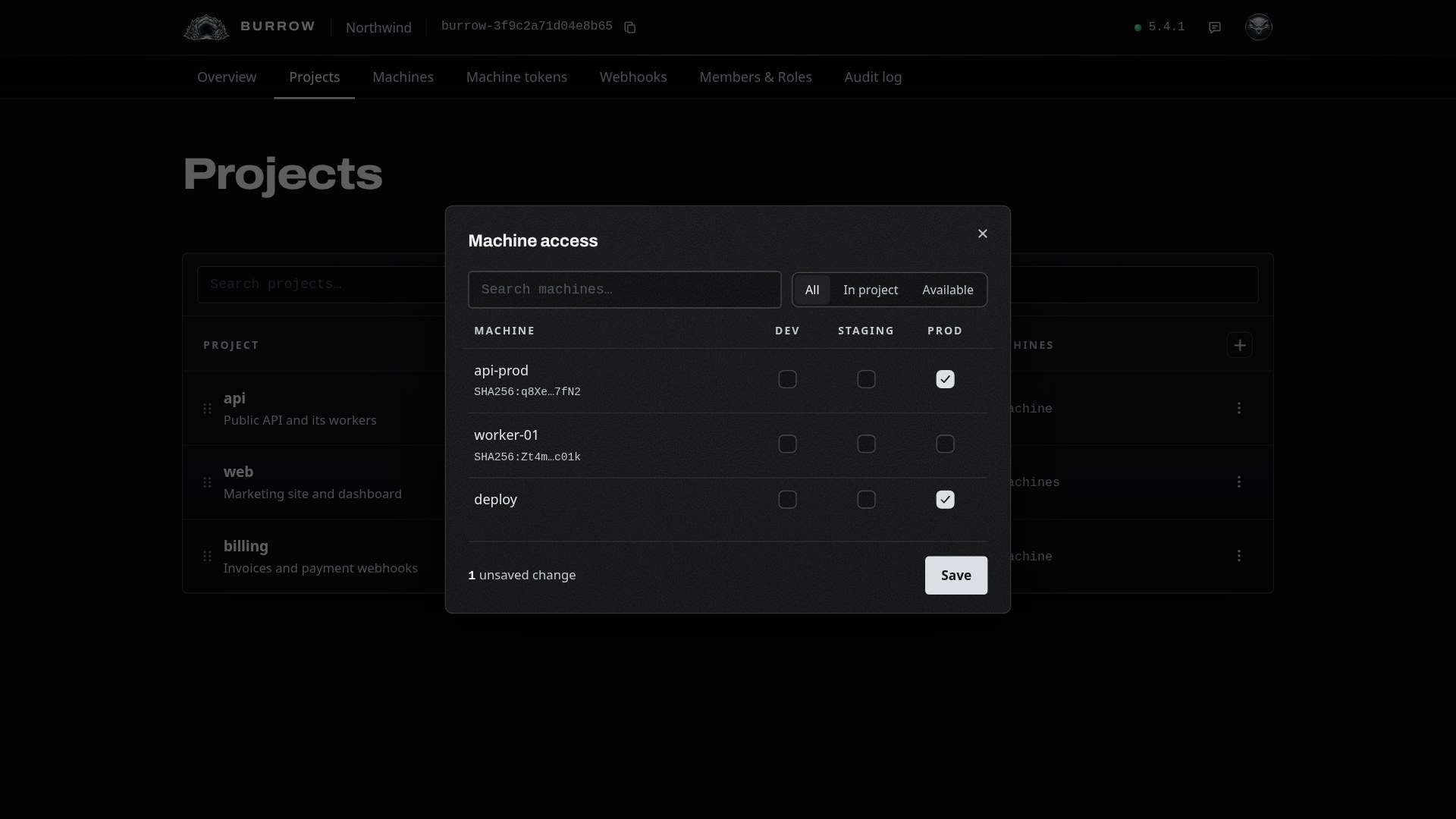
Tick the environments the machine may read. A deploy to production needs PROD and nothing else. Select Save.
Read secrets in the workflow#
In deploy.yml, let the job request a token from GitHub, install the CLI, sign in with the command you copied, and run your deploy with the project's secrets loaded:
name: Deploy

on:
  push:
    branches: [main]

permissions:
  id-token: write
  contents: read

jobs:
  deploy:
    runs-on: ubuntu-latest
    steps:
      - uses: actions/checkout@v4
      - run: npm i -g @ratelkey/cli
      - run: ratel auth use oidc --burrow https://burrow.northwind.dev --tls system
      - run: ratel run --env api/prod -- ./deploy.sh
ratel run loads every secret in api/prod into deploy.sh's environment in one read. To read a single value instead, use ratel secret get api/prod/DATABASE_URL.
Push to main. The run signs in as deploy, and every read shows on the machine's audit trail in your Burrow.
If it doesn't sign in#
"no OIDC provider detected"
The job has no permission to request a token. Add id-token: write under permissions, at the top of the workflow or on the job.
"No machine matches this token"
The run doesn't match the machine. Check that the organization, repository and workflow filename are exactly what the run uses, and, if you set an environment, that the job runs in it.
The run signs in but can't read the secret
The machine has no access to that project's environment. Open the project's Manage machines and tick the environment group the secret is in.
Every option in one place: GitHub Actions in the documentation.