A dynamic secret can give each machine an account of its own on a Linux host. The Ratel Node on that host makes the account in the groups you choose, and it signs in over SSH with a certificate the machine fetches with ratel cert get, or with a password it reads with ratel secret get. When its login ends or you remove it, the node ends its sessions and deletes it, and a timer on the host removes it a couple of minutes after its end even if the node is down.
What you need#
A Ratel Node on the Linux host, approved in your Burrow. See Set up a Ratel Node.
An SSH server on the host. To sign in with a password, it has to take passwords.
To sign in with a certificate, a certificate authority attached to the node. See Set up a certificate authority.
A role with write on secrets. Signing in with a certificate also takes read and write on Certificate authorities.
A machine with access to the environment, with the
ratelCLI 1.7.0 or later.
Open a new dynamic secret#
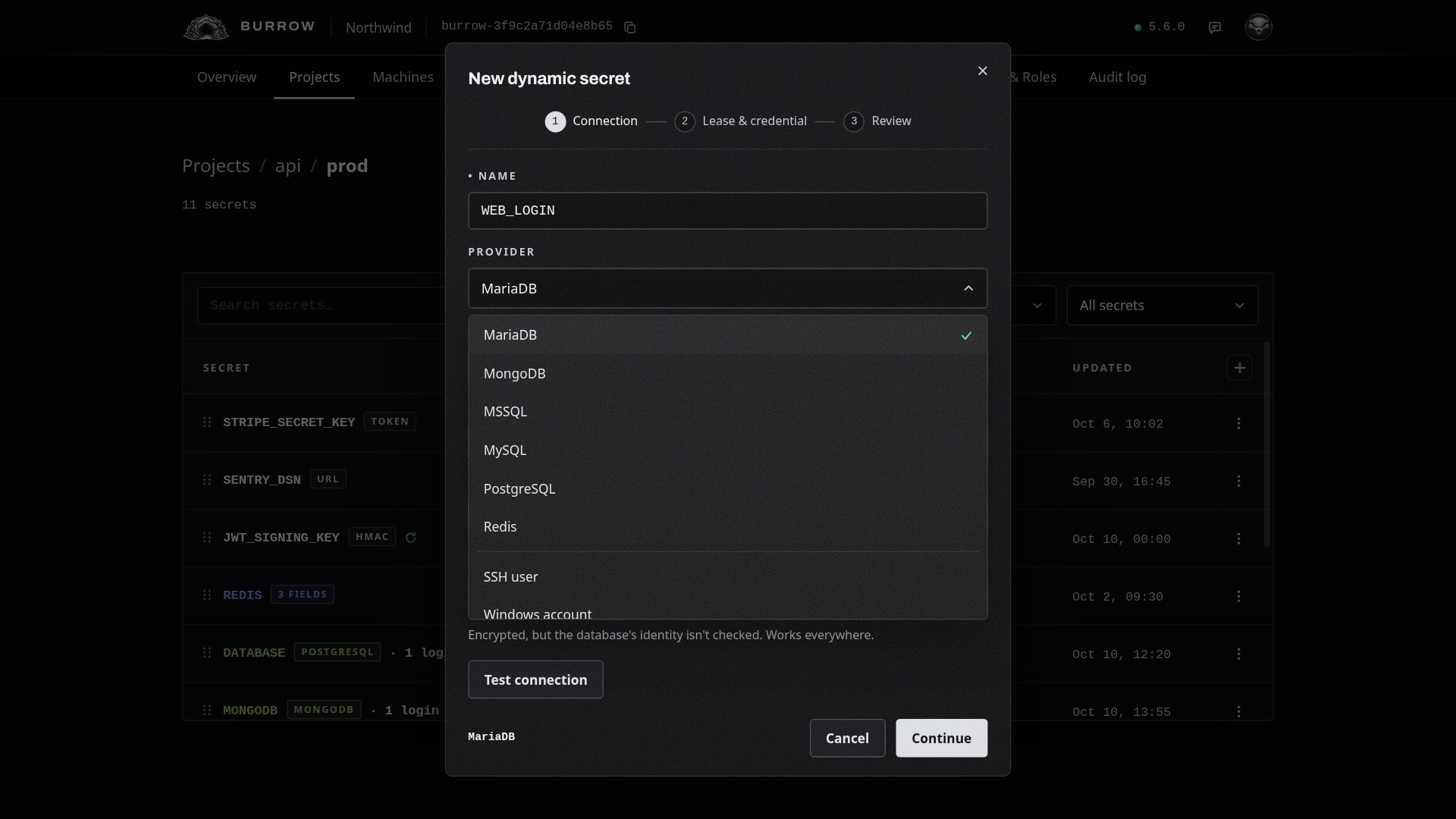
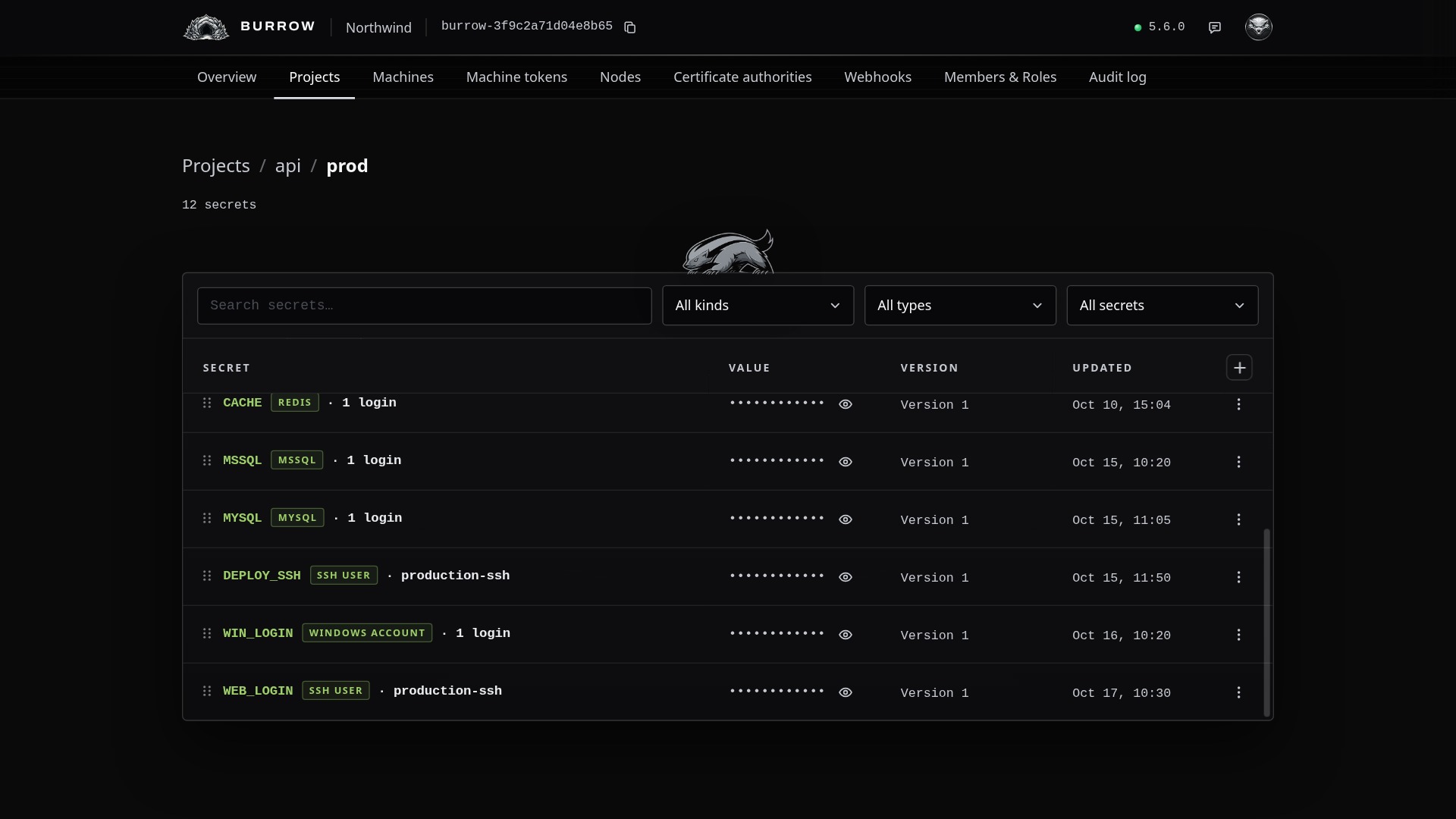
Open the environment in Projects, select the + at the top right of the secrets table and choose Dynamic. Name the secret, such as WEB_LOGIN: machines fetch it as api/prod/WEB_LOGIN. Set Provider to SSH user, after the databases, and switch on An account for each machine. The dialog's steps become Node, Access & certificate, and Review.
Choose the node#
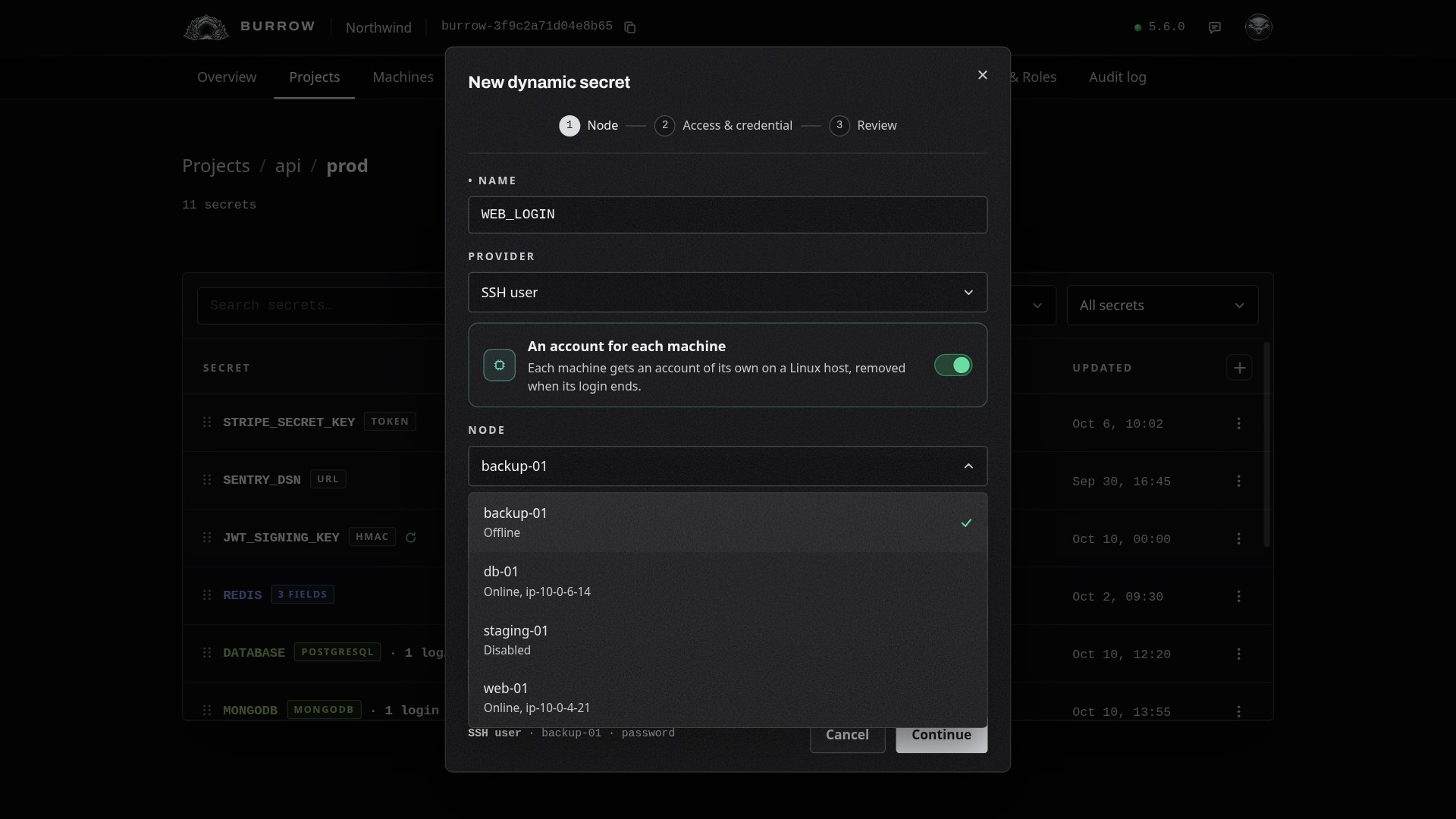
Node lists your Burrow's Linux nodes with each one's state, and the first is picked. The node on the host makes, renews and removes every account. A host with no SSH server, or one whose SSH server only lets in the users its AllowUsers names, can't take these accounts, and the dialog says so.
Host is optional: it's where machines are told to connect. Left empty, they're told the host's own name, as its node reported it.
Choose how each account signs in#
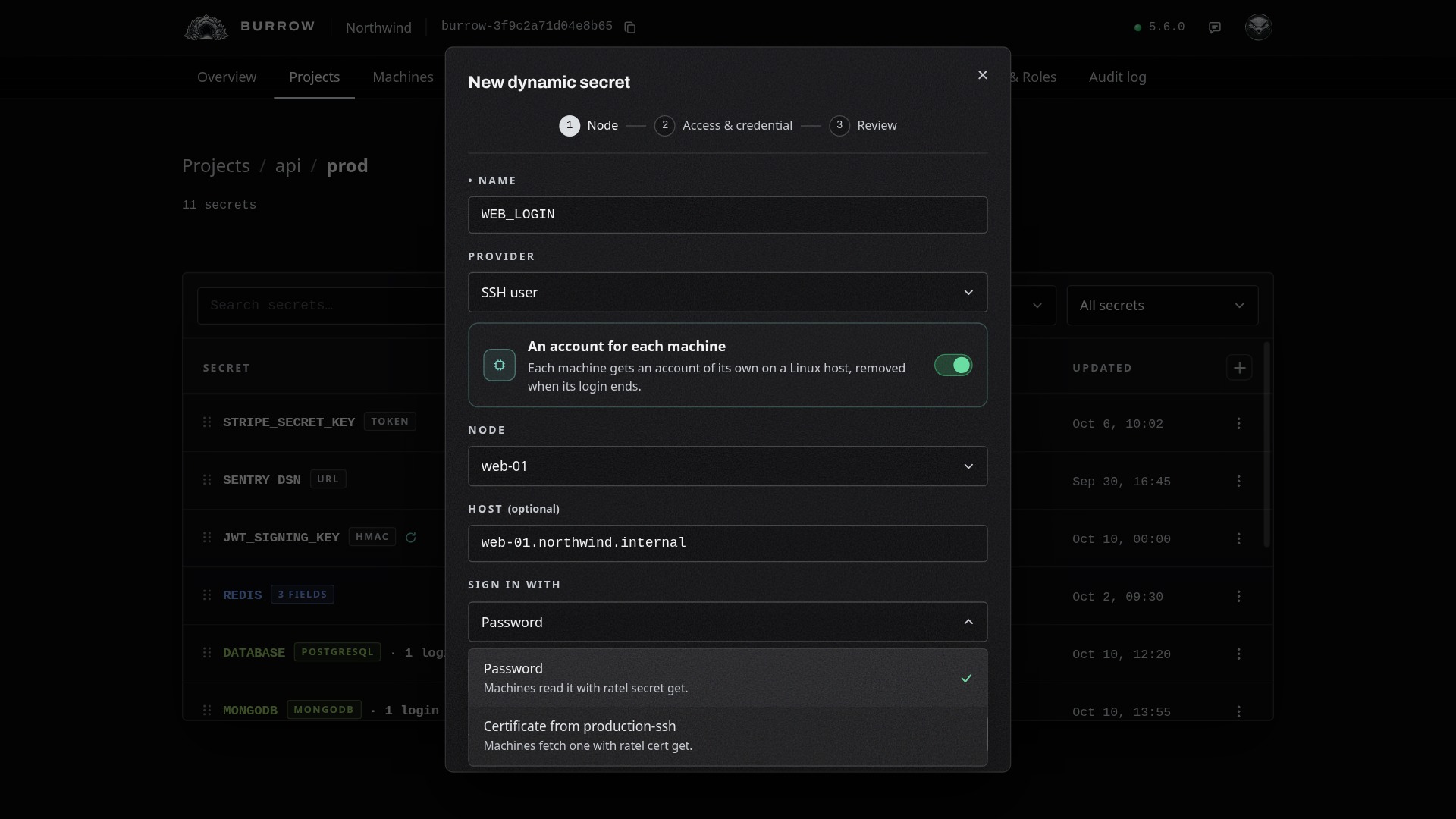
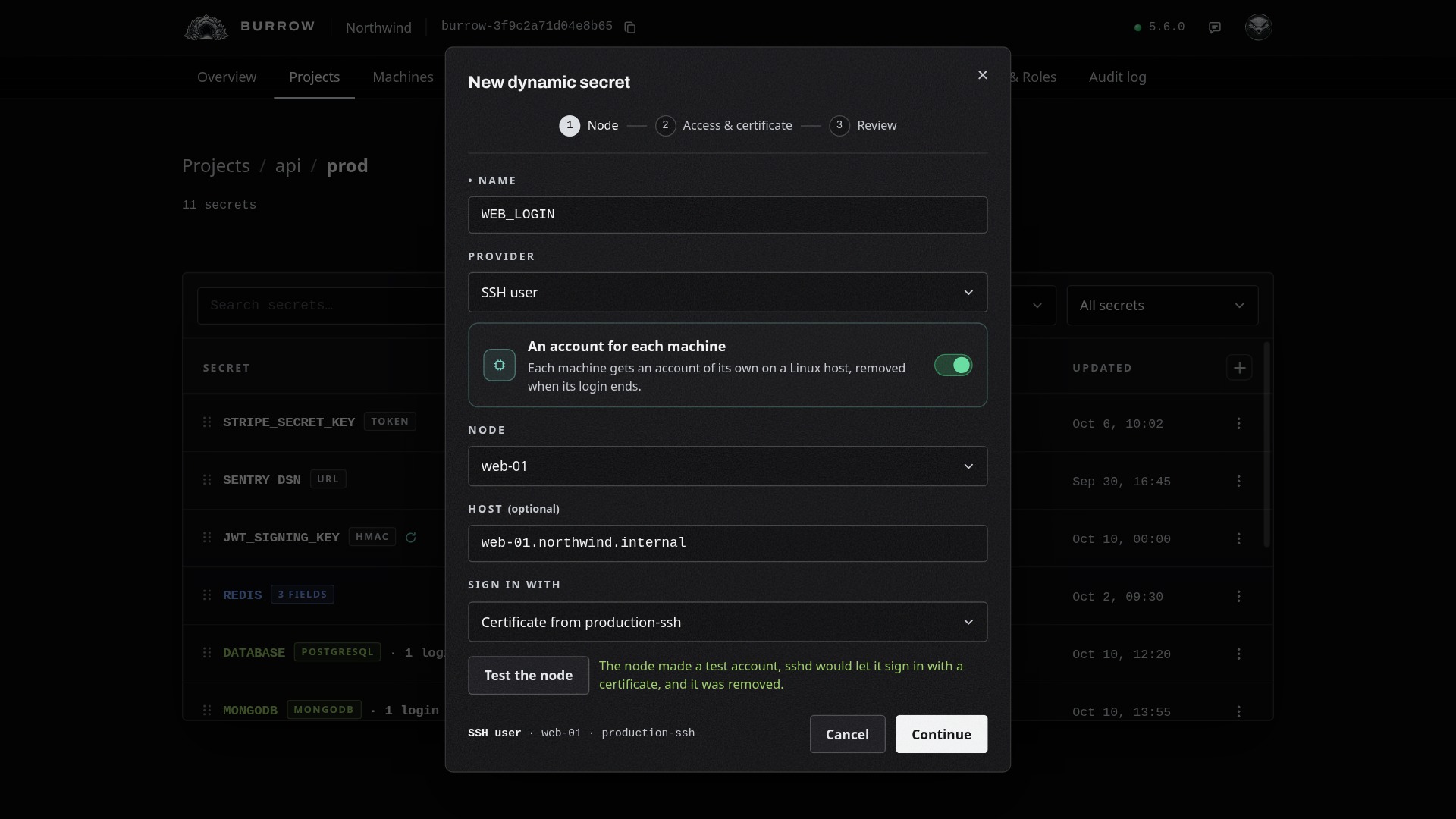
Sign in with offers a password, and a certificate from each certificate authority attached to the node:
Sign in with | A machine | The account |
|---|---|---|
Password | Reads the host, the account's username and its password with | Signs in over SSH with its password. The steps become Node, Access & credential, and Review. |
Certificate from a certificate authority | Fetches a certificate for its account with | Has no password, and signs in only with a certificate. |
Where the host's SSH server takes no passwords, Password is greyed out and the first certificate authority attached to the node is picked. Signing in with a certificate takes read and write on Certificate authorities. Test the node has the node make a throwaway account, check that sshd would let it sign in the way you chose, and remove it.
Choose what each account can do#
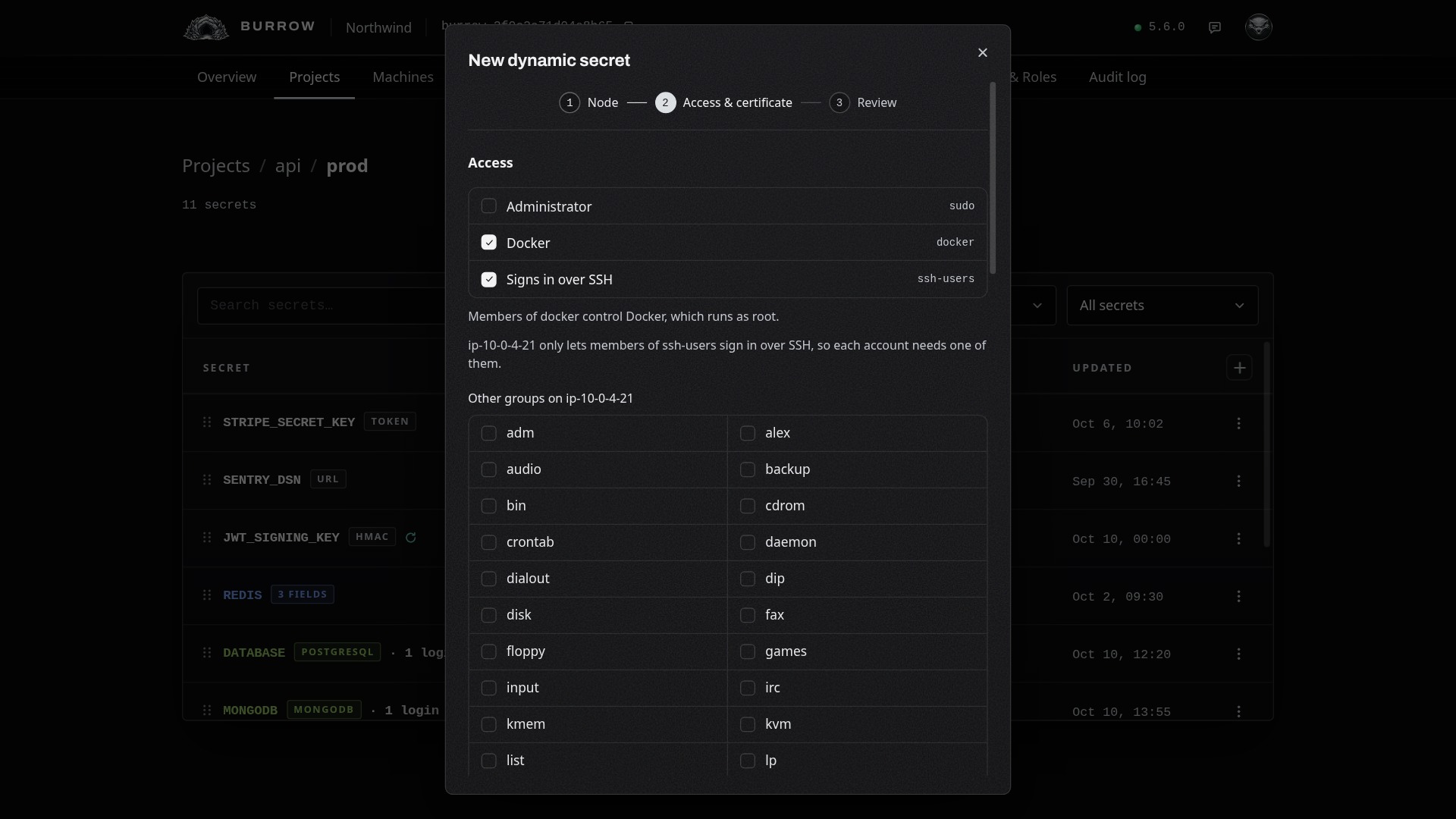
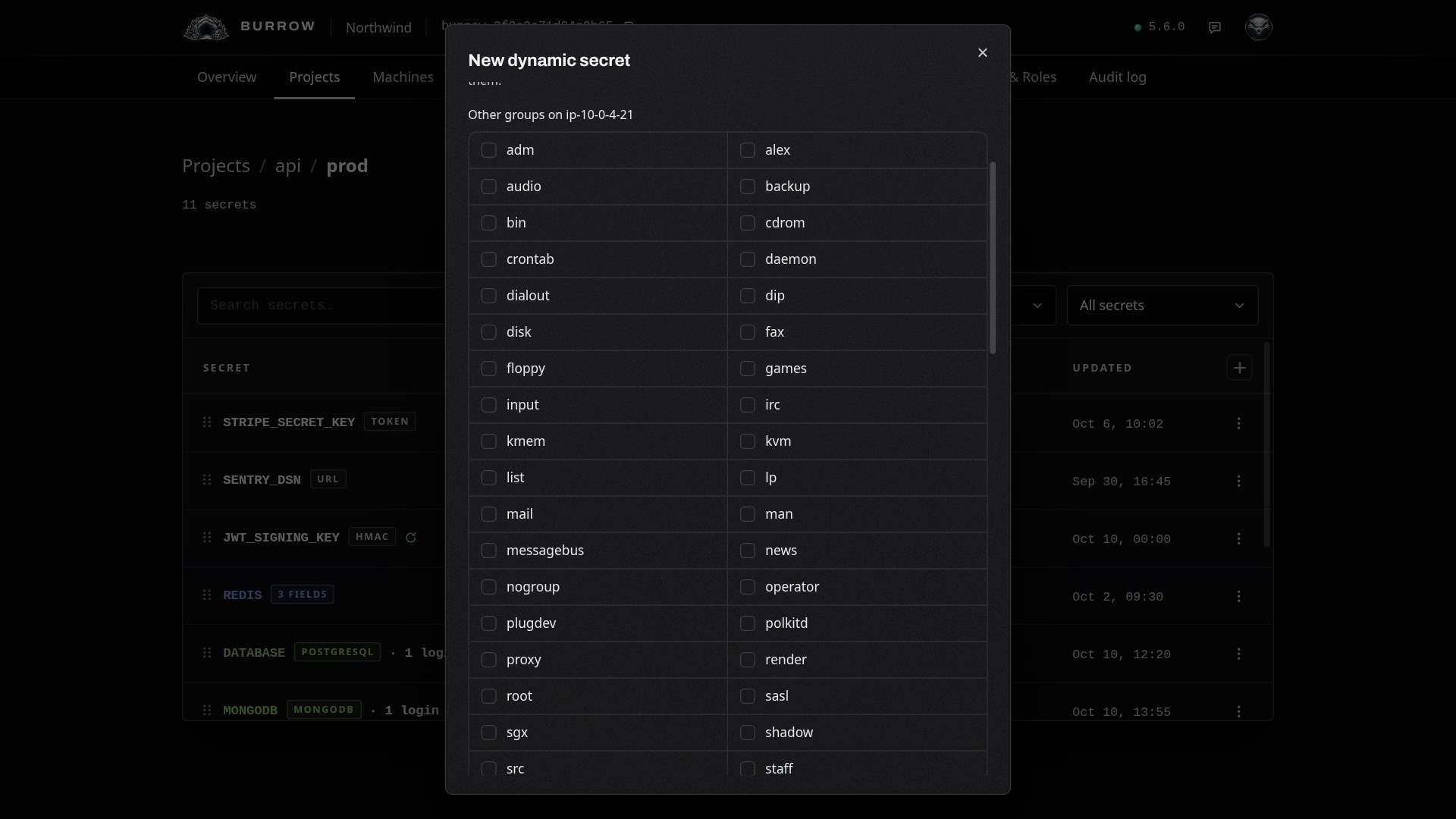
Access lists the groups each account joins. The ones that matter most come first, each with what it means once it's ticked:
Access | Joins | What it means |
|---|---|---|
Administrator | The group sudo lets run anything, such as | With a password, sudo asks the account for it, which a read serves. With a certificate, the account has no password, so it gets a sudo rule of its own, removed with the account. |
Docker |
| Members of docker control Docker, which runs as root. |
Signs in over SSH | Each group the SSH server's | The SSH server lets only those groups in, so each account needs one of them. |
Below them are the host's other local groups, as its node reported them, including ones you made. With nothing ticked, each account is an ordinary user that can sign in over SSH and nothing more. Test this access has the node make a throwaway account in those groups, check sshd would let it sign in, and remove it.
Say what each certificate allows#
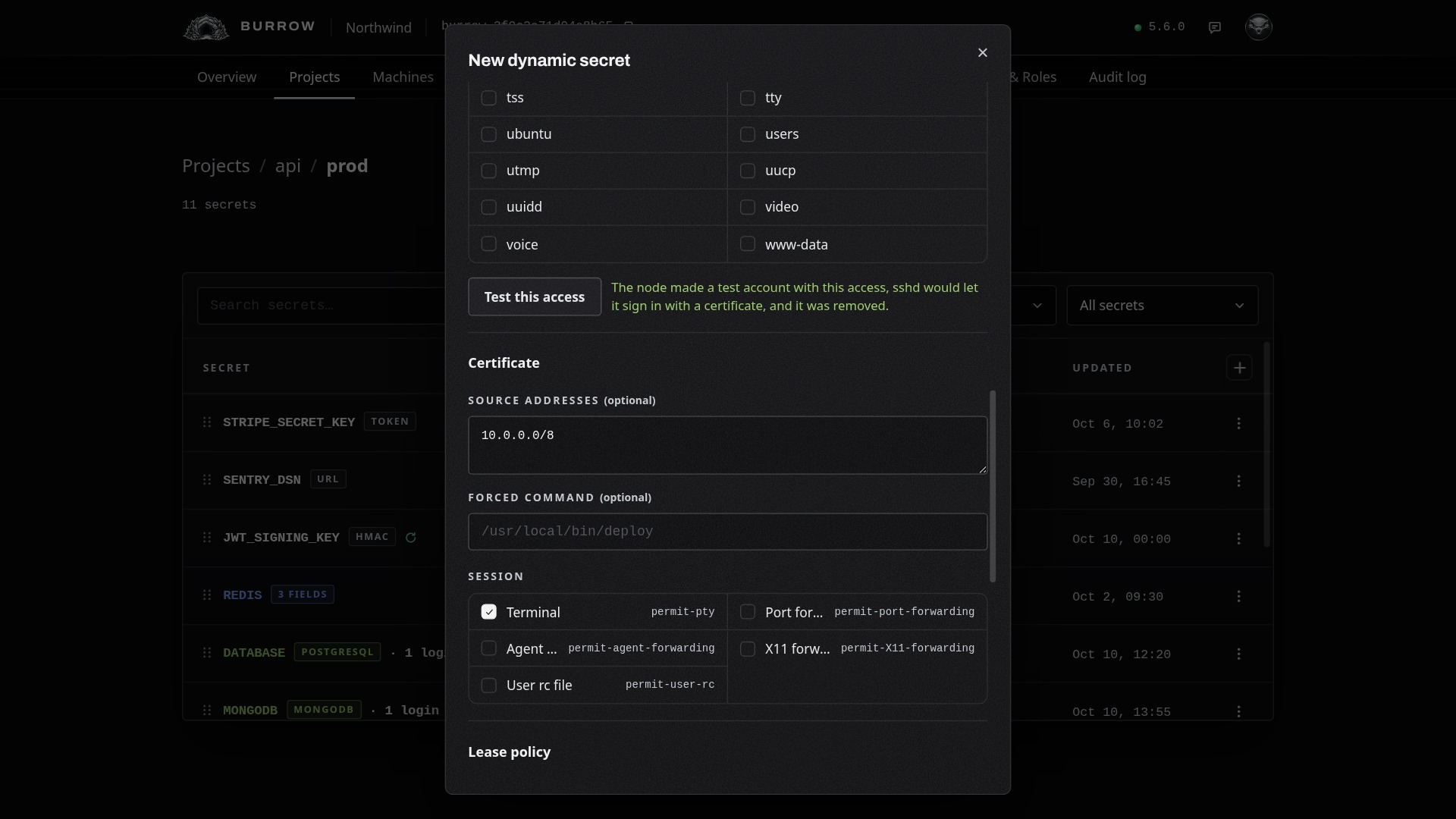
Signing in with a certificate, the Certificate section takes Source addresses, a Forced command and the Session, as an SSH user secret's certificates do: see Create a dynamic SSH user secret. It names no logins: each certificate names its machine's own account. Signing in with a password, a Password section shapes each account's password instead.
Set the lease#
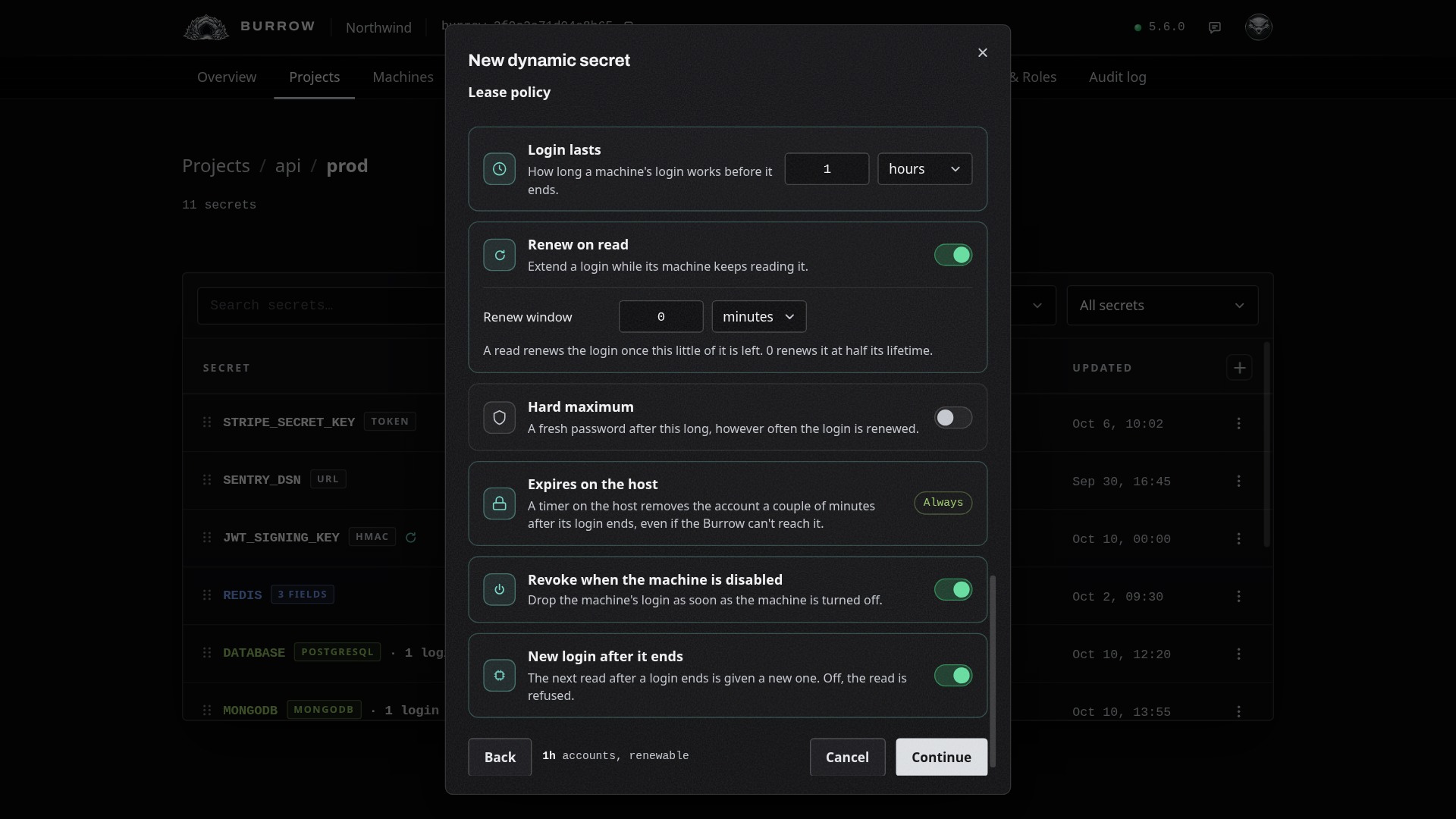
Lease policy sets how each account lives:
Setting | What it does |
|---|---|
Login lasts | How long a machine's account works from when it's made: 1 hour unless you choose. A certificate for it lasts no longer. |
Renew on read | On unless you turn it off: a read late in the account's life extends it, and the node moves its end on the host. Each |
Hard maximum | Off unless you set it: however often it's renewed, an account ends this long after it was made, and the next read makes it afresh. |
Expires on the host | Always on: a timer on the host removes the account a couple of minutes after its login ends, even if the node or your Burrow is down then. |
Revoke when the machine is disabled | On unless you turn it off: removes a machine's account as soon as the machine is turned off. |
New login after it ends | On unless you turn it off: the next read after a login ends is given a new one. Off, that read is refused. |
New password on every read | Signing in with a password only. Off unless you turn it on: every read sets a new password, so each one is used once. |
Review and create#
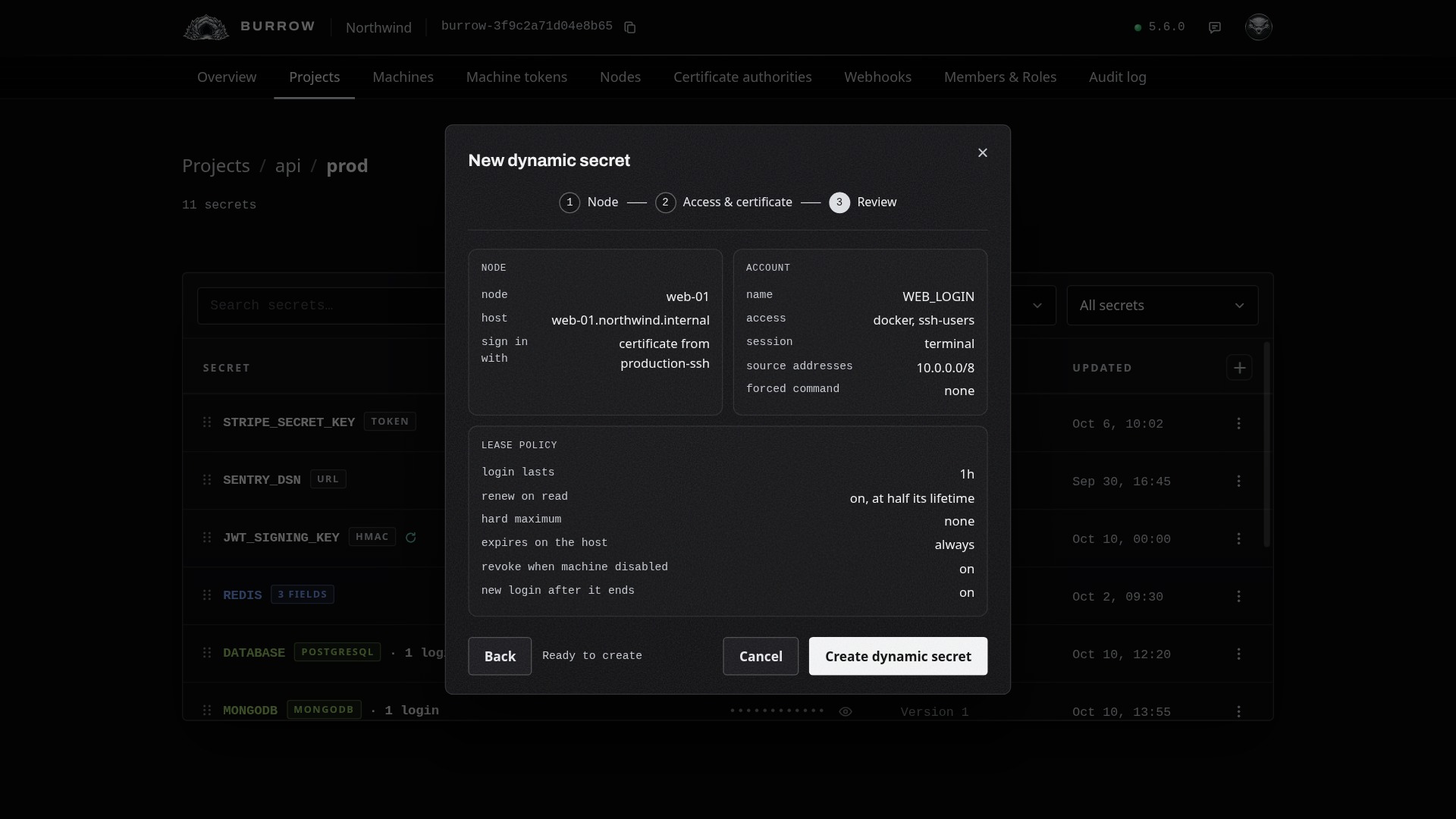
Select Continue to see everything on one page, then Create dynamic secret. Signing in with a certificate, the secret's row shows SSH user and the certificate authority that signs for it. Signing in with a password, it shows Linux account.
Fetch a certificate and sign in#
On a machine with access to the environment:
ratel cert get api/prod/WEB_LOGINLoaded certificate for rk_5f3a91_c8e2_t4mz, valid 1h0m
ssh [email protected]The first fetch has the node make the machine an account of its own, so the node has to be connected. Then plain ssh [email protected] signs in as it, in the groups you chose. The key is made on the machine and stays there; Create a dynamic SSH user secret says where the certificate goes.
Or read the account and its password#
For a secret that signs in with a password, read it like any secret:
ratel secret get api/prod/WEB_LOGIN{"host":"web-01.northwind.internal","password":"Hq4vT9wLm2XcR7nB8sKd3YpF6jZa1NtE","username":"rk_5f3a91_c8e2_t4mz"}host is where to connect, username the account's name and password its password. Each field comes from the same account, and ratel run sets WEB_LOGIN_HOST, WEB_LOGIN_USERNAME and WEB_LOGIN_PASSWORD. Sign in with ssh as the account, with its password.
See and remove accounts#
Choose Certificates from the secret's row menu. Above the certificates it issued, Accounts lists each account out: the machine holding it, its state, and when it was issued and ends. For a secret that signs in with a password, Logins in the row menu lists them.
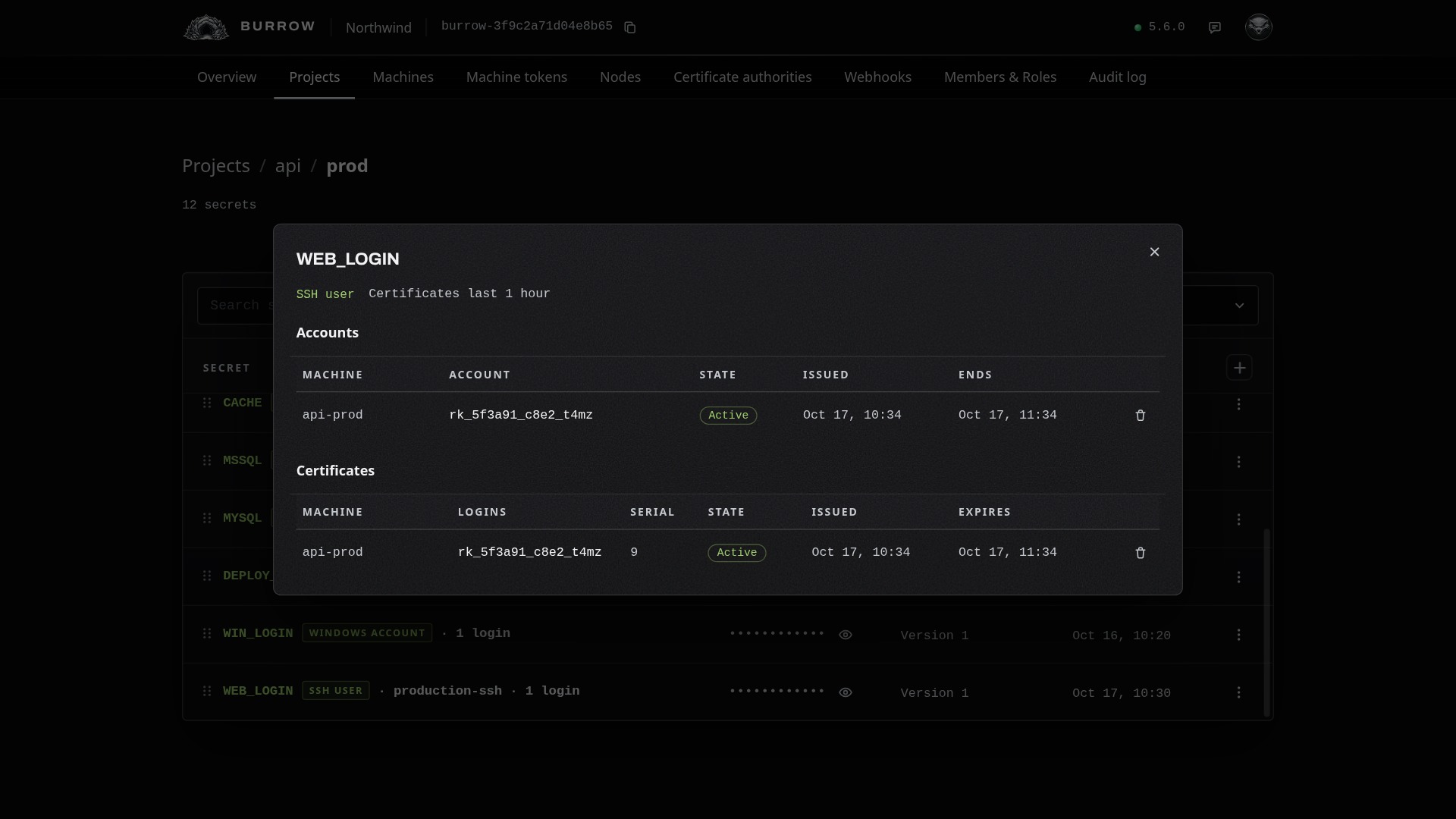
The bin at the end of an account's row removes it. The node ends the account's sessions and deletes it with its home folder, and the certificates that name it are revoked; they stay listed until they'd have expired:
rk_5f3a91_c8e2_t4mz@ip-10-0-4-21:~$ Connection to web-01.northwind.internal closed by remote host.
Connection to web-01.northwind.internal closed.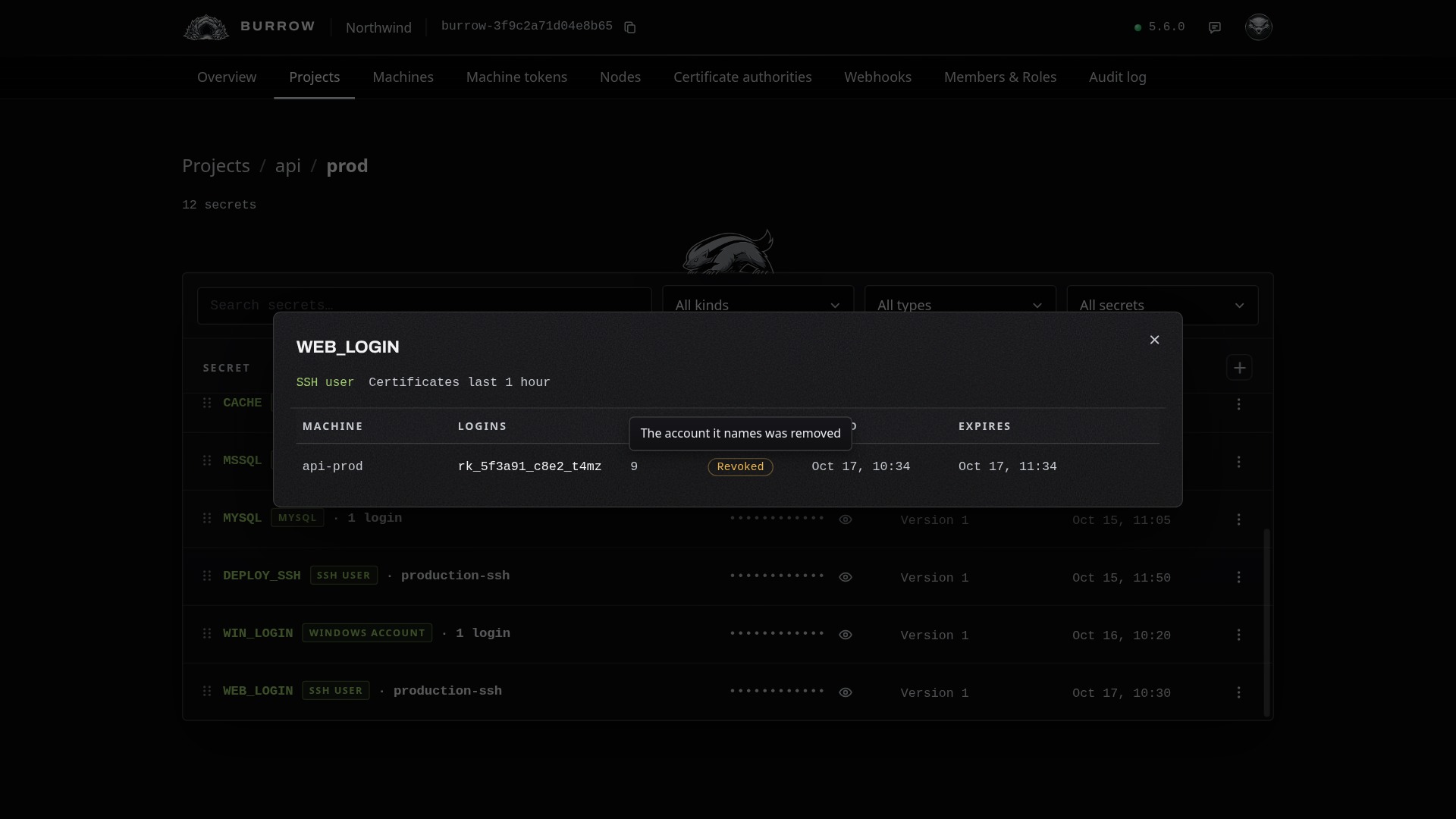
The machine's next fetch or read gets a new account, for as long as it has access. Your Burrow also removes a machine's account when its login ends, when the machine is removed, reaches the end of its lifetime, loses access to the environment, or is disabled while Revoke when the machine is disabled is on; and when the secret is deleted or its access or node changes. If the node is offline then, the account goes within seconds of it connecting again. Until then, the timer on the host removes it once its login's end has passed.
Change it later#
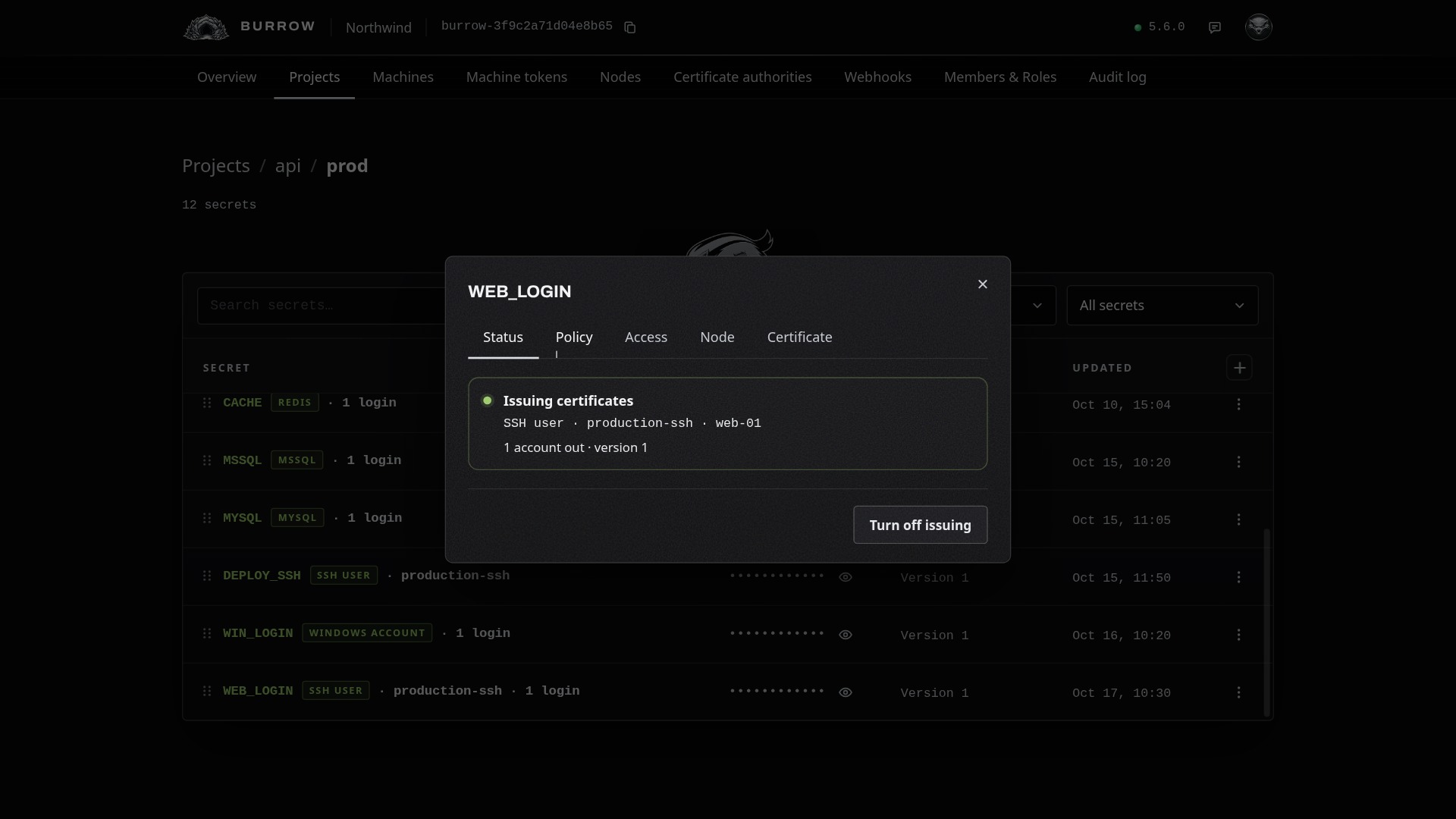
Choose Configure from the row menu. Each tab saves on its own:
Tab | What you change |
|---|---|
Status | Turn issuing off and on. While it's off, fetches and reads are refused; accounts already out keep working until they end or are removed. |
Policy | The accounts' lease policy. A change applies to accounts made from then on. |
Access | The groups each account joins, with Test this access. Saving gives every machine a new account with the new access, and the certificates naming its old one are revoked. |
Node | The node and the host, with Test the node. Saving another node gives every machine a new account on that node's host; changing only the host keeps them. |
Certificate | Source addresses, the forced command and the session. A change revokes the certificates out, and machines fetch new ones. |
For a secret that signs in with a password, the tabs are Status, Policy with the password's shape, Access and Node.
If an account isn't made or can't sign in#
A fetch or read fails
Making an account needs the secret's node connected, approved and enabled. The message says what stopped it. Test the node on the secret's Node tab checks it without a machine.
ssh says Permission denied
The account's login ended or it was removed: fetch or read again. Otherwise check the secret's Access: where the host's SSH server lets in only some groups, each account needs one of them. With a certificate, check that the certificate authority shows On its host for the node, and that the machine connects from one of the secret's source addresses.
Every option in one place: Dynamic secrets in the documentation, and Ratel Node for the node itself.